
Help Centre › Communication
Reminders & letters
Bring clients back when they are due, and send letters and emails that look like they came from your practice.
Reminders bring patients back on schedule: vaccinations, parasite control, medication reviews. This topic also covers one-off letters and texts. If vaccination records are switched on, vaccination reminders are raised for you when you give the dose, and you do not set them by hand. Items such as tick and flea treatment can book their own next reminder too: see Reminders booked by an item.
Setting a reminder#
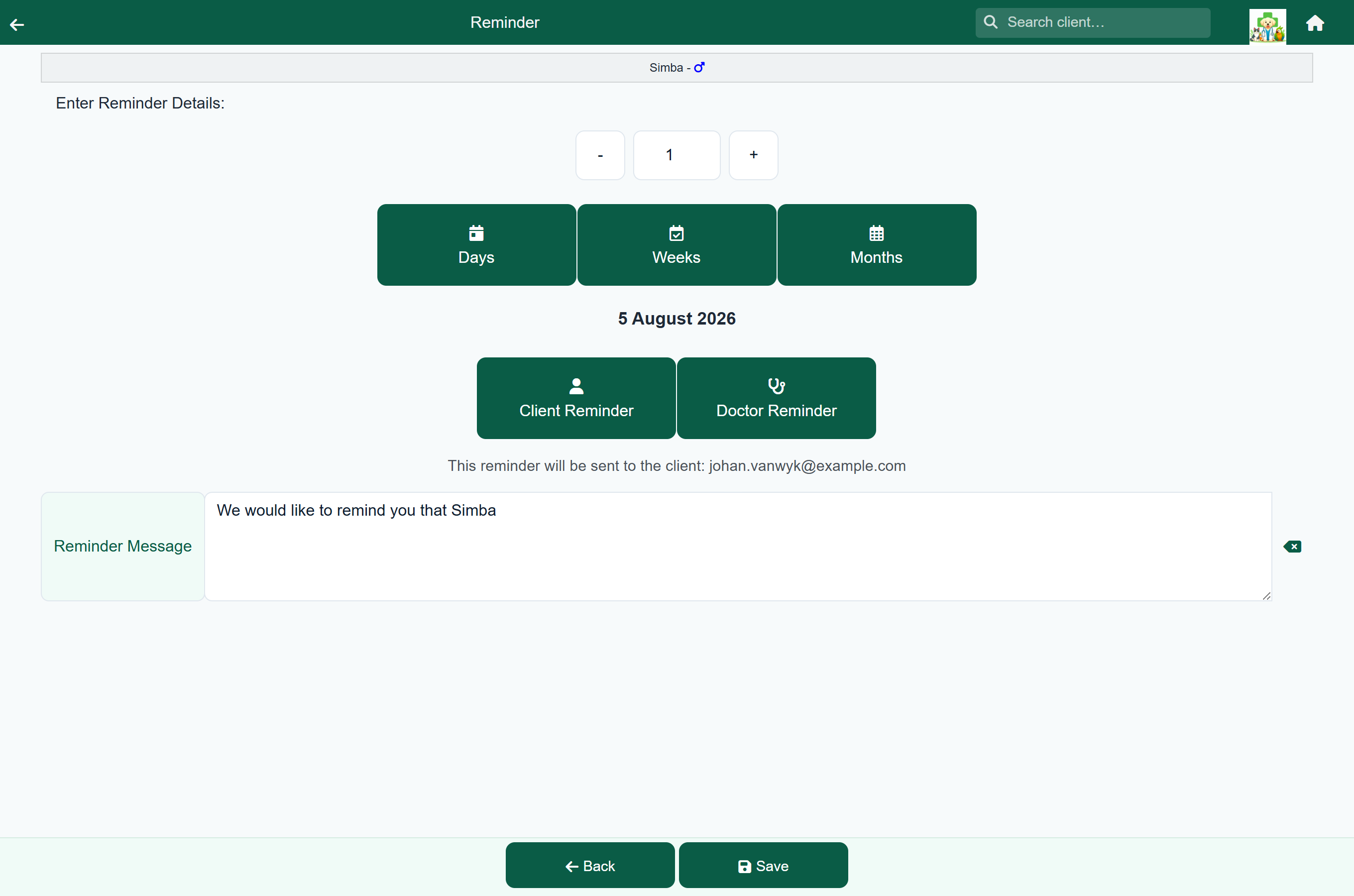
Reminders are usually set during a visit. A consultation or a hospital or boarding stay can carry several: a recheck in a week and a booster in a year are two separate reminders.
- In a consultation, press Reminder in the footer. On a hospital or boarding stay, press Add Reminder in the Stay Summary.
- Set when it falls due: enter a number and choose Days, Weeks or Months. The date is shown underneath.
- Choose Client Reminder or Doctor Reminder.
- Type the Reminder Message: this is what the client reads.
- Press Save.
| Choice | Who it is for | When it falls due |
|---|---|---|
| Client Reminder | The owner. | FastVet emails and/or texts the client, if automatic reminders are switched on. |
| Doctor Reminder | The vet who set it. | The email goes to the address on your own user account, not to the owner, and it is never sent as a text. If your account has no email address, it goes to the practice instead, so the reminder still reaches somebody. Use it for your own follow-ups, such as “chase the histology”. |
The line under the two buttons shows exactly who the current choice will reach.
Changing a reminder you have already set. Tap it in the Reminders list of the consultation or stay it was set on, or press Edit on its row in the follow-up list. The form opens on that reminder, and Save replaces it: you do not get a second reminder for the same thing. Delete removes it altogether.
Reminders booked by an item#
Some products are given on a schedule: a three-monthly tick and flea chew, a monthly joint or skin injection. Instead of setting the next reminder by hand every time, set it up once on the item, and FastVet books it whenever the item is billed.
- Open the item in the price list. Under When this item is billed, tick Book a follow-up reminder.
- In Due after (days), enter how long until the next one is due: for example 90 for a three-month chew, or 30 for a monthly injection.
- In Send this many days before, enter how much notice the client gets. It starts at 5.
- Type the Message the client reads, or leave it blank to use the wording shown in the box. The buttons underneath add the client's title or name, the pet's name, the item, the due date and your practice name or phone number.
- Press Save.
From then on, when a consultation, sale, groom, hospital stay or boarding stay with that item is finished, a reminder is booked for the patient. It goes out the same way as any other client reminder, and it appears on the Follow up list as a Product follow up.
- Billing the item again replaces the reminder from the last time, so a client who buys early is not reminded twice.
- The days are counted from the invoice, whatever the quantity: three chews sold together still book one reminder at the days you set.
- A counter sale with no patient on it books the reminder against the client's pet if they have only one. If they have several, choose the patient on the sale.
- Reversing the invoice, or giving the item back in full on a credit note, cancels the reminder if it has not gone out yet.
When a reminder falls due#
- If automatic reminder emails are switched on, FastVet emails the client. For a business account it goes to the contacts ticked Receives reminders, or to the business itself if nobody is ticked.
- If text reminders are switched on, it also sends a text: the message the vet typed, followed by your practice name and phone number.
- Reminders stop for a patient marked deceased.
Sending a letter#
Home›Settings›Send Letter
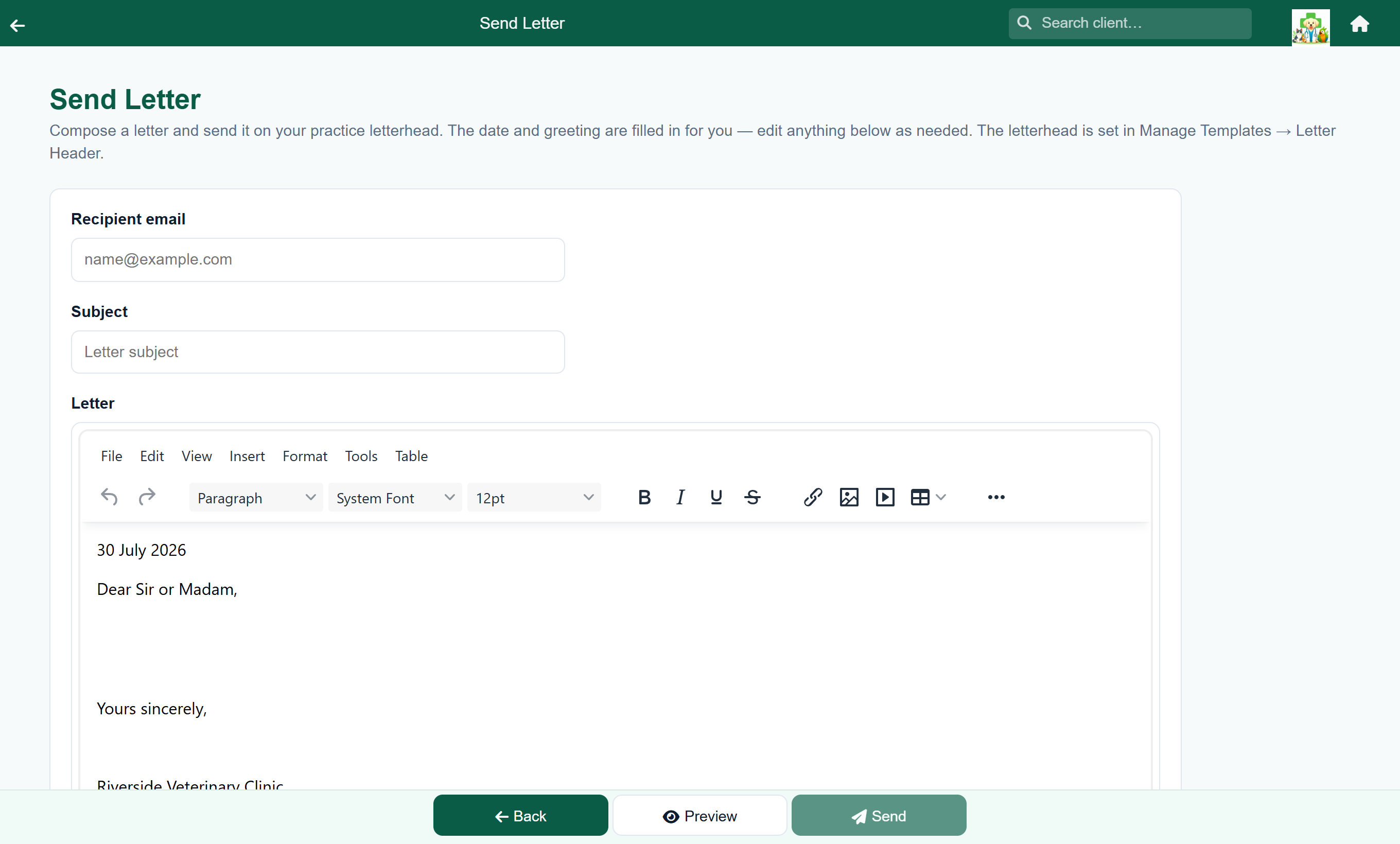
- Choose Send Letter.
- Type the Recipient email and a Subject.
- Write the letter. Today's date, a greeting and a sign-off in your practice's name are filled in already; edit any of them.
- Press Preview to see it on your letterhead, then Send.
From the Settings menu the letter goes to any address you type, so you can write to people who are not clients: a breeder, a shelter, another practice. To write to a client, open their account and press Letter: the address is filled in, the greeting uses their name, and the letter is recorded in the email history under their name.
The letterhead is your Letter Header, or your Referral Header if the Letter Header is blank.
Texting a client#
Home›Search Client›a client›Send Text
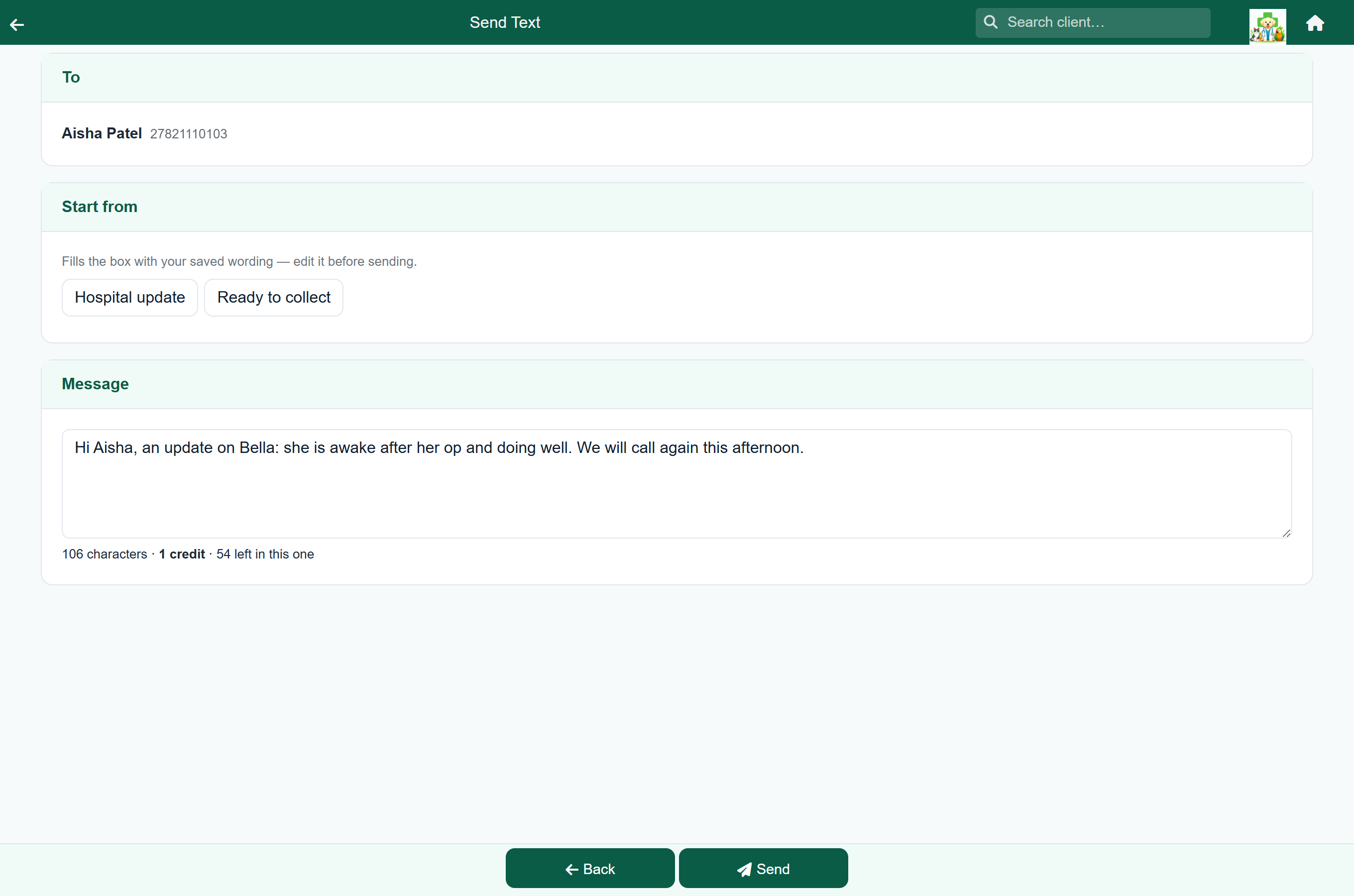
Use this for one-off messages: "your medication is in", "we are running an hour behind".
- Open the client and choose Send Text.
- Check the number shown at the top; that is the number that will be texted.
- Type the message. The counter underneath shows how many credits it will use.
- Press Send.
If the client has no mobile number, or one FastVet cannot read, the screen says so and you cannot send. Correct the number on the client record.
Texting an owner about a patient in your care#
Home›Hospital Patients›a patient›Text Owner
Text Owner is in the Stay Summary of a hospital admission or boarding stay. It opens the Send Text screen for the patient's owner, with starting wording you can pick:
| Starting point | Offered on | For |
|---|---|---|
| Hospital update | Hospital stays | A progress note. It stops mid-sentence for you to finish: "…she is awake and eating". |
| Ready to collect | Hospital and boarding stays | The animal can go home. |
The starting wording is your practice's own; see What the texts say. Edit it before you send. For anything else, type your own message.
Letterheads and automatic emails#
The letterheads on everything your practice sends, the codes that fill in client details, and the switches for automatic emails are covered in Templates & letterheads.
Discharge sheets#
Home›Settings›Discharge Sheets
A discharge sheet is standard client advice you keep once and send many times: post-operative care, dental aftercare, a puppy socialisation leaflet. Each one is a name and the files behind it, as PDFs or pictures.
- Press Add.
- Choose the files. They upload as soon as you pick them, and every file on the sheet is attached to the email.
- Type a Name. This is what your team looks for in the price picker, so make it one they will recognise.
- Under Offer this sheet on, leave on the places staff should be able to pick it and turn off the rest. Grooming visits follow the consultation setting.
- Press Save.
To give a client a sheet, press Discharge sheet in the price picker of a consultation, hospital day or boarding day, and choose it by name. The files go out with that visit’s invoice email.
A sheet cannot be picked on a cash sale. Sales do not carry attachments, so the button is not offered there.
What has been sent#
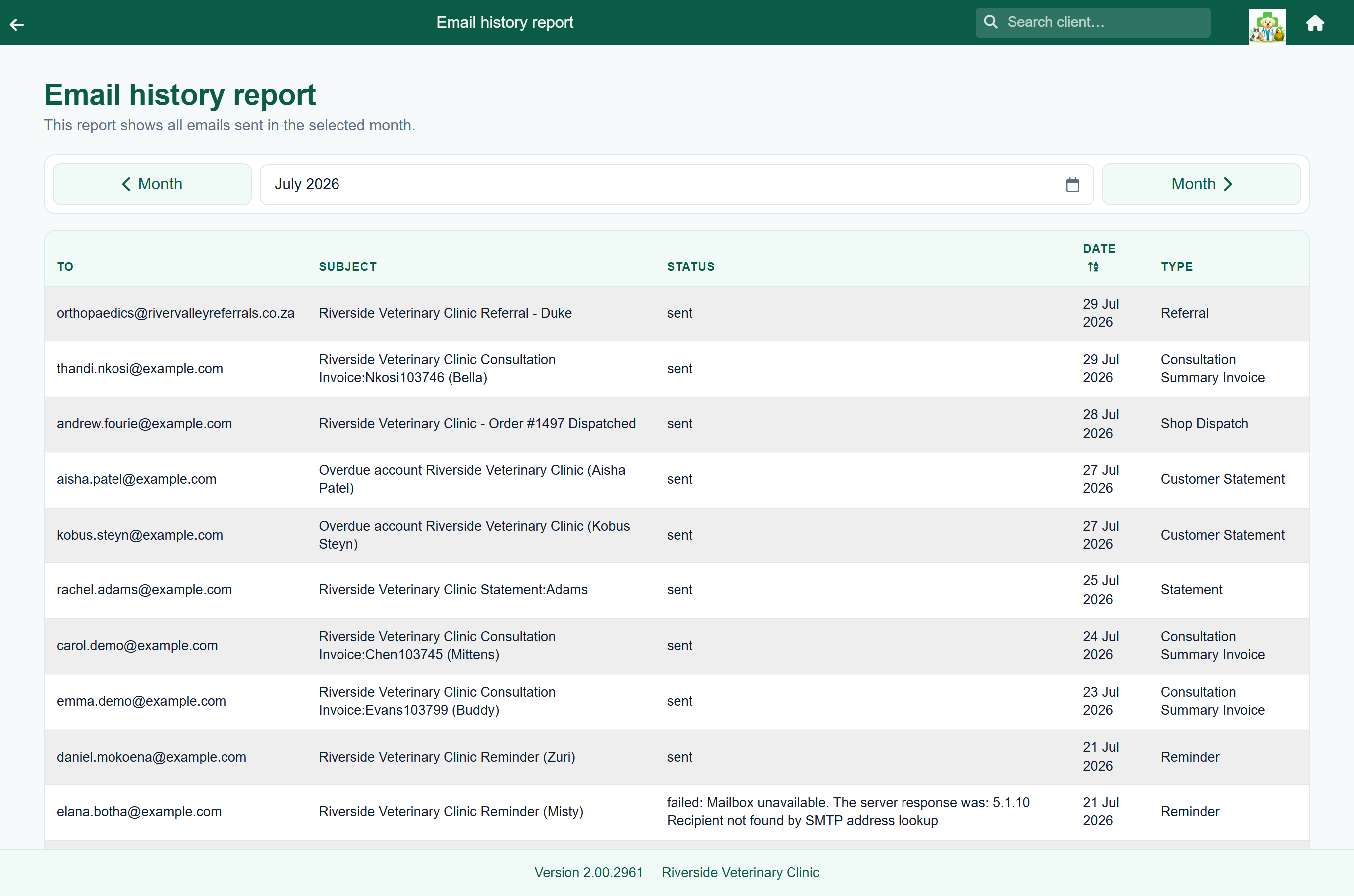
The email history report lists everything FastVet has sent, with the recipient and whether it went.