
Help Centre › Money
Quotes & estimates
Price up a procedure before it happens, send it to the owner, and turn the one they agree to straight into the consultation or admission, without typing the lines twice.
A quote prices work before it is done. You build the lines, the owner sees what it will cost, and the work starts once they agree. When they do, the consultation or admission is built from the quote, so what they agreed to and what you invoice are the same lines.
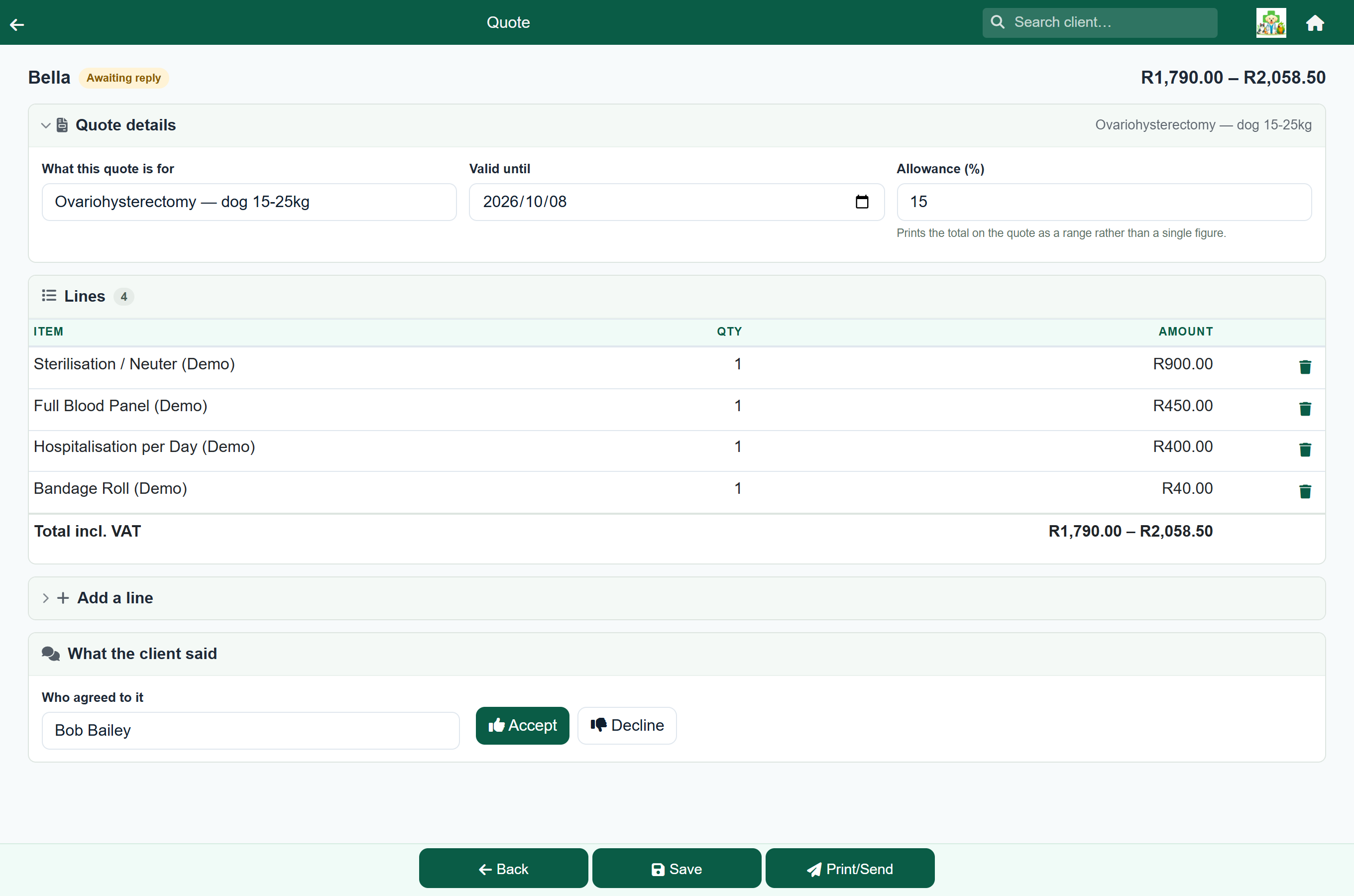
| Where | What it does |
|---|---|
| The quote screen | Pick the items, set a validity date, and price it up. |
| Give it to the client | Print it, or send a link they can open on their phone. |
| Their answer | They accept or decline online, or you record what they said. |
| Turn it into work | One button creates the consultation or admission, with every line on it. |
Switching quotes on#
Settings›Practice Settings›Features & Modules
Quotes are off until you turn them on. Switch on Quotes in the Optional Features card and save. The quote screens then appear for your staff. Quotes you send appear on the client's Estimates page in the client portal.
Build the quote#
Client›a patient›Quotes›New quote
A quote is always for one patient. Open the client, press Quotes on the patient, then New quote.
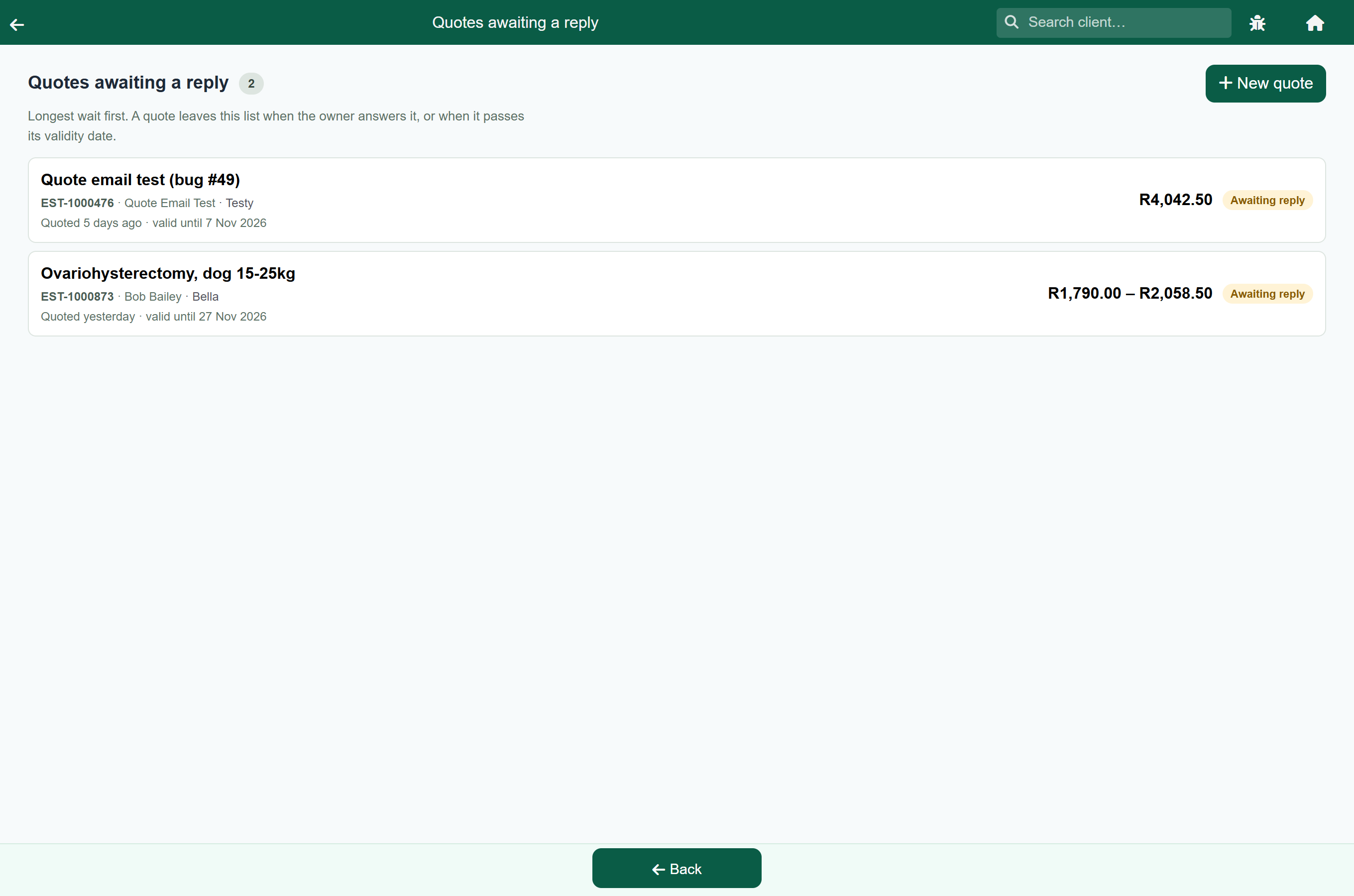
Or start one from Quotes awaiting reply on the home screen: New quote there asks which patient and takes you straight to the new quote. That is the quicker route when you are already working through the list and the owner on the phone asks what something else would cost.
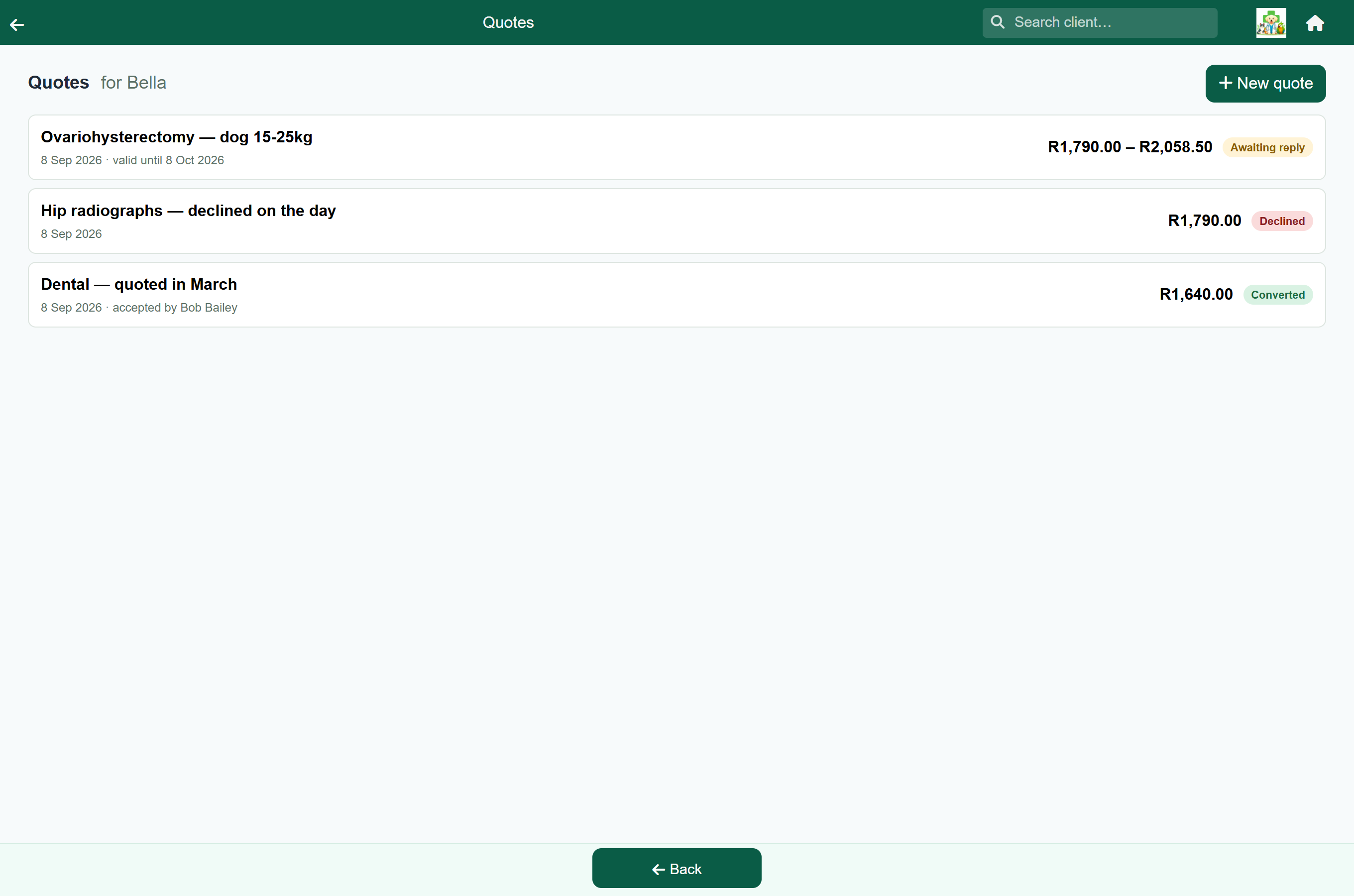
The patient's own list shows every quote for them, newest first, with its number, its total and its status.
- Fill in What this quote is for. The owner sees this, so be specific: "Ovariohysterectomy, dog 15-25kg" rather than "Quote 3".
- Add lines from the price picker. Protocols, materials, procedures and lab work all behave as they do on a consultation.
- Check Valid until. A new quote is valid for 14 days; change the date, or clear it if the quote should not lapse.
- Set an Allowance (%) if the cost could reasonably change; see below.
- Press Save.
The total updates as you add lines. It is the figure on the printed quote and on the client's copy.
Got a quantity wrong? Change it on the line. The Qty box in the lines table is editable: type the new number, or use the little up and down arrows in the box, and the line and the total both follow. There is no need to delete the line and pick the item out of the catalogue again. Lab work has no box, because a result belongs to one test, and a protocol is quoted as one package, so its quantity is fixed too. To take a line off entirely, use the bin beside it.
To change anything else on a line, press the pencil beside it. That opens the line in the same editor you used to add it, so you can change the price, put it on a different price group, set its tax class, or edit the instruction and the note the client reads. Press Save line and the quote total follows. It is the quick way to quote a negotiated price: a herd job priced per animal, say, where the quantity is right and the rate is not.
If your practice charges more than one VAT rate, a line that carries none is marked Zero rated or Exempt under its name, and a line reading Of which zero rated appears above the total. The owner's copy in the client portal says the same; the printed estimate marks those lines ** and *** and prints the key under the table, exactly as an invoice does. Either way a farming client can see which part of the figure carries no tax, rather than wondering whether it was left off by mistake. See Zero-rated and exempt items.
Where you have set an item to print as something else, the estimate prints that name and the item's own name underneath it, the way an invoice does. A practice that bills several products as Medication would otherwise hand a client a quote with the same word on every line and no way to tell what is being quoted for.
The allowance, and why you might want one#
The Allowance (%) field prints the total as a range. Enter 15 and a R2,790.00 quote prints as “R2,790.00 – R3,208.50”, with a line saying you will phone before going past the top of the range.
Leave it blank for a single figure. Use an allowance where the cost could change once work starts: a dental where you cannot tell how many extractions are needed until the animal is under.
Give it to the client#
Press Print/Send when the quote is ready. The Send Quote screen offers:
- Print: the quote as a PDF, to hand over the counter.
- Email or Send text: to the address or number on the client's record.
- Send on WhatsApp or Copy link: the owner opens the quote on their phone, with Yes, go ahead and No, not for now buttons underneath.
- The client portal: registered clients see it under Estimates.
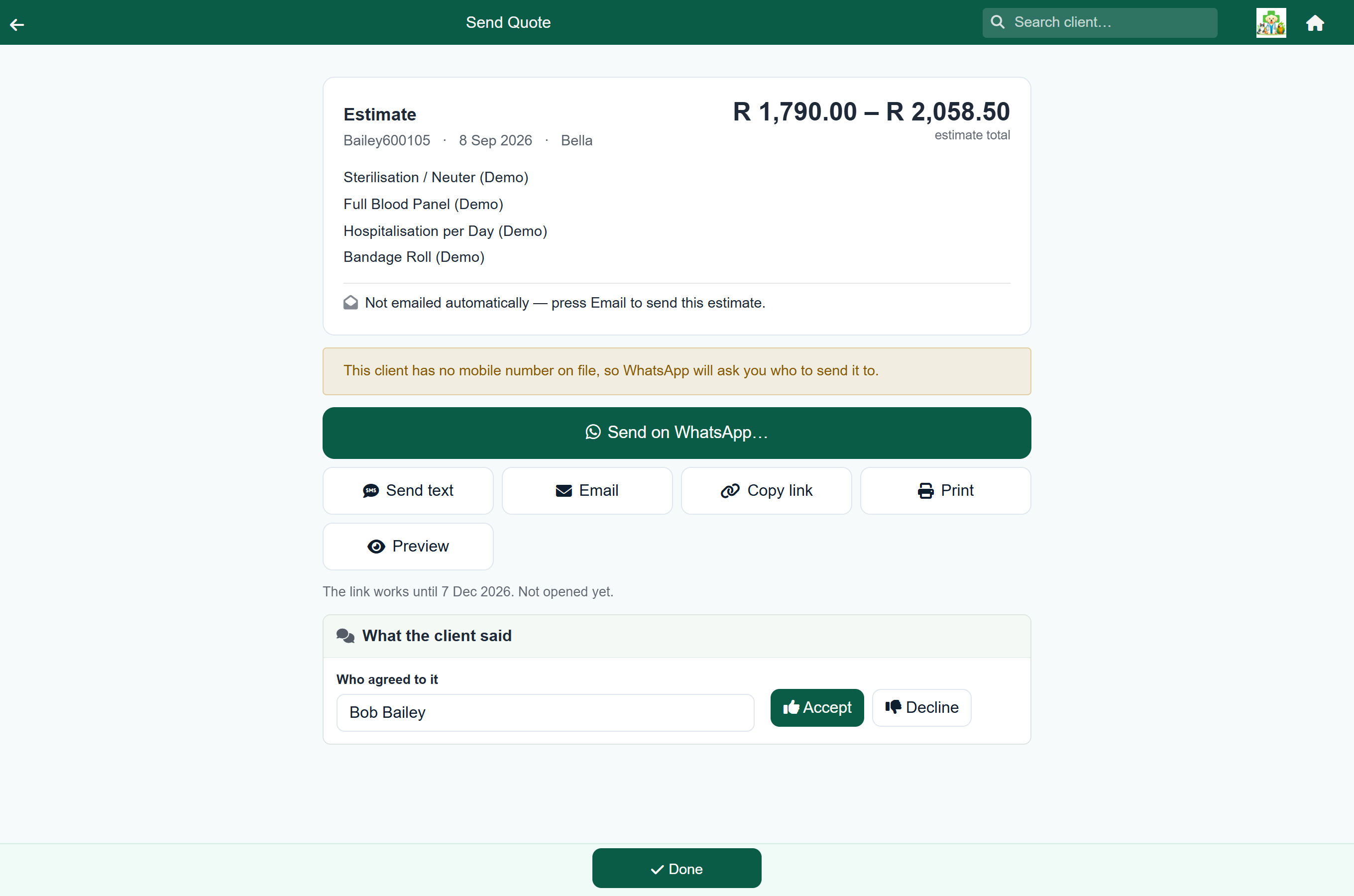
Once the quote has been sent by any of these, its status moves from Draft to Awaiting reply and it appears on the Quotes awaiting reply tile on the home screen. Opening the Send Quote screen without sending changes nothing.
You can still correct a sent quote until the client answers. After that it is locked; if the price has to change, make a new quote.
Their answer#
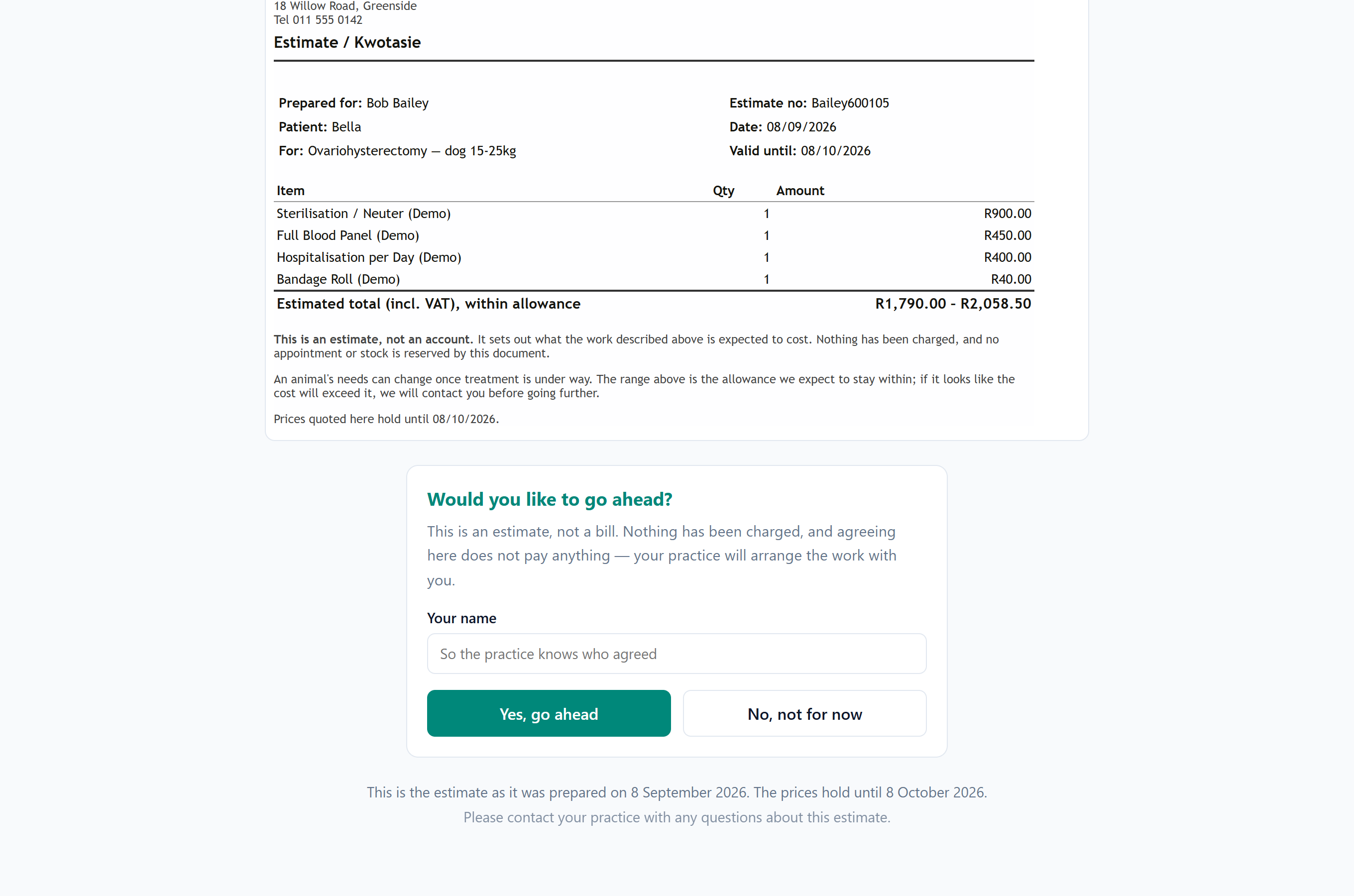
The quote records how the answer arrived:
| How they answered | What is recorded |
|---|---|
| Online, from the link | The name they typed, the date, and the address they answered from. |
| In the client portal | Their name from their account, and the date. |
| At the counter or on the phone | The name you type in, the date, and that a staff member recorded it. |
To record an answer yourself, open the quote and use the What the client said panel. The name is filled in with the account holder (change it if somebody else agreed) then press Accept or Decline.
A Declined quote is one the owner said no to; an Expired one passed its validity date without an answer.
Turn it into the work#
Once a quote is accepted, two buttons appear: Start consultation and Admit to hospital. Either creates the record with every quoted line already on it.
- Start consultation creates a consultation for the patient. Finish and charge it as usual.
- Admit to hospital admits the patient and puts the quoted work on the first day of the stay.
When your prices have moved since you quoted#
A quote prices each line for the client it is addressed to, so a quote to a farming client shows the zero-rated figures and the invoice that follows matches them.
While a quote is still valid, converting it charges the prices the owner accepted. If your price list has moved in the meantime, the quote keeps its own figures, so the invoice matches the document the owner agreed to.
Once the Valid until date has passed the quote has lapsed, and converting it prices the lines from today's price list instead. A quote with no Valid until date never lapses, so it is always honoured.
Either way, the quote screen lists the lines whose price has moved: what each was quoted at, what it costs today, and which of the two is being charged. The list stays on screen.
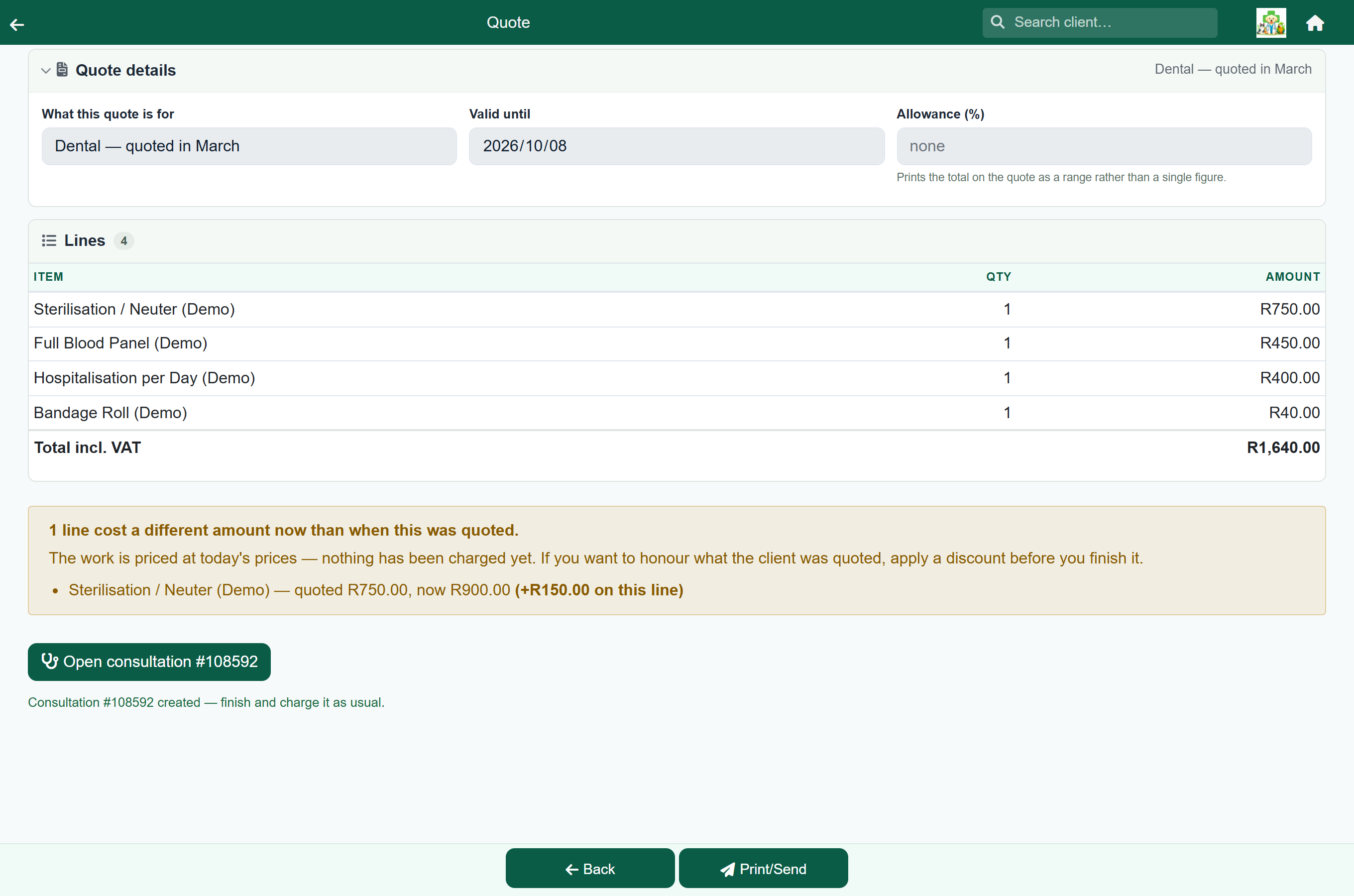
Where the quoted price is being charged there is nothing to do. The figures are there so you can see where a price has gone up underneath a quote you are honouring, and set a shorter validity next time. Where the quote had lapsed and the owner is expecting the old price, apply a discount on the consultation for the difference, or phone them before you finish the invoice. If nothing has changed, no list appears.