
Help Centre › Money
Cash sales
Selling to somebody with no account: put the items on, take the money, hand over the invoice, all at the counter.
A cash sale is for the person standing at your desk buying a bag of food, a tick collar, a lead. Usually they are not a client of yours: you do not register them first and you never chase them afterwards, because they pay before they leave. If they turn out to be a client after all, the sale can be put on their account without changing anything else about it.
That is the one real difference from an ordinary counter sale. An ordinary sale charges a client's account and you collect the money afterwards. A cash sale is paid first and only then becomes an invoice, so nothing can leave the counter unpaid.
Setting it up, once#
A cash sale starts out charged to one client record kept for the purpose, so the money appears in your day summary, your reports and your accounting export exactly as any other sale does. Somebody has to choose that client once, and until they do the Cash Sale button is not on the home screen at all. (A sale that turns out to belong to a real client can be moved onto them: see When they turn out to be a client.)
Home›Settings›Practice Settings›Billing
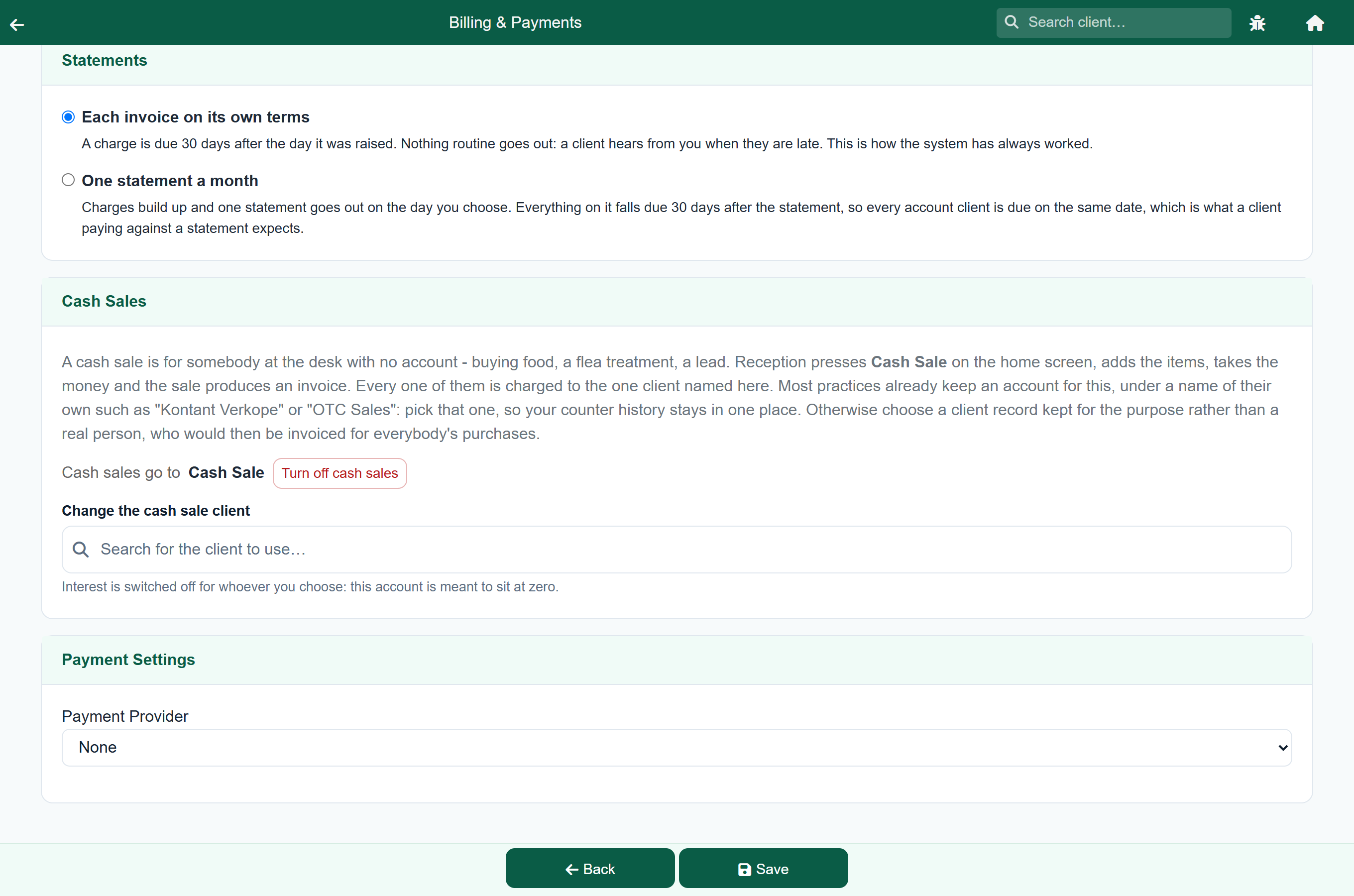
Most practices already have an account for this, kept under a name of their own: Kontant Verkope, OTC Sales, Cash Client. Pick that one. Your counter history then stays in one place instead of splitting across two records.
Practices that signed up recently already have a client set up and nominated. To stop using cash sales, press Turn off cash sales and save: the button disappears from the home screen, and nothing that has already been sold is affected. See Cash sales in Practice Settings.
Ringing one up#
- Press Cash Sale on the home screen.
- Press Add and put the items on, exactly as you would on any other sale.
- Press Pay, choose how they are paying, and take the money.
- Press Invoice to finish the sale and print or send the invoice.
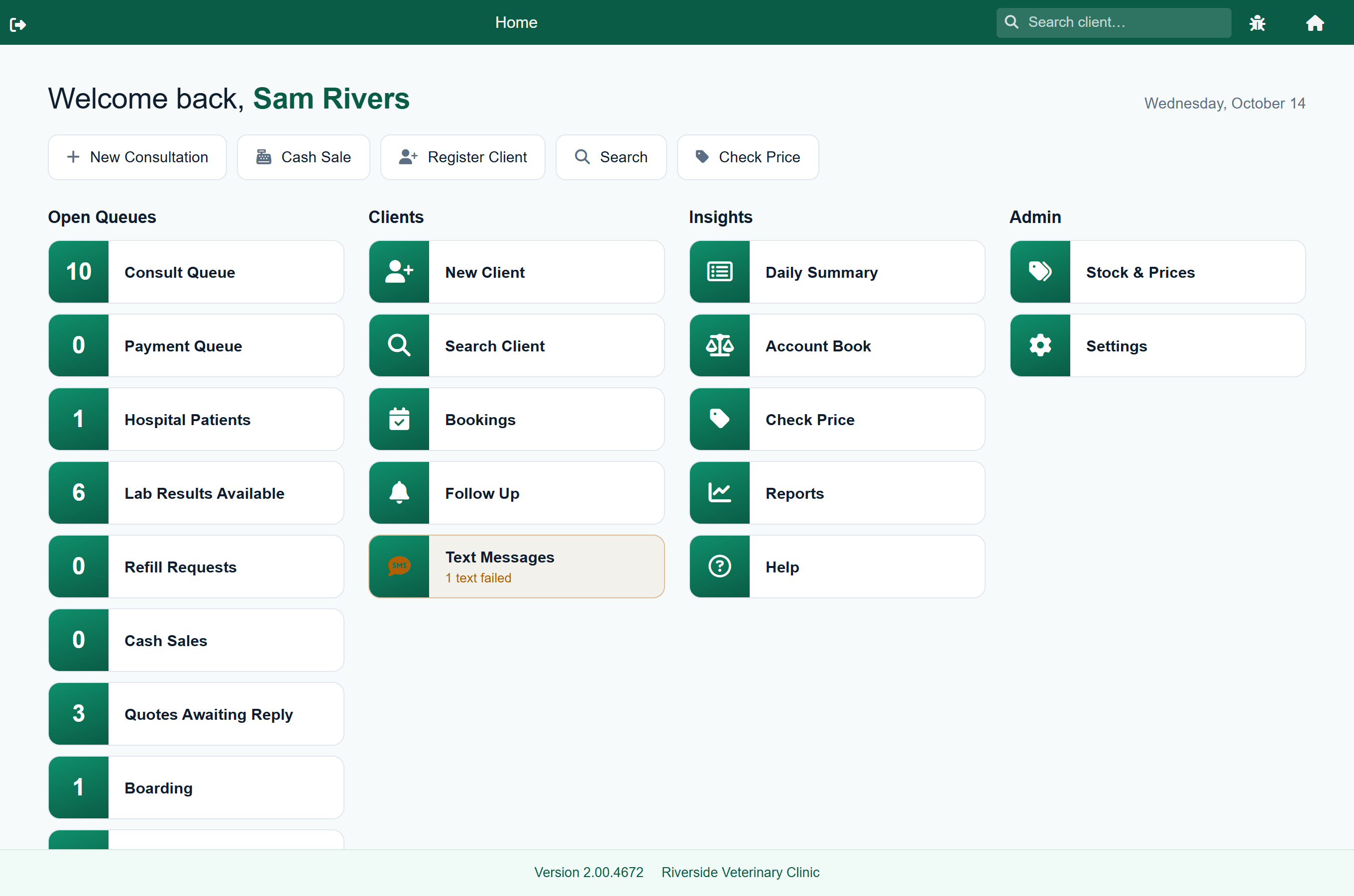
It needs no special role, so whoever is on the desk can do it. There is no client to find and no patient to choose: the sale opens empty and ready for items.
When they turn out to be a client#
The collar is already on the screen when the person mentions they have an account with you. Press Change client at the top of the client card, find them, and choose one of their patients if the purchase belongs on an animal's record. A client with no patients, or a lead that suits no particular animal, takes No patient.
If they only want to know what they bought last time, that is the other button, Look up purchases, and it leaves the sale exactly as it is: see What a client has bought. Change client is refused once you have taken the money; looking somebody up never is.
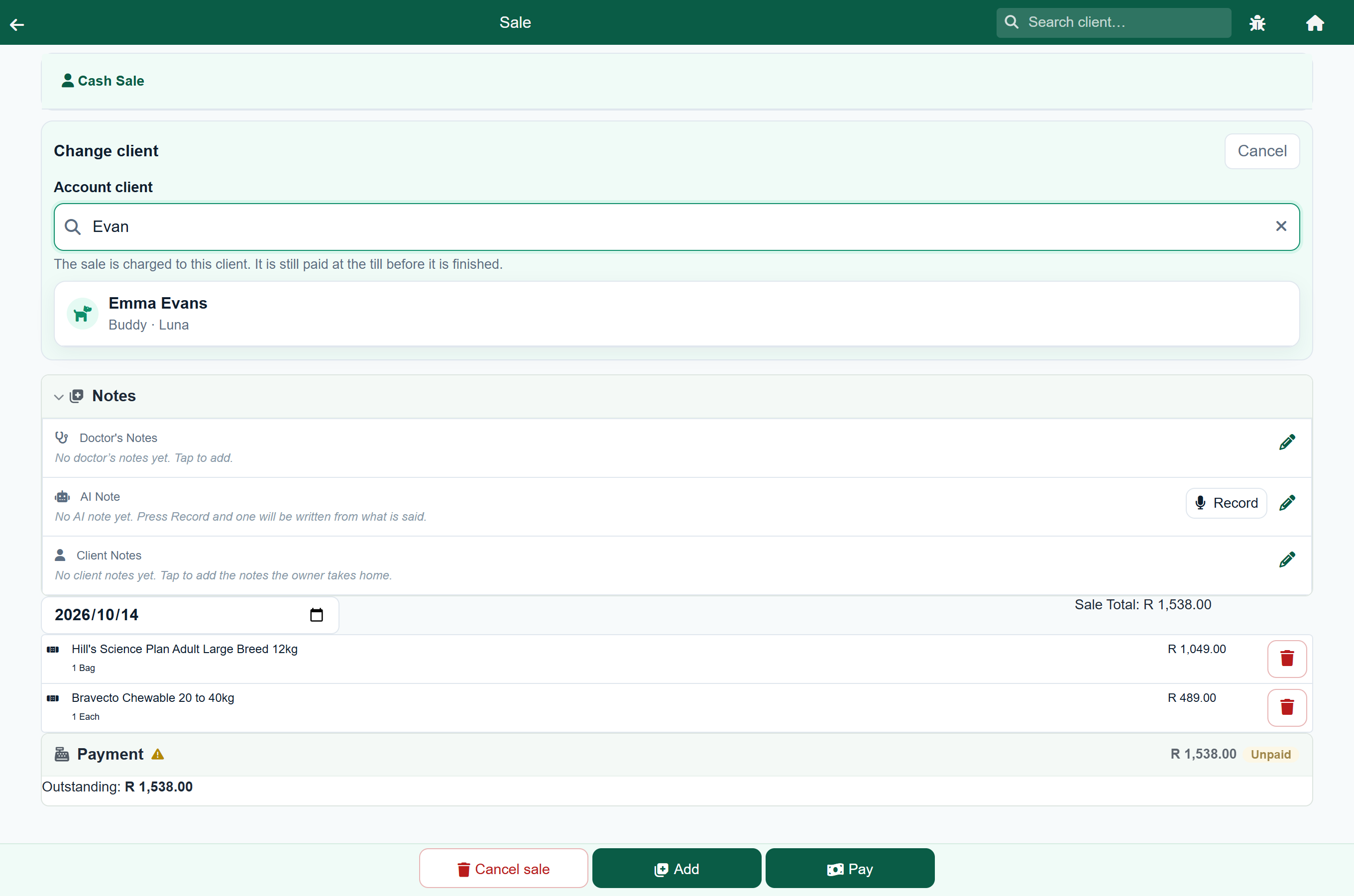
Nothing else about the sale changes. They are still standing at your counter and still paying now, so the payment is taken exactly as before and the sale still cannot be invoiced until it is paid. The difference is whose purchase it is: it goes on their account, it shows in their history, and they earn loyalty points on it.
Taking the money#
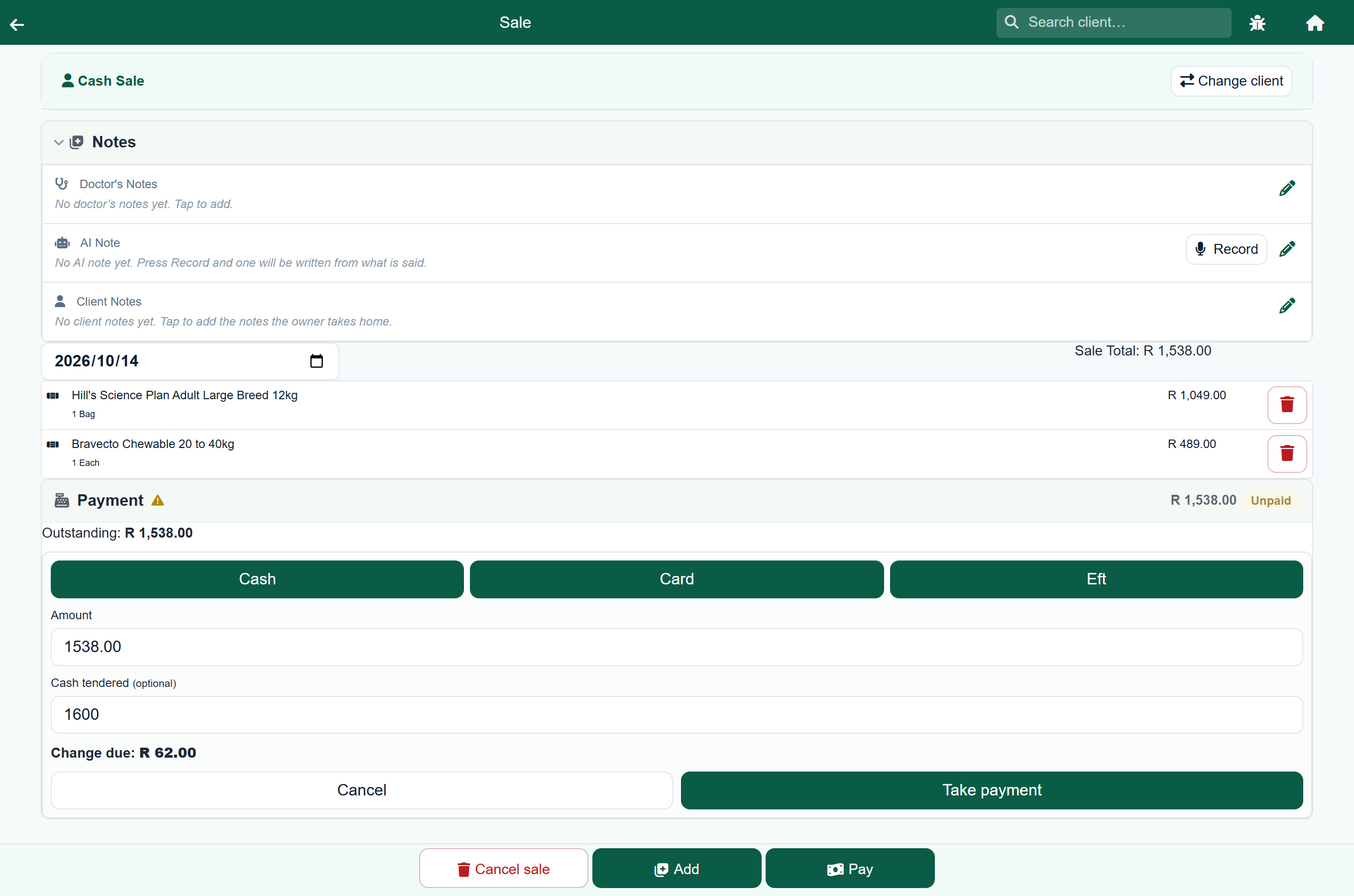
Press Pay and the amount is filled in for you, so a single payment is one tap. Choose Cash, Card or Eft to record how it came in.
| If they | Do this |
|---|---|
| Pay the whole amount | Leave the amount as it is and press the payment button. |
| Hand over a note | Type what they gave you in Cash tendered. The change due is worked out for you. Only the amount of the sale is charged, never what was handed over. |
| Pay part cash, part card | Take the first payment, then press Pay again for the rest. A sale can take as many payments as it needs. |
It will not finish until it is paid#
There is no Invoice button at all until the sale is paid in full. The Payment panel says what is still owed, and Pay holds the right-hand end of the bar until it is settled. This is the whole point of a cash sale, and it also catches the easy mistake: add another item after taking the money and the shortfall reappears, taking the button away again until the difference is paid.
Two people serving at once#
Every press of Cash Sale starts a separate sale, so two people at two tills never end up on the same one, even though both are charged to the same client.
Cash Sales on the home screen lists the ones that are open: who started each, when, how many items, and what has been paid. Tap one to pick it up where it was left. Refresh brings in what the other till has done since you opened the list, and New starts another sale without going back to the home screen.
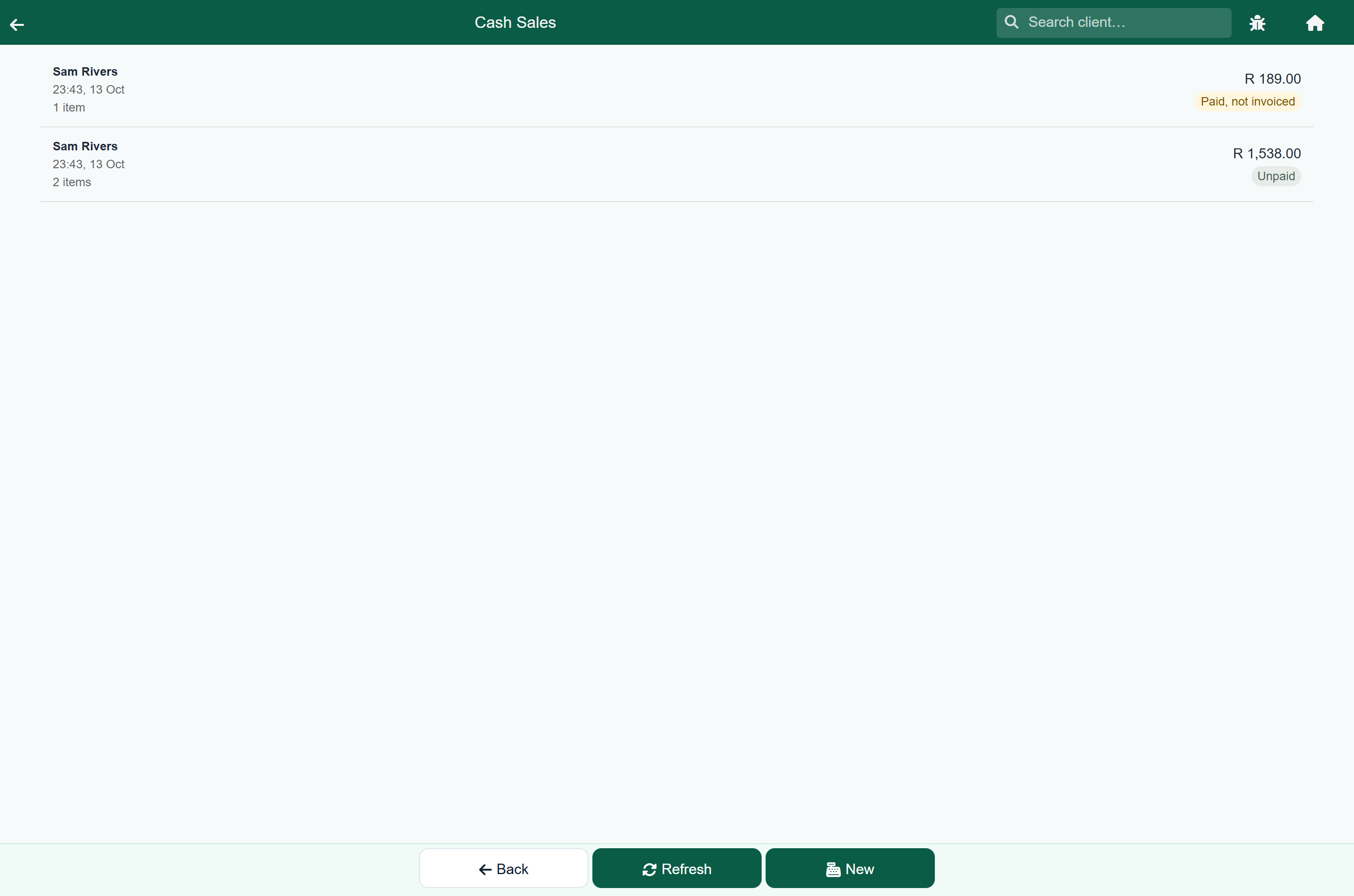
This is also your end-of-day check. A sale badged Paid, not invoiced is money in the drawer that was never finished off, which is exactly the difference you would otherwise spend an evening hunting for. Open it and press Invoice.
After the invoice#
The invoice screen is the same one the rest of FastVet uses, so you can print it, email it or hand over a copy: see Sending an invoice to a client. Two things are different after a cash sale.
- Next Sale starts the next counter sale straight away, for the person already waiting.
- There is no Take Payment, because the money is already in. Done goes back to the home screen rather than to the account, which is shared by every counter sale you have ever made and so says nothing about this one.
Abandoning a sale#
Cancel sale gets rid of a cash sale nobody is going to pay for and puts the stock back. The button changes to Press again first, so it cannot be hit by accident.
A sale with money on it cannot be cancelled: FastVet asks you to remove the payment first. That is deliberate, because cancelling it would throw away the record of money that is sitting in your drawer.
What it looks like in your books#
A finished cash sale posts the charge and the payment together, so the counter client's account returns to zero on every sale. It is an ordinary sale and an ordinary receipt: your day summary, your turnover and your accounting export all treat it as one.
| Behaviour | Why |
|---|---|
| Never appears on the payment queue | The queue is a list of people who owe you money. A cash sale is paid before it exists. |
| Never earns interest | The account is meant to sit at zero. A sale left open overnight must not start charging interest on money nobody owes. |
| Earns no loyalty points, unless you name a client | Points on the shared counter account would belong to nobody and could never be spent. Name a client and they earn them as usual. |
| Has no patient, unless you choose one | With no patient nothing is recorded against an animal, so nothing appears in a clinical history. Naming a client lets you put the purchase on one of their animals. |
Reversing one. Reverse a finished cash sale the same way as any other, from the client's account: see Reversing a charge. FastVet assumes you handed the money back over the counter, so it also records that the refund went out. The shared account is left at zero rather than in credit to nobody.
When to use an ordinary sale instead#
- They want to pay later. A cash sale cannot be finished unpaid, whoever it is for. That is a credit sale, and it starts from the client's account rather than here.
- They are not a client yet, and should be. Register them first if you want to be able to remind them, book them in or invoice them later. Change client finds people who already exist; it does not create them.
- It is part of a visit. Something dispensed during a consultation belongs on the consultation, where it sits with the rest of that animal's treatment.