
Help Centre › Grooming
Grooming
Run the grooming side of the practice: a queue of its own, a record of what was done, and an invoice at the end.
Grooming has its own queue and its own staff role, so groomers see their work without the clinical screens. If your practice does not offer grooming, an administrator can hide it under Features & Modules.
The grooming queue#
Home›Grooming Queue
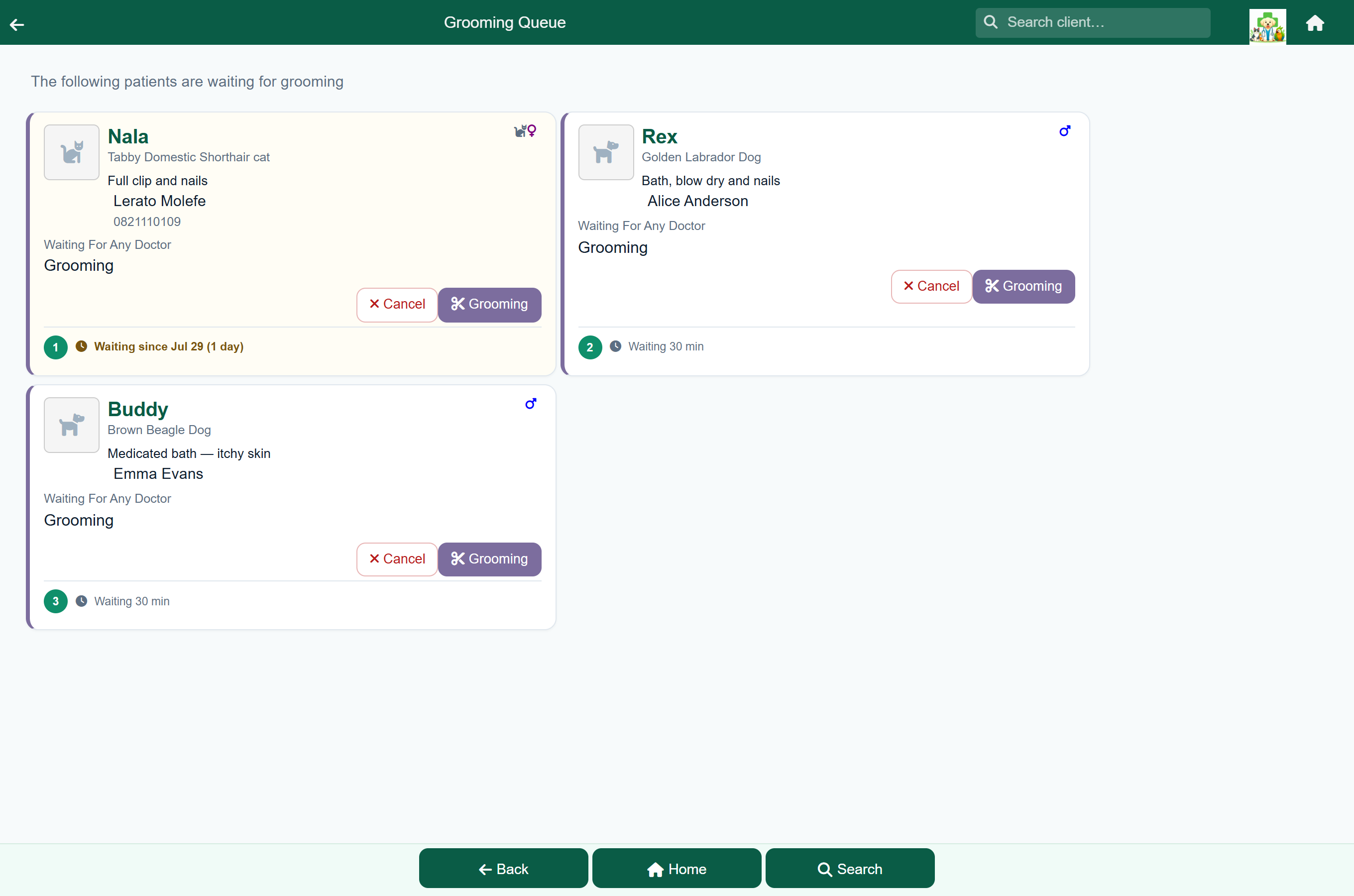
Patients arrive here in two ways: reception adds them from the client's account with the purpose set to Grooming, or they come from a grooming booking.
Recording a groom#
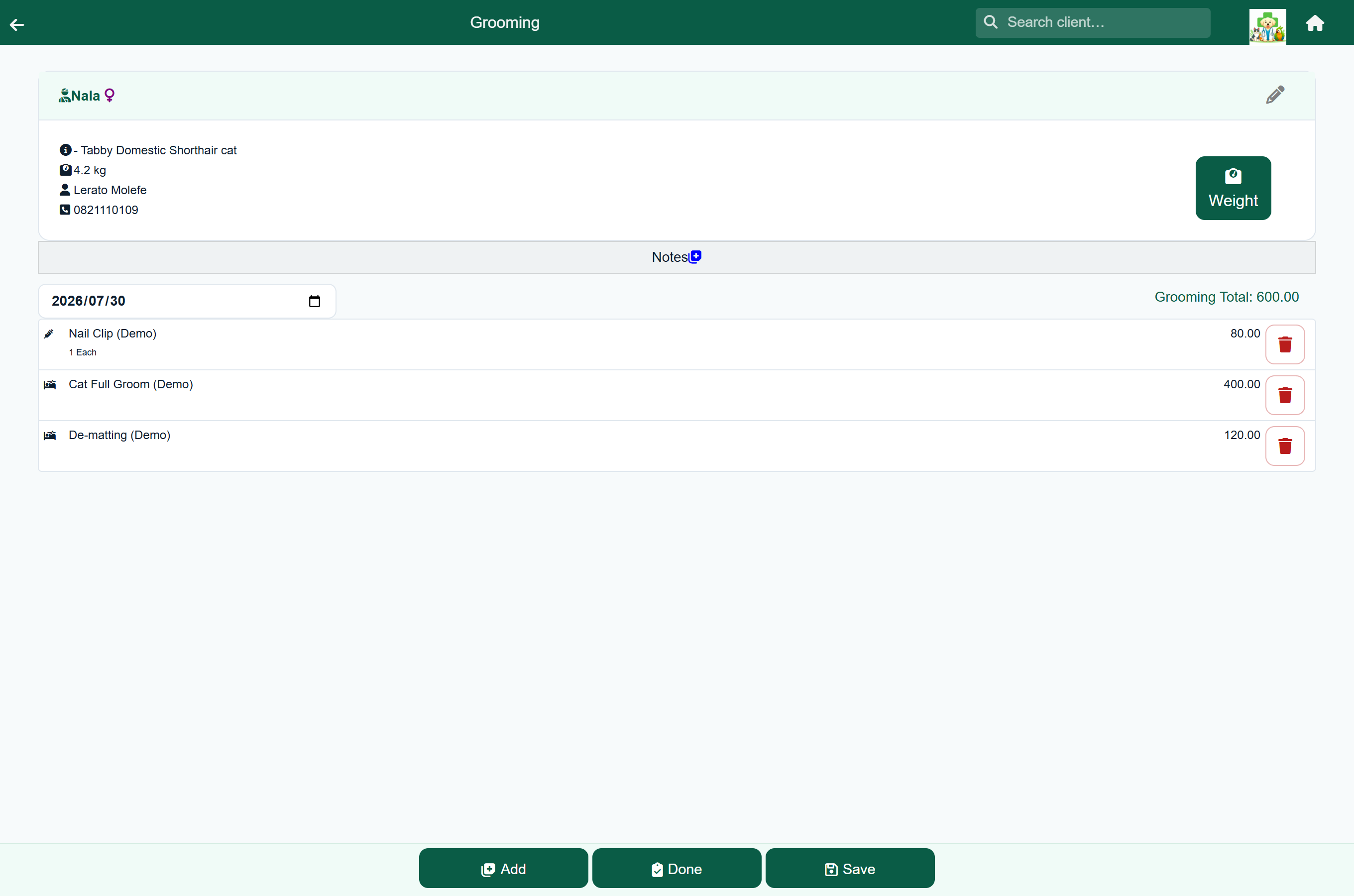
- Open the patient from the grooming queue.
- Press Add and add what was done: clip, bath, nails, de-matting.
- Write up anything worth remembering for next time in the notes.
- Press Done to finish the groom and raise the invoice.
Adding what you did. Add opens the price list showing only items set to appear for grooming. Which items appear is set per item under Update Prices. The Invoice bar at the top shows the running total and the item you just added, so you can add several in a row and see each one land.
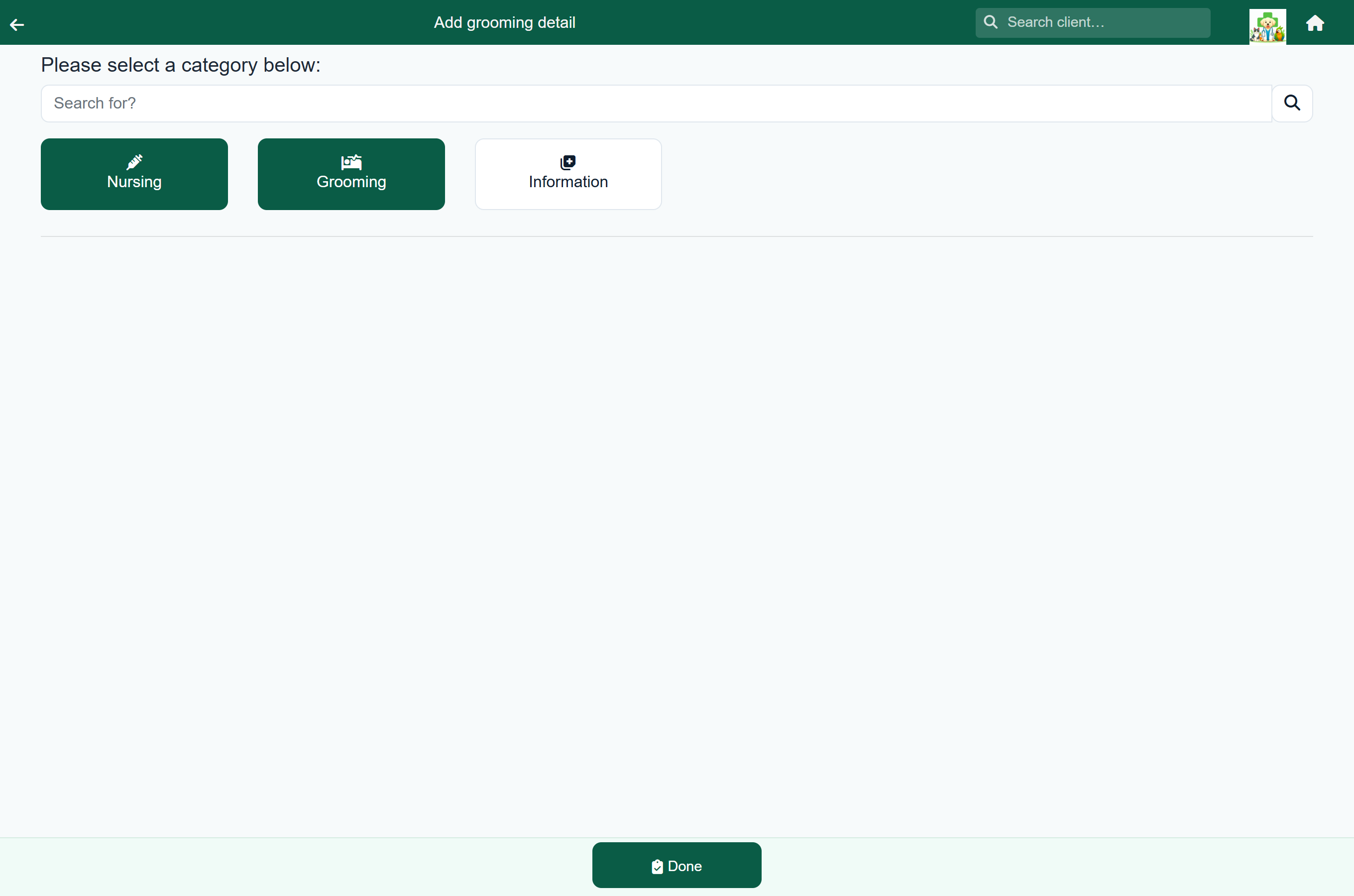
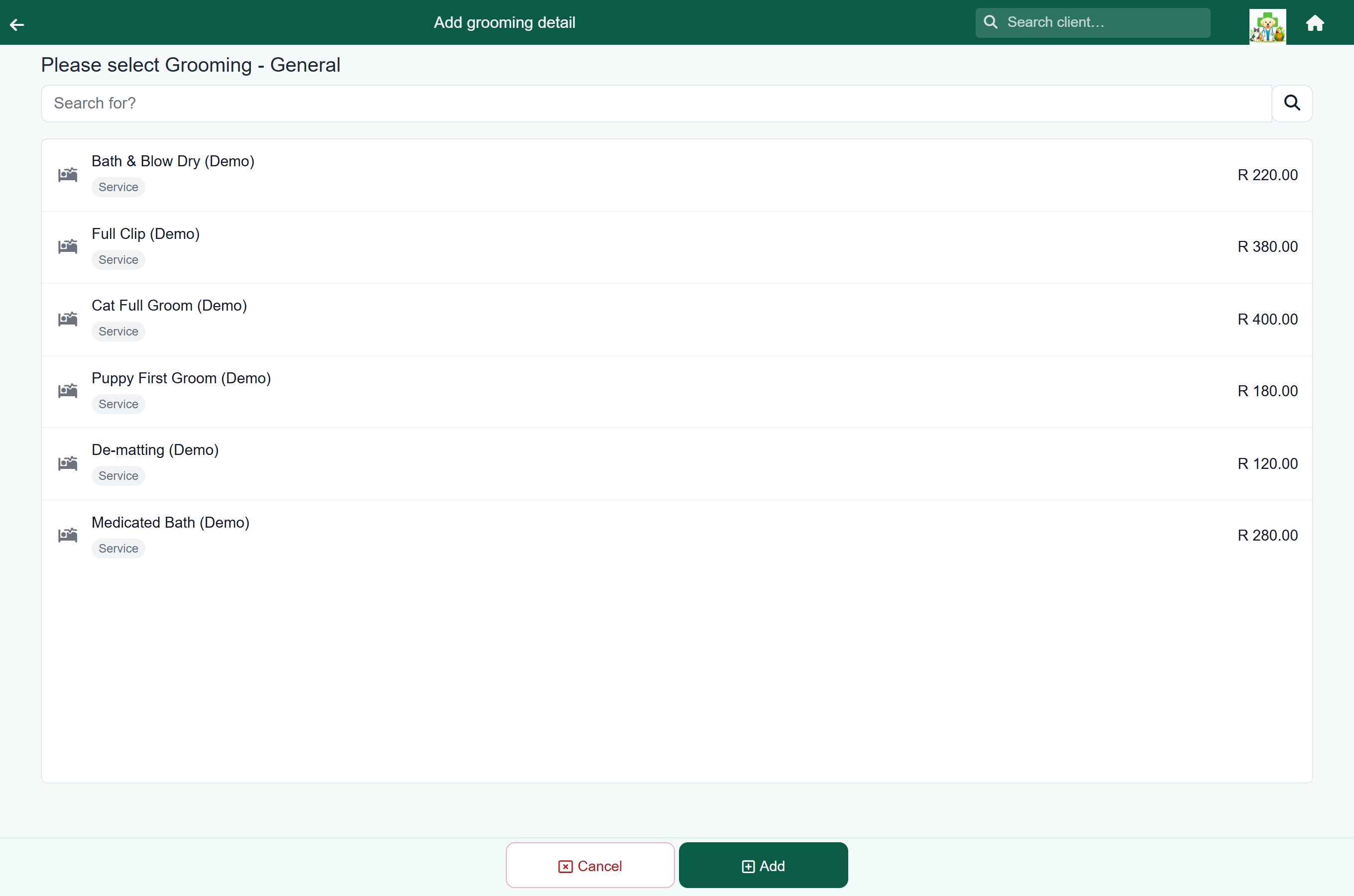
To remove a line, press its bin.
Writing it up. The Notes panel has Doctor's Notes, your own record of the groom, and Client Notes, which the owner sees on their paperwork. Tap a note to edit it; it saves as you type.
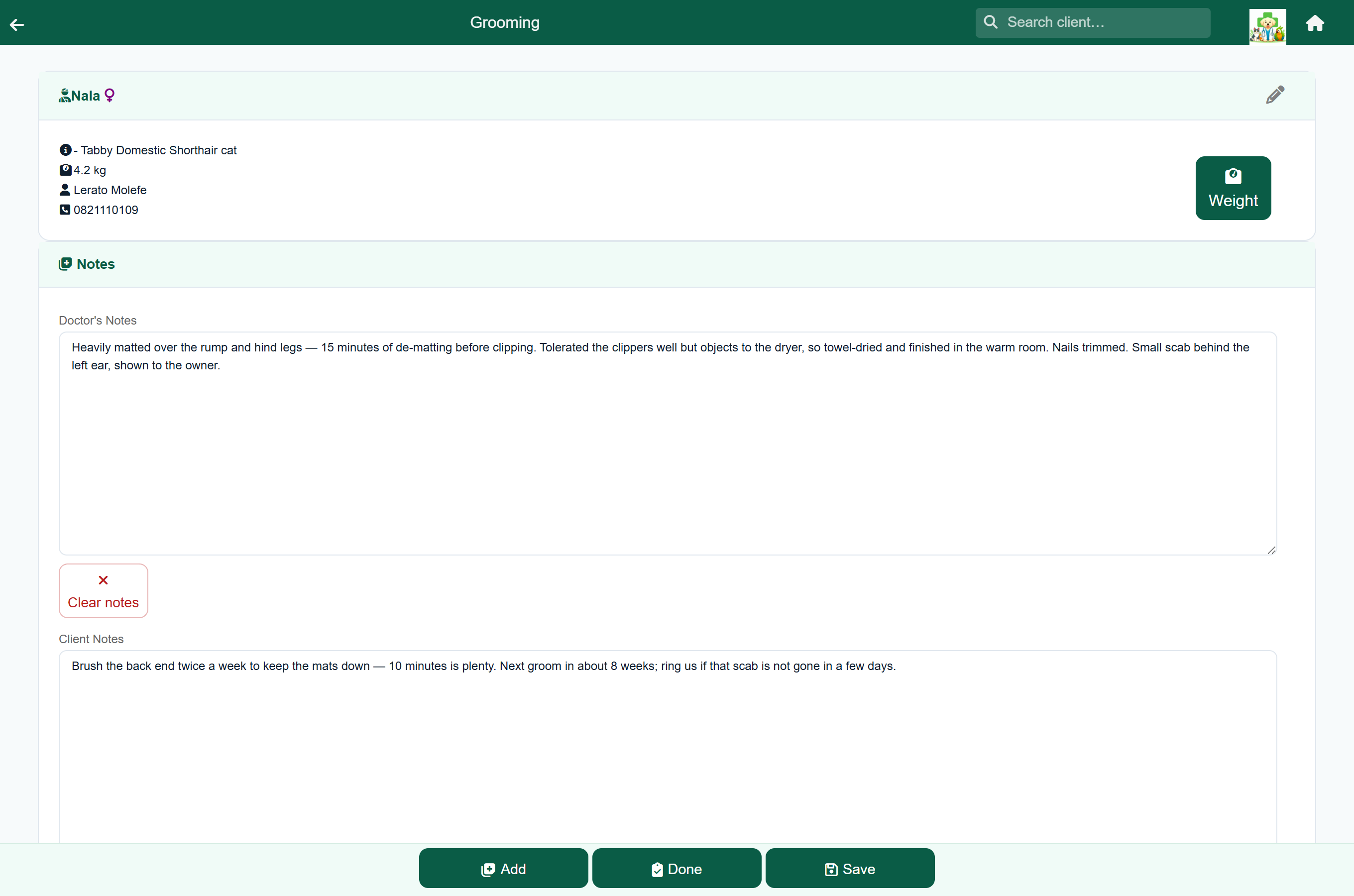
Finishing a groom posts the charge to the client's account, earns them loyalty points, and sends them to the payment queue, just like a consultation.
Charged the wrong thing? Reverse is in the footer of the finished grooming record, and on the charge in the client's account. Groomers can reverse a groom as well as vets. Reversing credits the charge back to the client, takes back the loyalty points it earned, and returns any stock used. A reversed groom cannot be reopened; to charge the right amount, add the patient to the grooming queue again.
Grooming packages#
A protocol is a package: one price on the invoice, with the things it includes listed underneath. A “Full Groom” covering the bath, clip, nails and ears bills as one line at the package price.
Press Add, pick the package, adjust any quantities, then Add Protocol. Changing a quantity inside the package changes what is recorded and what comes off your stock, not the price, unless the package is set to calculate its total from its contents. See How a protocol is priced.
Discounting a groom#
Press Add and then Discount. Take a percentage off the whole groom, or a flat amount. The discount appears as its own line on the record.
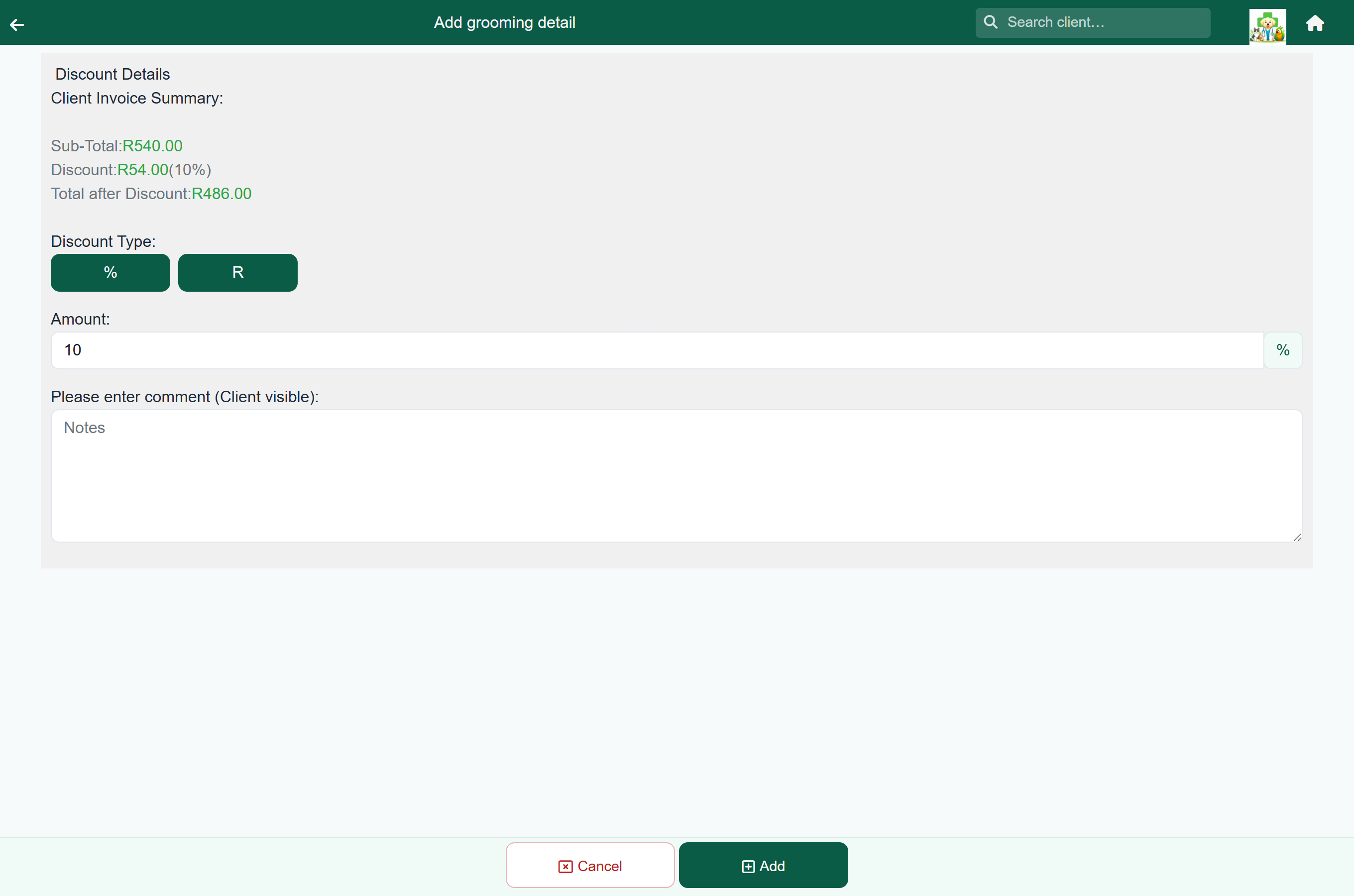
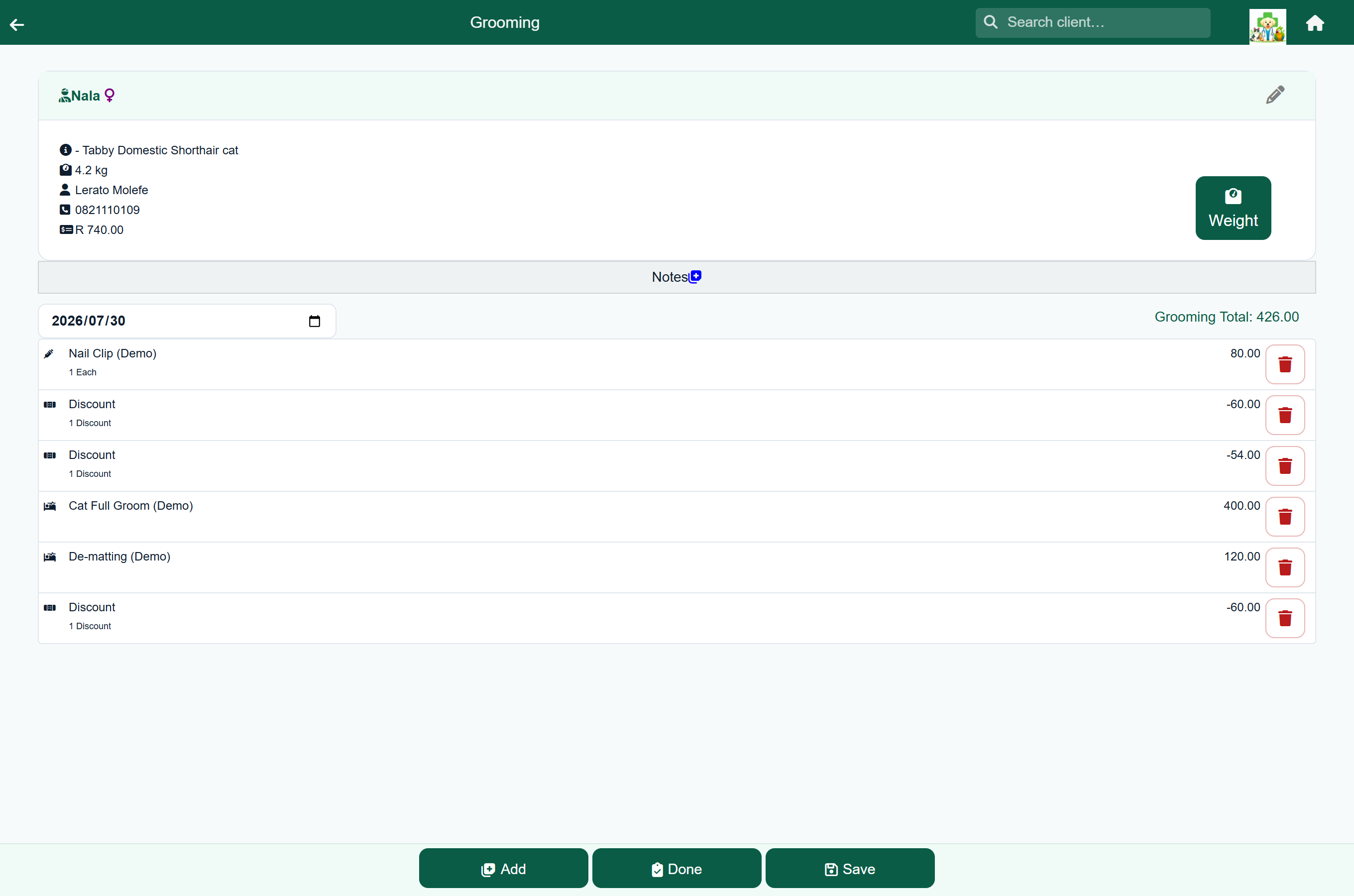
A percentage discount recalculates if you add another service afterwards. A flat amount stays as you typed it.
Sending the owner home with instructions#
For aftercare instructions, press Add and then Discharge sheet to attach a discharge sheet to the groom. Attached sheets are listed on the grooming record and go out with the client's paperwork.
What the client sees#
A finished groom appears in the client portal, where the client can see what was done, what it cost, and your Client Notes. It also appears in the patient's clinical history.