
Help Centre › Stock & pricing
Controlled drugs
Schedule numbers, batch tracking and expiry warnings: how a controlled drug moves from delivery to patient, and how the register assembles itself from what you recorded along the way.
The controlled-drug register is built from what you record as you work, on four screens:
| Where | What it records |
|---|---|
| The catalogue item | The drug's schedule, what makes it a controlled drug in FastVet. |
| Booking the delivery in | The lot number and expiry date of the batch that arrived. |
| Dispensing it | Which batch the dose came from, and who gave it. |
| The register | All of the above, month by month, ready to export. |
Give the drug its schedule#
Home›Stock & Prices›Update Prices
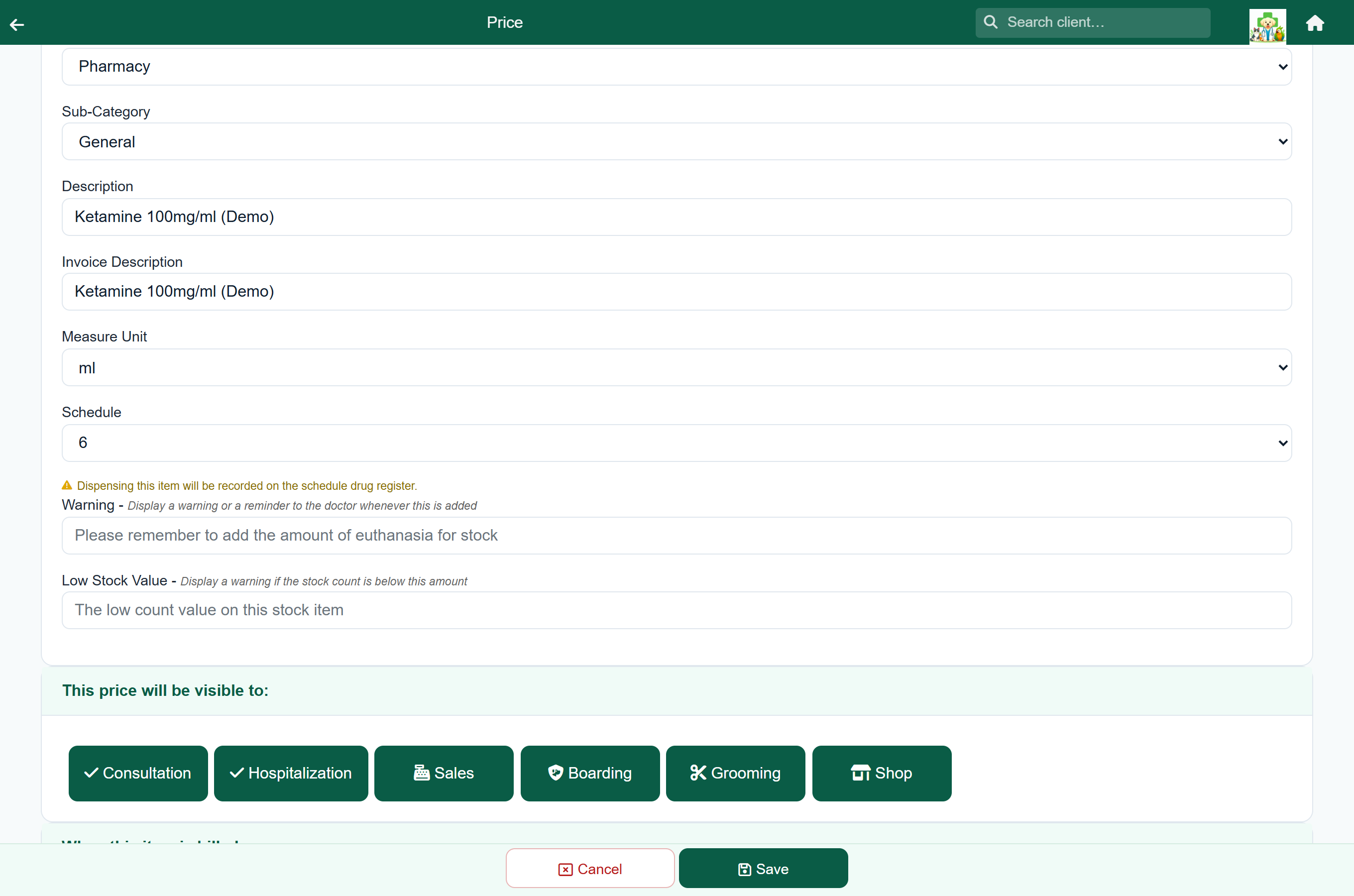
Open the item and choose its Schedule. Once you choose 5 or above, the screen confirms that dispensing this item will be recorded on the schedule drug register.
The Schedule field appears only on Treatment items, so set controlled drugs up with the Treatment type.
Book the delivery in by batch#
Home›Stock & Prices›Manage Stock›the item
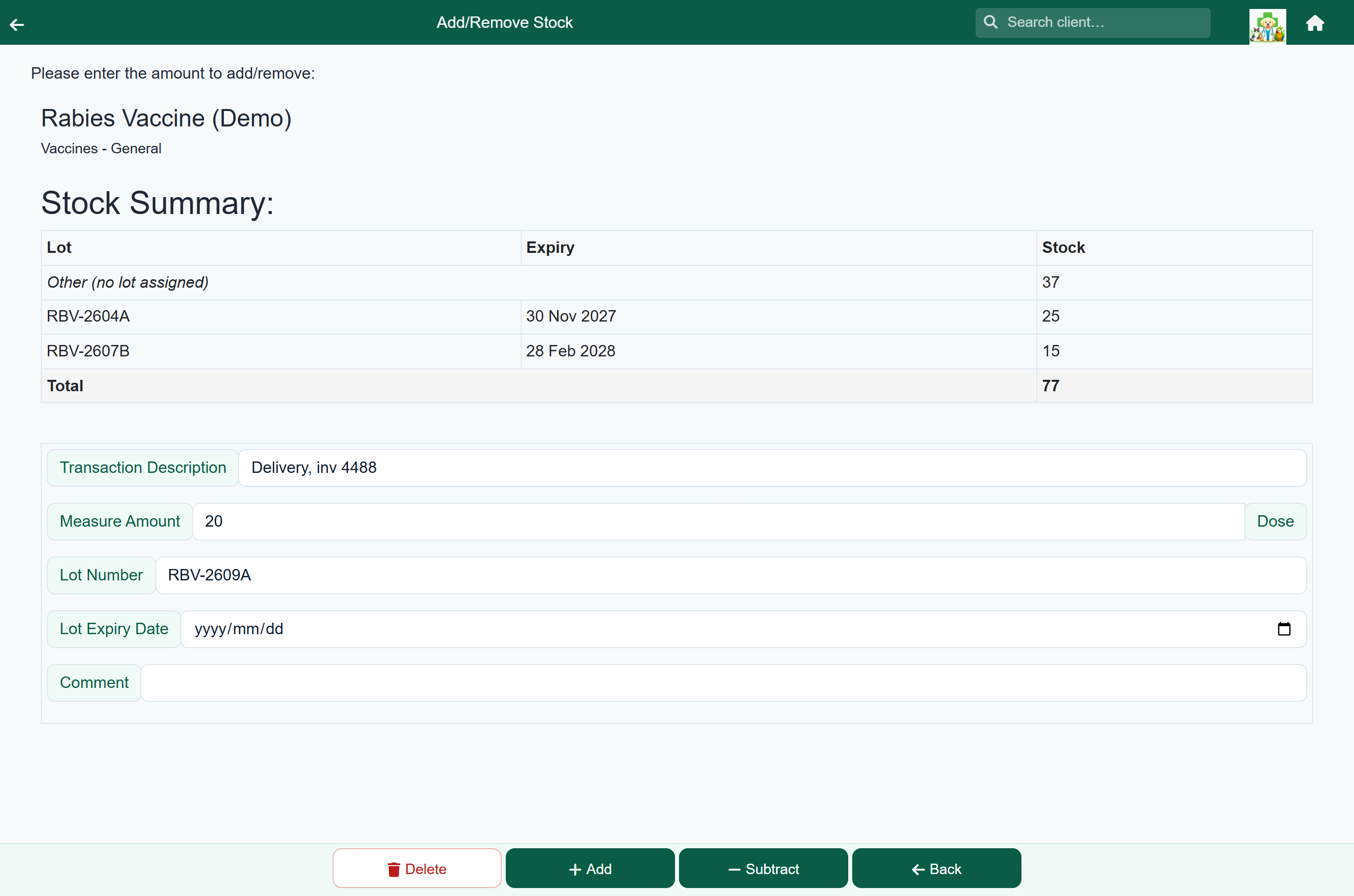
Receiving stock is covered under Stock & inventory. For a controlled drug, always enter the Lot Number and Lot Expiry Date: FastVet then counts that batch separately, and the Stock Summary at the top of the screen shows how much of each batch you hold, with expired batches flagged.
Choose the batch when it is given#
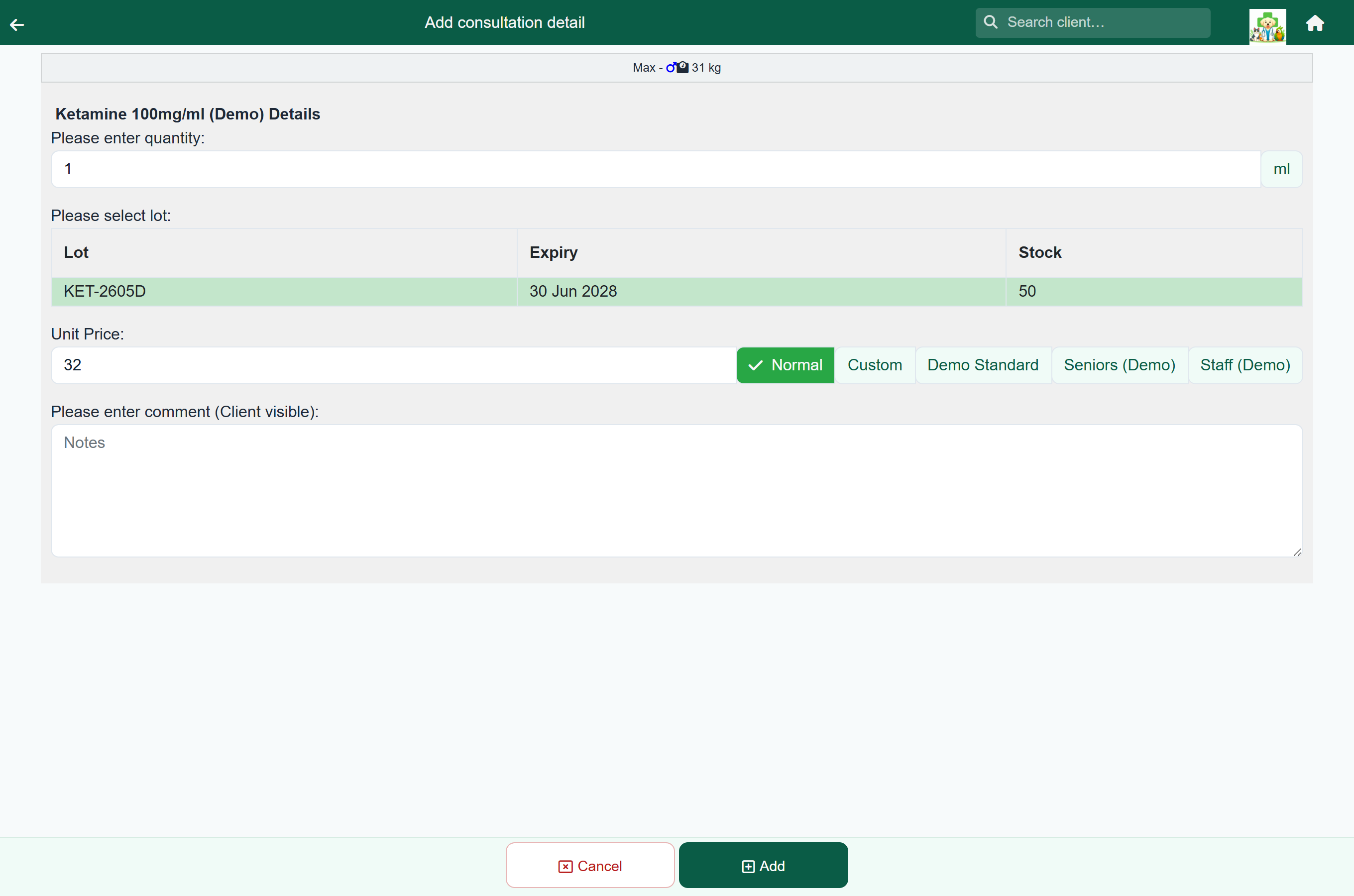
When a drug held in named batches is added to a visit, a Please select lot table appears under the quantity. Pick the batch you took the dose from, by its button or anywhere on its row, and it is recorded against the stock movement.
The table appears wherever a drug is given:
- Consultations
- Hospital days and boarding days
- Grooming
- Items inside a protocol
- Counter sales
Expiry is flagged, never blocked#
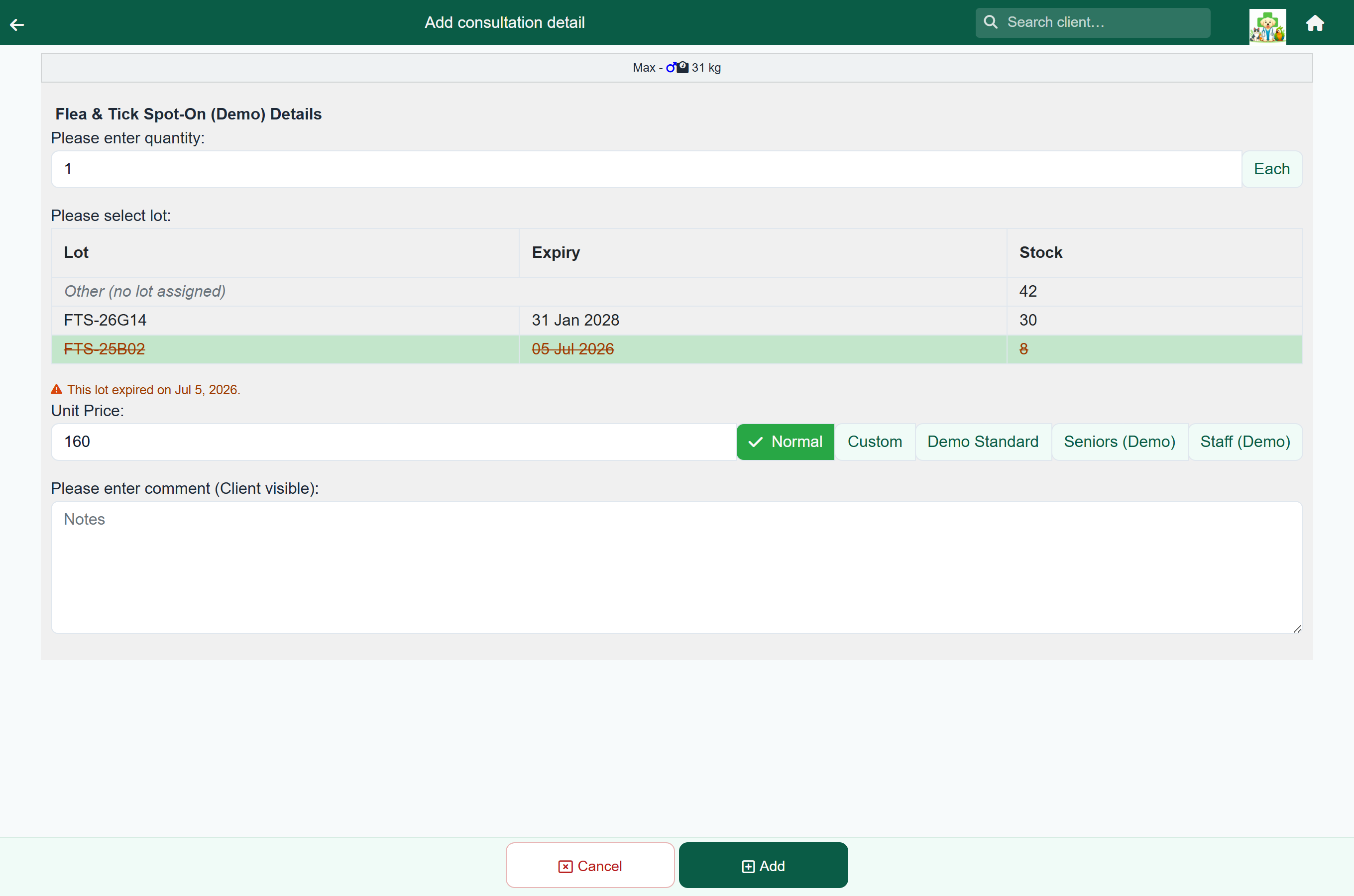
An expired batch is written in red and flagged Expired in the table, and choosing it shows a red note with the date it expired. A batch within 30 days of its date is flagged Expiring and shows an amber note instead. Neither stops you saving the line.
The same flags appear on the Stock Summary table on the stock screens.
The register#
Home›Reports›Schedule drugs
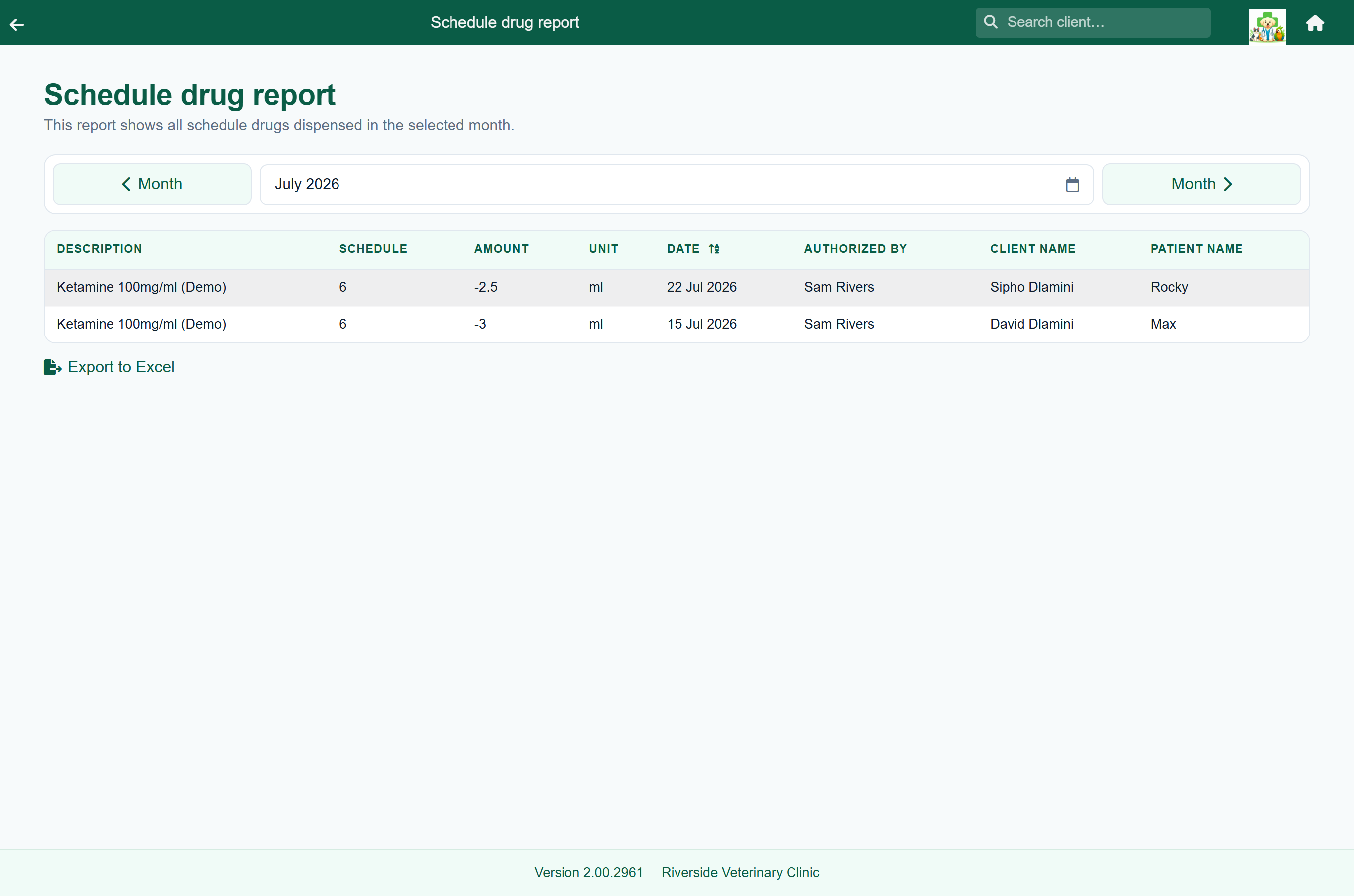
One row per movement, for every item at schedule 5 or above:
| Column | What it tells you |
|---|---|
| Description, Schedule | The drug, and its schedule. |
| Amount, Unit | How much moved. Negative is dispensed; positive is stock received. |
| Lot, Lot expiry | The batch, where one was recorded. |
| Date | When it moved. |
| Authorized by | The vet responsible for the supply. On a repeat this is the prescriber; otherwise it is the person who recorded the movement. |
| Dispensed by | Who handed it over. |
| Client name, Patient name | Who it went to. Deliveries and adjustments have no client and read ** Stock Bought / Updated **. |
The register opens on this month; choose another period at the top. Export to Excel saves it, so you can keep each month alongside any paper register you are required to hold.
Wastage, breakage and expired stock#
For a discarded part-used vial, a broken box or an expired batch: open the item under Manage Stock, press Update, enter the amount, say why in the Transaction Description, enter the Lot Number and Lot Expiry Date of the batch exactly as it was booked in, and press Subtract.
The adjustment appears in the item's stock history with your reason, and on the register.
What FastVet does not do#
- There is no witness or second-signature field. If your procedures require a second person to countersign, keep that on paper.
- Destruction is not a separate kind of entry. It is a stock adjustment with a reason.
- The register lists movements, not a balance. The running balance for a drug is on its stock history.
- Dispensing is not blocked by an expired batch, and there is no stock check or two-person count. The exception is a stopped prescription, which cannot be dispensed; see Dispense a repeat.
Getting it right#
- Set up each controlled drug as a Treatment with a schedule of 5 or above.
- Make sure each one has a stock record.
- Book every delivery in with its lot number and expiry date.
- Choose the batch when you dispense.
- Write off breakages and expired stock with a reason.
- Run Schedule drugs each month, export it, and file it.