
Help Centre › Money
Interest on overdue accounts
Charge a monthly finance charge on accounts that are not settled on time, and review it before it reaches a client.
Your practice can charge interest each month on accounts that have not been settled. It is off until you turn it on. Even then, nothing is charged until a monthly run is prepared and (unless you choose otherwise) approved.
Setting it up#
Settings›Interest on Overdue Accounts
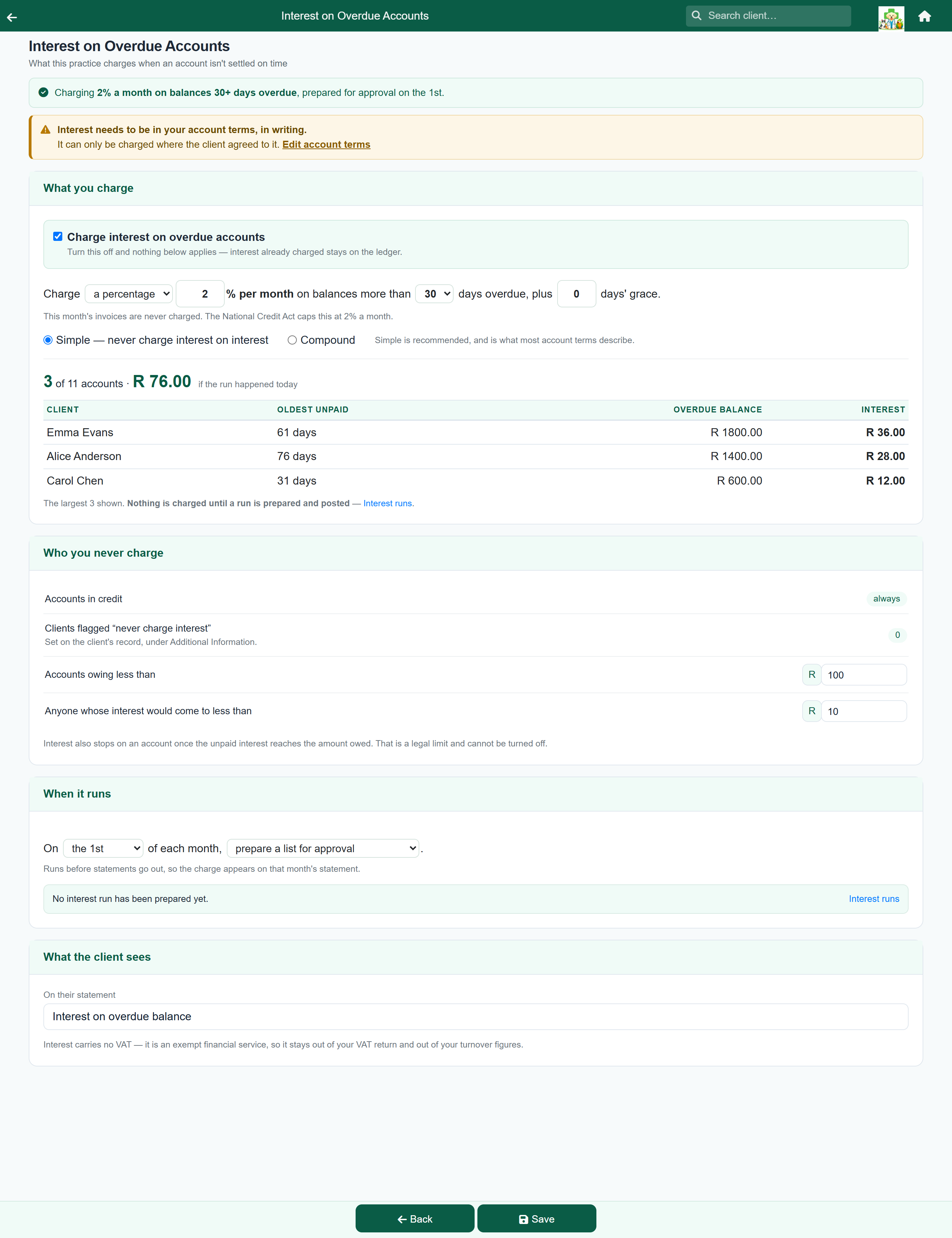
Tick Charge interest on overdue accounts in the What you charge card. The rule appears under it, with three more cards: Who you never charge, When it runs and What the client sees. The line across the top says what the practice is currently charging. Press Save when you are done.
The rule#
What you charge reads as a single sentence, with the numbers as boxes in the line:
- Charge a percentage per month, or a flat fee, a fixed amount per overdue account.
- On balances more than 30, 60 or 90 days overdue. This month's invoices are never charged.
- Plus a number of days' grace, so a payment in transit does not attract interest.
Under the rule, choose Simple or Compound. Simple never charges interest on interest; compound does. Use Simple unless your account terms say you compound.
Seeing what it would charge, before it charges it#
Beneath the rule, the screen shows what a run would charge if it happened today: how many accounts, the total, and the largest charges by client. The figure updates as you change the rule, so a mistyped rate is easy to spot.
Nothing is charged by looking, and your changes are not kept until you press Save.
The monthly run#
Settings›Interest Runs
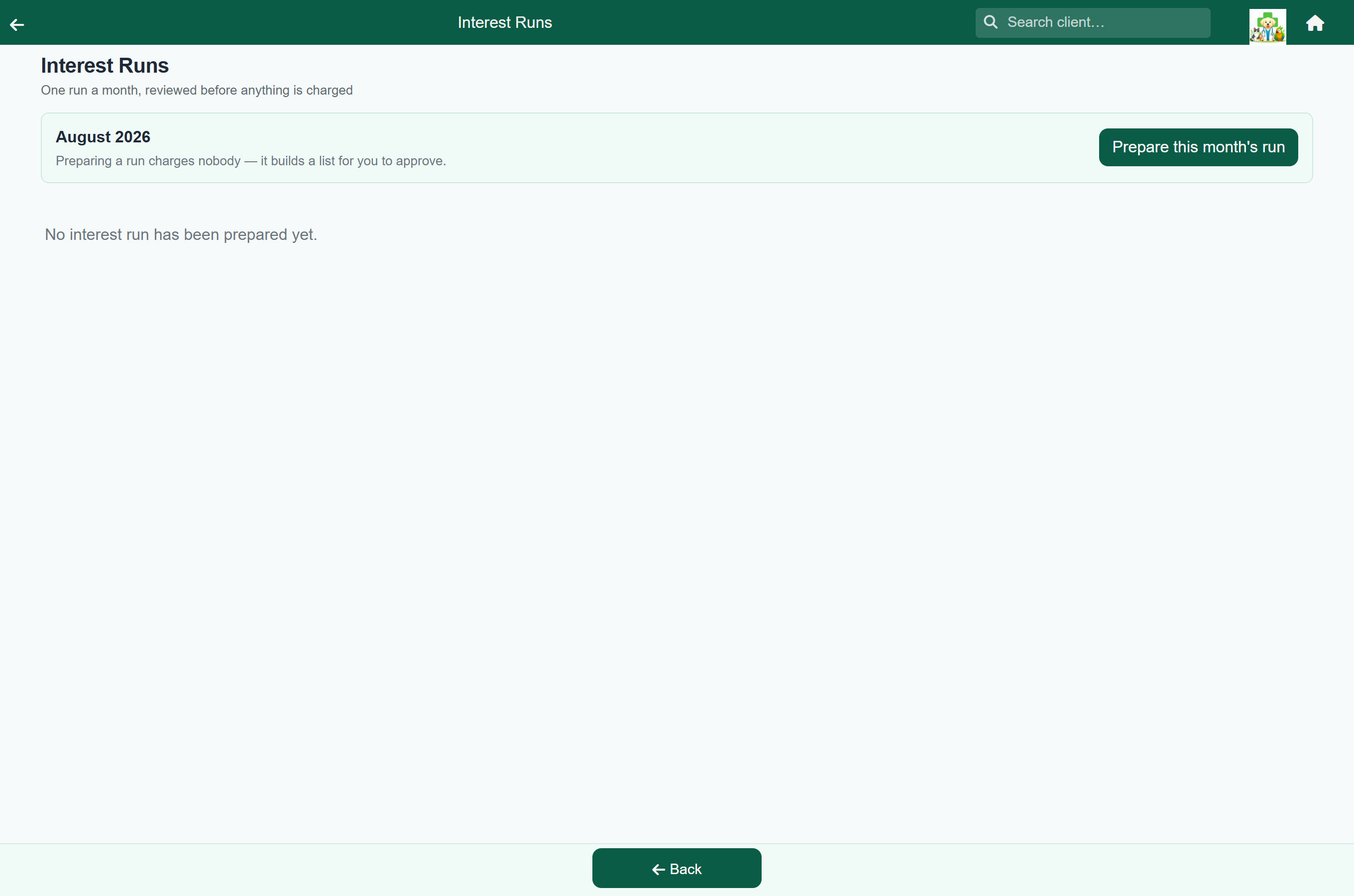
Interest is charged as a run, one per month. Preparing a run builds the list and charges nobody; posting it puts the charges on each client's account.
Set the schedule in the When it runs card: on the 1st, the 25th or the last day of each month, either prepare a list for approval or post automatically, without approval. With the first option, you will usually find the month's list already waiting.
- Open Interest Runs from the Settings menu.
- Open the waiting draft with Review draft, or press Prepare this month's run to build one. Nothing has been charged yet.
- Go through the list and waive anyone who should not be charged.
- Press Post and confirm.
Reviewing and waiving#
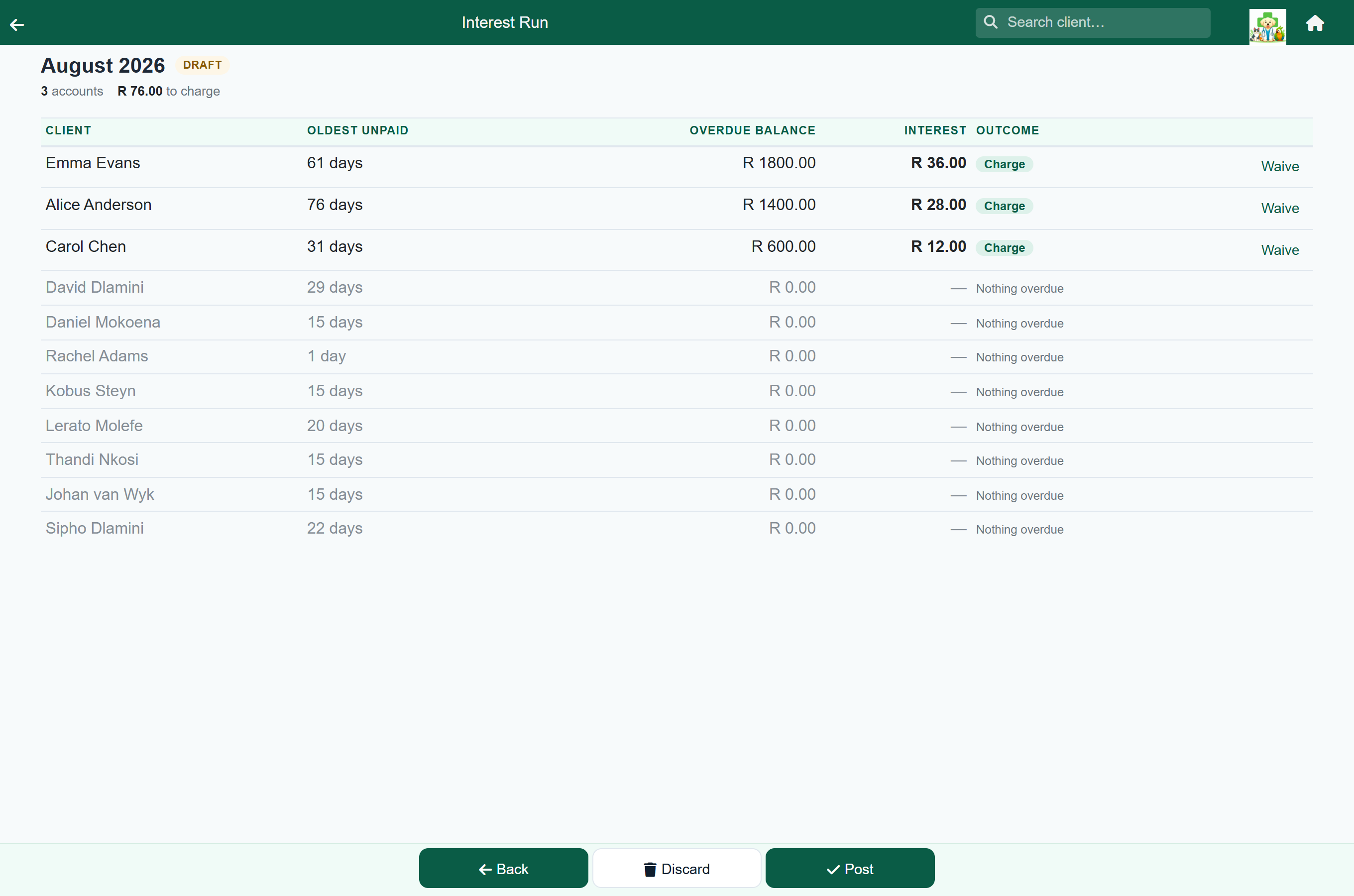
The list shows every account that owes anything, including those that will not be charged, with the reason beside each:
| Reason | Means |
|---|---|
| Balance below the minimum | They owe less than your minimum balance. |
| Interest below the minimum | The charge would be smaller than your minimum charge. |
| Client is flagged never to be charged | Their record has the never-charge-interest tick. |
| Nothing overdue | What they owe is not old enough yet. |
| Account in credit | They are in credit. |
| Interest has reached the amount owed | The in duplum rule. |
| Waived on review | Somebody took them off this run by hand. |
Press Waive on a line to take that client off the run. The line stays on the list marked as waived, and Put back undoes it. Both work only while the run is a draft.
The line under the heading shows the rule the figures came from, with a link to Interest settings.
Undoing a run#
To undo a posted run, open it from Interest Runs and press Reverse. Every interest charge it made is credited back, and the month can be prepared again.
A draft that has not been posted is thrown away with Discard instead.
Who you never charge#
The Who you never charge card lists everyone left out, whatever the rule says:
| Left out | Means |
|---|---|
| Accounts in credit | Always. |
| Clients flagged “never charge interest” | Set on the client's own record; see below. The card names everyone currently flagged. |
| Accounts owing less than | Small balances are left alone. Set the amount here. |
| Anyone whose interest would come to less than | Stops the run posting very small amounts. |
Interest also stops once the unpaid interest reaches the amount owed; see the in duplum rule.
Never charging a particular client#
Home›Search Client›the client›Edit›Account

Tick Never charge this client interest on their record and they are left off every run from then on. Staff accounts, family, and clients on a payment arrangement are the usual candidates.
What the client sees#
One line on their account and statement, dated the day the run was prepared. It can be paid like any other charge.
Set the wording in the What the client sees card. It starts as “Interest on overdue balance”.
The in duplum rule#
Unpaid interest may never grow past the amount of the original debt. Once it reaches what the client owes, the run stops charging that account and shows Interest has reached the amount owed. The last charge before the limit is reduced so it does not go over.
This is a legal limit, not a setting, and cannot be turned off.