
Help Centre › Stock & pricing
Prices & the catalogue
Maintain the catalogue everything is charged from: items, categories, price groups and VAT.
The price list is the catalogue behind every charge in FastVet. Consultations, sales, hospital and boarding days and grooms all draw from it.
Checking a price#
Anybody can look a price up without changing the catalogue.
Home›Check Price
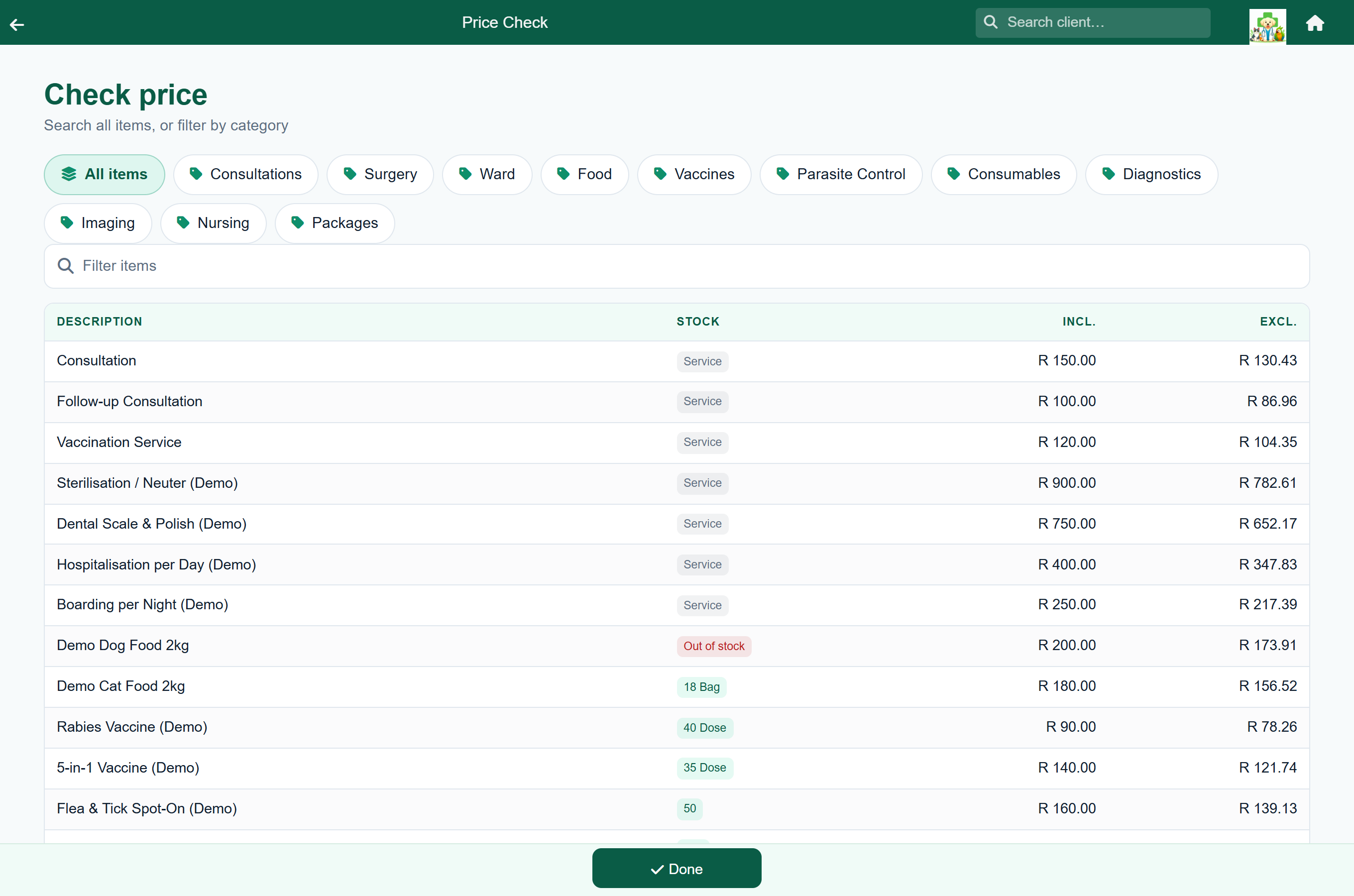
Search by name or filter by category. Each line shows the stock on hand, the price including VAT and the price excluding it.
Where the catalogue lives#
Home›Stock & Prices
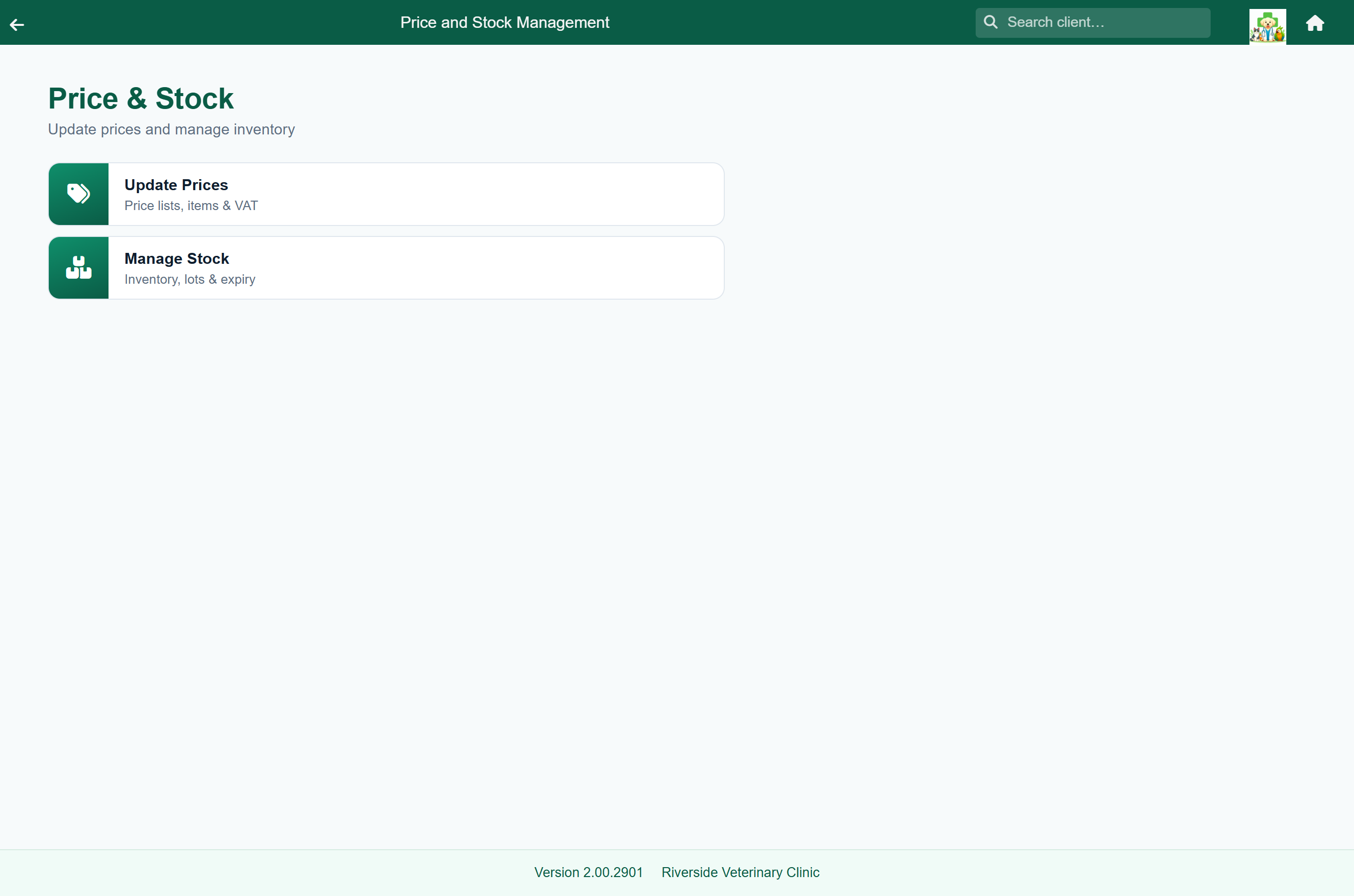
| Tile | Leads to |
|---|---|
| Update Prices | The price list: every catalogue item, its category, price and VAT. |
| Update Protocols | Your protocols on their own, each shown with the invoice it prints. See Seeing every protocol at once. |
| Manage Stock | What you have on hand, stock movements and adjustments. See Stock & inventory. |
| Suppliers & levels | Who supplies each item and when to reorder it. See Setting suppliers and levels in bulk. |
| Purchase orders | Ordering from your suppliers. See Ordering stock from a supplier. |
Adding and editing items#
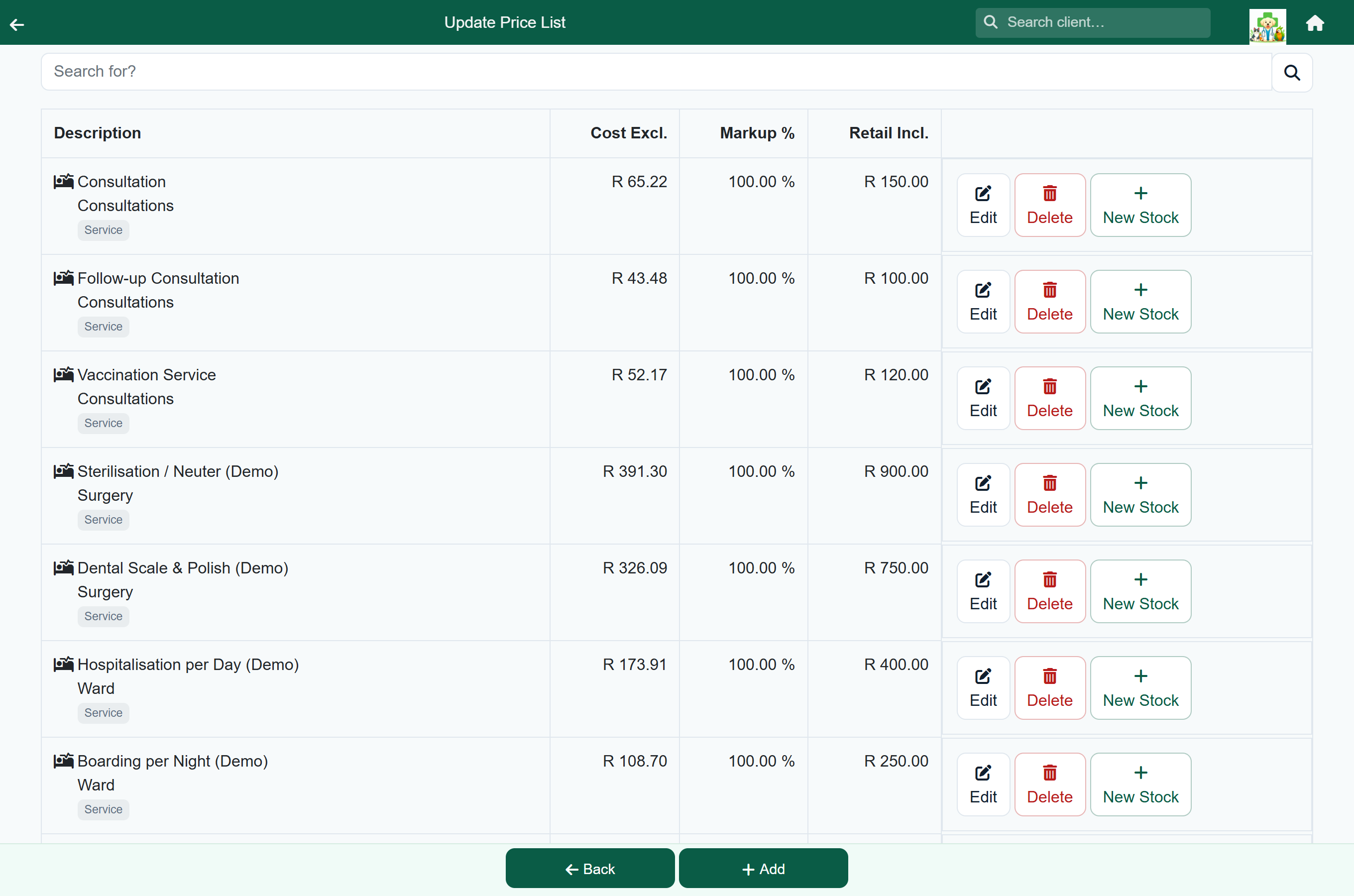
Cost, markup and retail can be typed straight into the list; see Changing many prices at once. Open an item for everything else: its type, where it may be charged, its protocol contents and its picture.
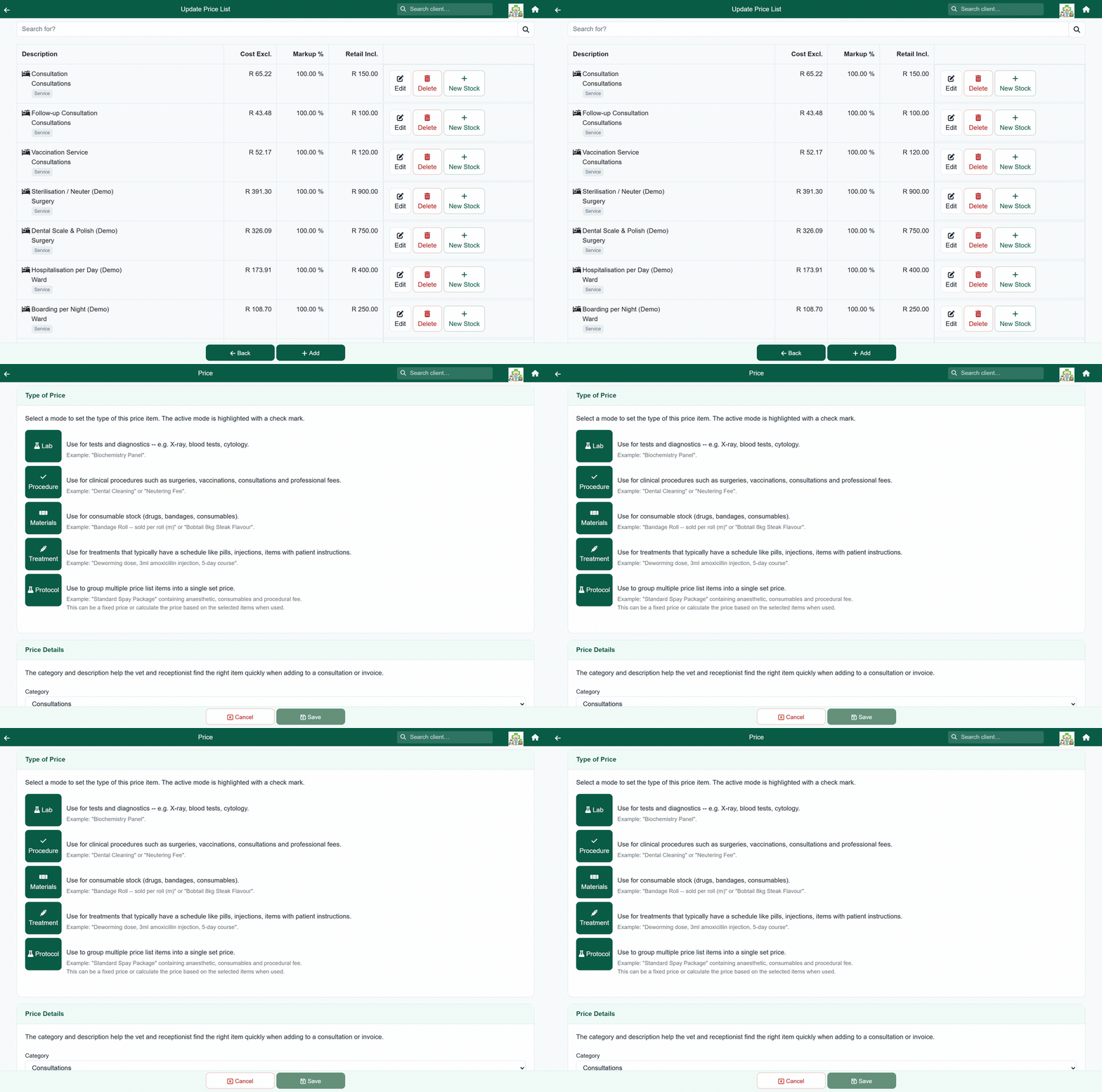
- Go to Stock & Prices → Update Prices.
- Search for the item, or press Add for a new one.
- Choose the Type of Price: Lab, Procedure, Materials, Treatment or Protocol. Treatments and materials also get a measure unit and a low stock value.
- Set its category, sub-category, description and invoice description.
- Under This price will be visible to, choose where the item may be charged: Consultation, Hospitalization, Sales, Boarding, Grooming, Shop. An item switched on nowhere cannot be charged.
- Under Pricing Details, enter the cost and either the markup or the retail price. The VAT is worked out for you.
- Press Save.
Changing many prices at once#
Home›Stock & Prices›Update Prices
Search for the items you want, type over the figures in the list, and save once at the end.
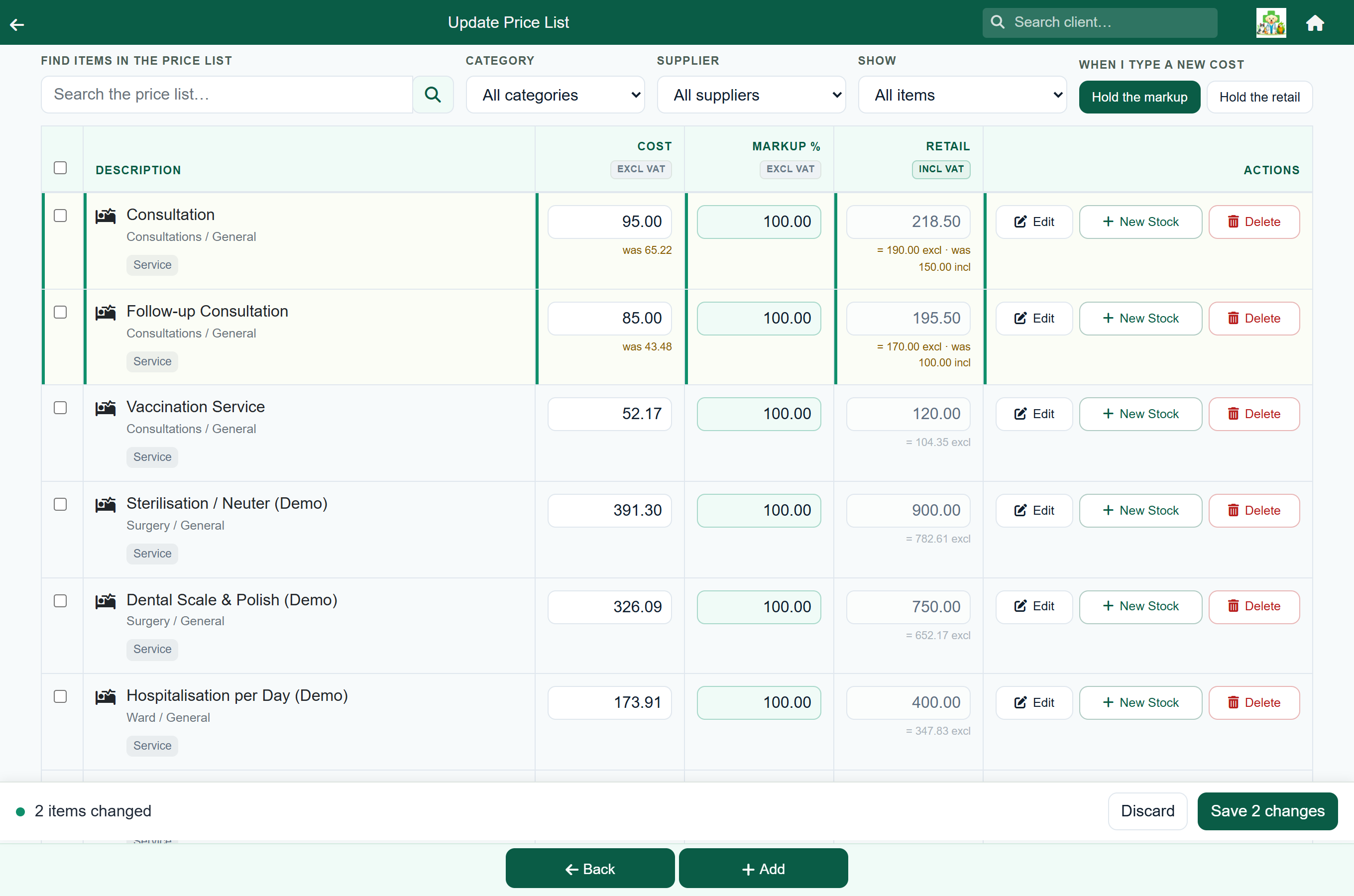
Nothing is saved until you press Save. Changed rows are marked, each changed figure shows its old value underneath, and Discard puts them all back.
Typing a new cost. The switch at the top, When I type a new cost, decides what happens to the retail price:
| Setting | What happens when you type a cost |
|---|---|
| Hold the markup | The retail price moves with the cost, keeping your margin. This is the default, and the right choice for a supplier price increase. |
| Hold the retail | The retail price stays where it is and the margin changes. Check the margin; it can go negative. |
Changing a lot of items at once. Tick the rows you want (the tick box in the header takes everything currently listed, so filter first) and the actions appear above the list:
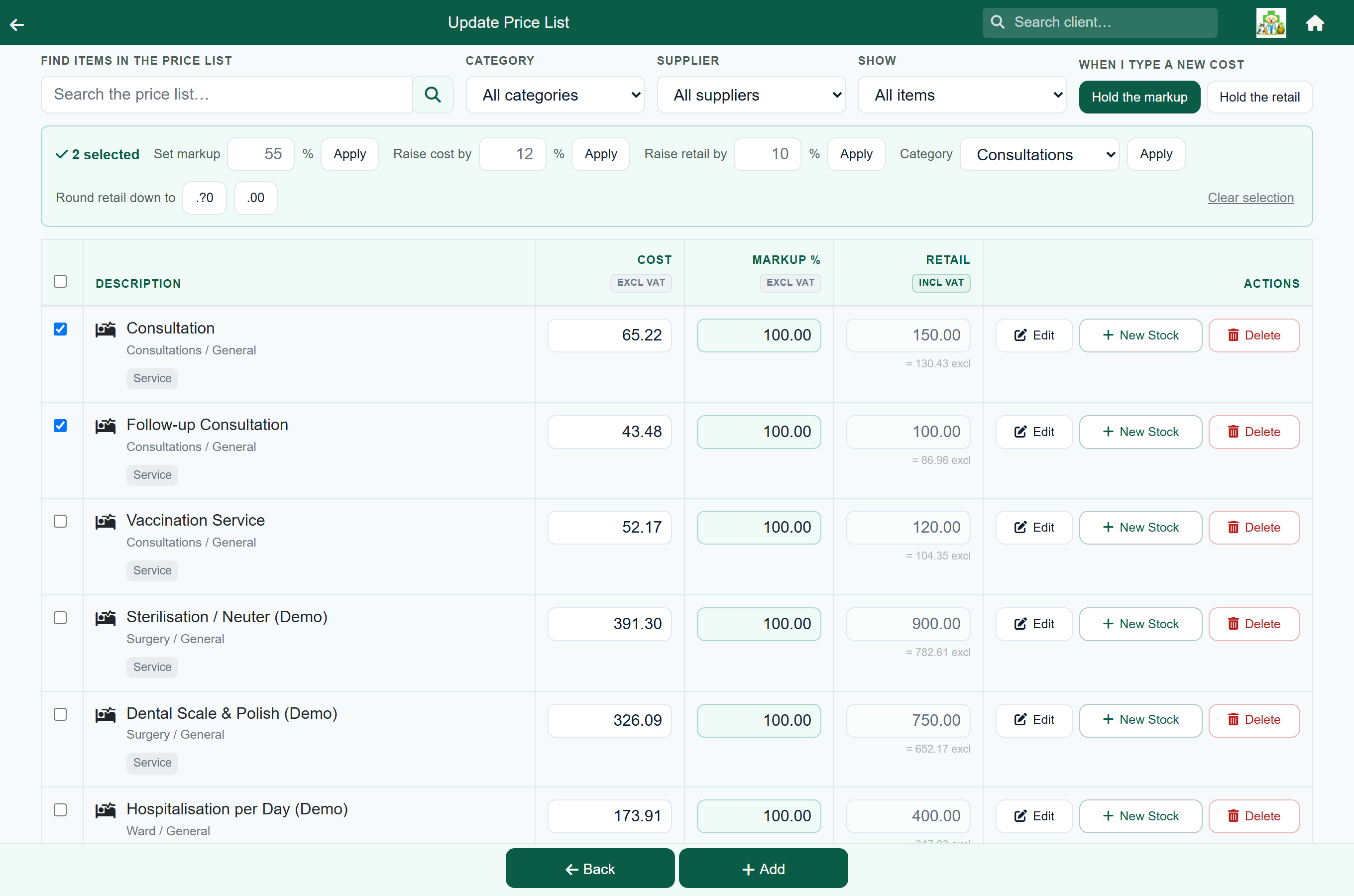
| Action | What it does |
|---|---|
| Set markup % | Puts every ticked item on the same markup and works out the retail price from it. |
| Raise cost by % | Raises the cost. The retail follows or not, depending on the switch above. |
| Raise retail by % | Raises the retail price directly. Use this for services, which have no cost. |
| Category | Moves the ticked items into one category. Their stock records move with them. |
| .?0 / .00 | Rounds the retail prices down to the nearest 10c, or to a whole amount. |
Finding items that need attention. Use the Show box at the top of the screen, or Show them on the line under the list:
| Show | What you get |
|---|---|
| All items | The whole catalogue. This is how the screen opens. |
| Needs attention | Both of the groups below, together. |
| Below cost | Items priced under what you pay for them. Fix them with Set markup or by typing a new retail. |
| No cost price | Items with no cost. Most are services and are meant to be there; the others are stock that still needs a cost entered. |
Re-pricing one supplier’s items. The Supplier box narrows the list to one supplier’s items, so you can tick them all and use the bulk actions. It appears once your practice has suppliers set up. No supplier set lists the stocked items that do not have one yet.
On a phone. The list opens read-only. Tap an item to edit it, or press Edit many to tick several and use the bulk actions. Above 300 matching items there is no Edit many: search or filter the list down first, and it comes back.
Price groups#
Home›Settings›Price Groups
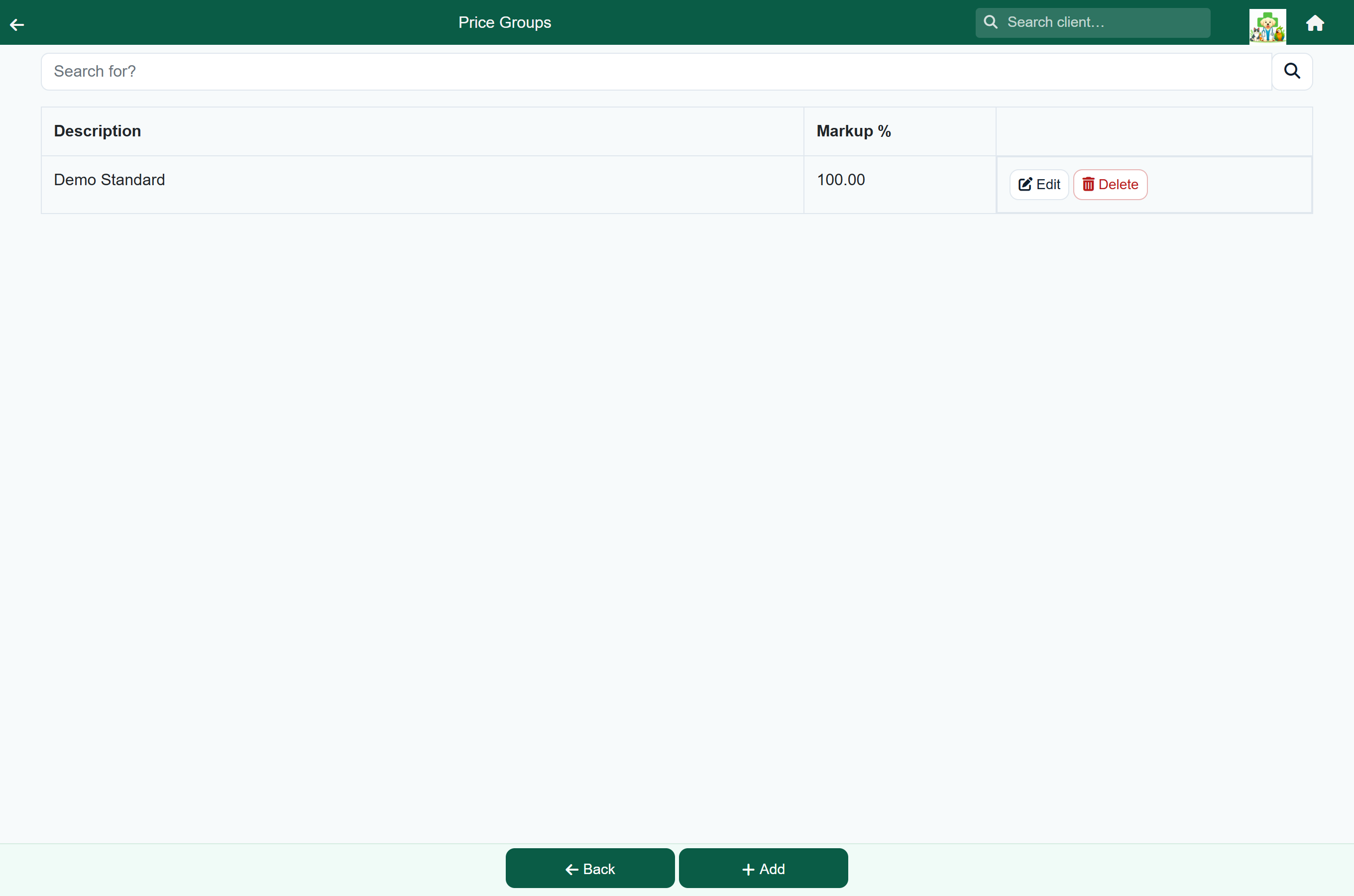
A price group is a named rate: a staff rate, a pensioner rate, a rescue rate. Whoever is charging picks it on the item. A group holds a separate rate for each kind of item, so one group can say "goods at cost, services at half price".
- Normal is the everyday catalogue price, and the default.
- Custom lets you type the amount for one charge.
- A named group charges its rate for that kind of item: a percentage off the price list, the item at cost, or cost plus a markup.
A client can also be put on a group permanently; see Giving a client a standing rate. The full topic is Price groups.
Protocols#
A protocol bundles several catalogue items under one heading (a vaccination, a dental package, a spay) so the vet charges them all in one go.
- Create a price-list item and set its type to Protocol.
- Give it a price. This is the Protocol Charge, what the client pays.
- Add the items that belong in it, each with the default amount that normally goes with the job.
See Protocols for the charge modes, quantities, price groups on protocols, and building a pick-list protocol.
Actions that fire when an item is charged#
A catalogue item can also change the patient's record when it is billed: for example mark the patient deceased or sterilised, or cancel their outstanding reminders or future bookings. Tick the actions you want on the item, under When this item is billed. They are most often used on euthanasia and cremation items, and Mark patient sterilised on spay and neuter procedures.
Book a follow-up reminder books the patient's next reminder for the item, a set number of days after it is billed: see Reminders booked by an item.
VAT#
FastVet holds your practice's VAT rate and works out the VAT on every item from it; you do not enter VAT per item. To show prices on invoices without the VAT broken out, switch on Hide Tax on Invoices under Billing & Payments.
Practices with farming clients can charge some items at more than one rate. Where that is switched on, each item carries a Tax class and the rate on a line depends on both the item and the client: see Zero-rated and exempt items.