
Help Centre › Money
What a client has bought
Their charged items for the last 1, 3, 6 or 12 months, on one screen, without opening a single invoice.
Somebody is at your counter buying food and cannot remember which one they take. Their invoices know, but the account screen lists documents rather than items, so finding out used to mean opening last month's invoices one after another while they waited.
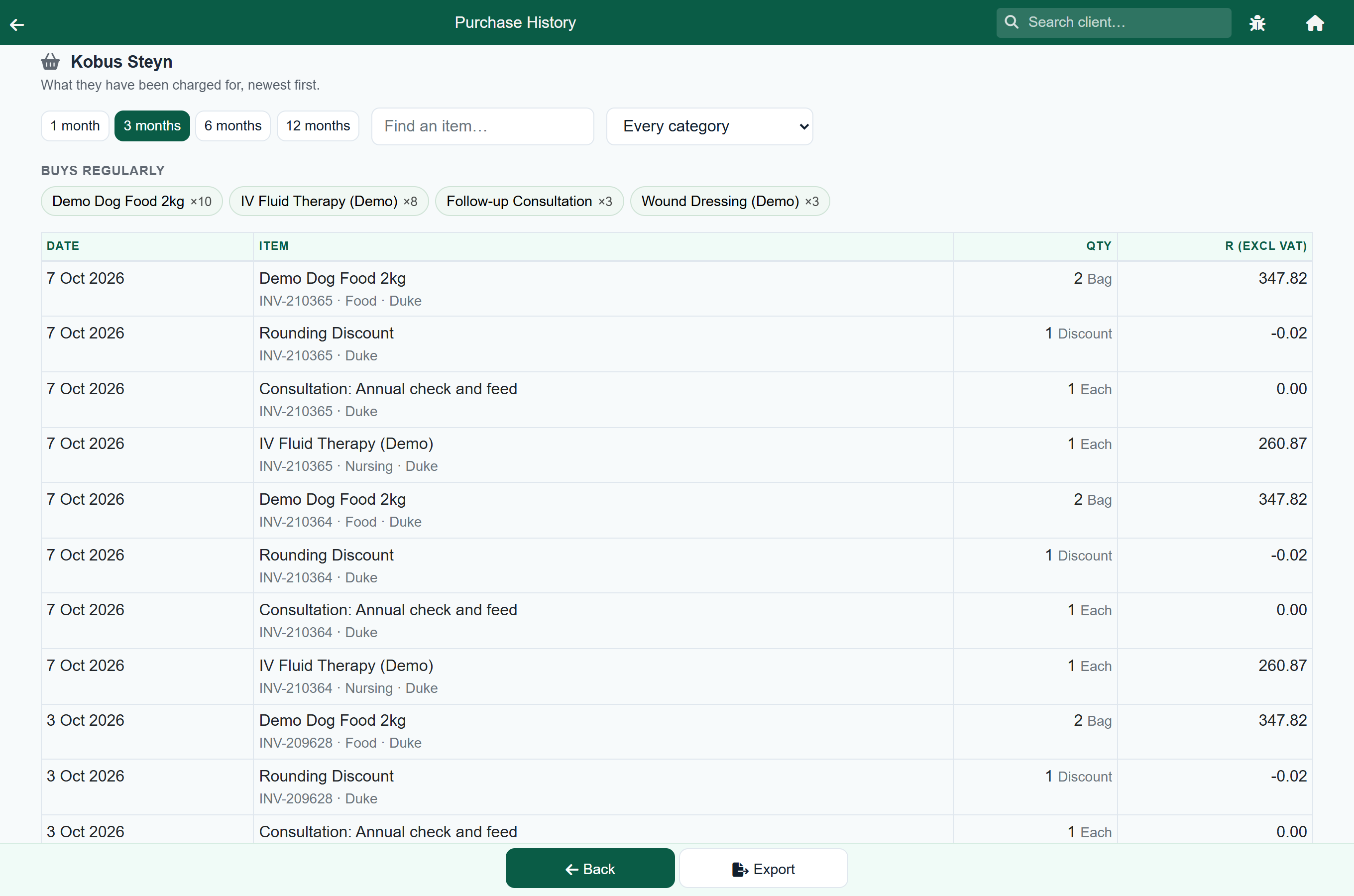
Purchases answers it on one screen: every item this client has been charged for in the last 1, 3, 6 or 12 months, newest first, with what they bought it on.
Where to find it#
Three places, all of them where the question gets asked:
- On a sale, at the top of the client card, beside Change client. This is the one you want with somebody at the counter. On a counter sale that is not on anybody yet it reads Look up purchases, because that is what it does there.
- On Client Details, in the row of buttons under the client's name.
- On Customer Account, beside Print statement.
Client Details›Purchases
It needs no special role. Whoever is allowed to ring up a sale can look this up.
Reading it#
Buys regularly is the short answer. Along the top are the items this client has bought more than once in the period, with how many times. For the food question that is usually the whole answer, and you never have to read the list at all. Press one to show only that item, press it again to show everything.
The period buttons change how far back it looks. A client who buys a big bag every two months will not appear under 1 month, so if the list looks empty or thin, go wider before concluding they have not bought anything.
Find an item and the category list narrow it. The category list is built from what this client has actually bought, so it never offers a category that would come back empty. Your own category names are what appear there: if your food is filed under Dog Food and Cat Food, those are the two you will see.
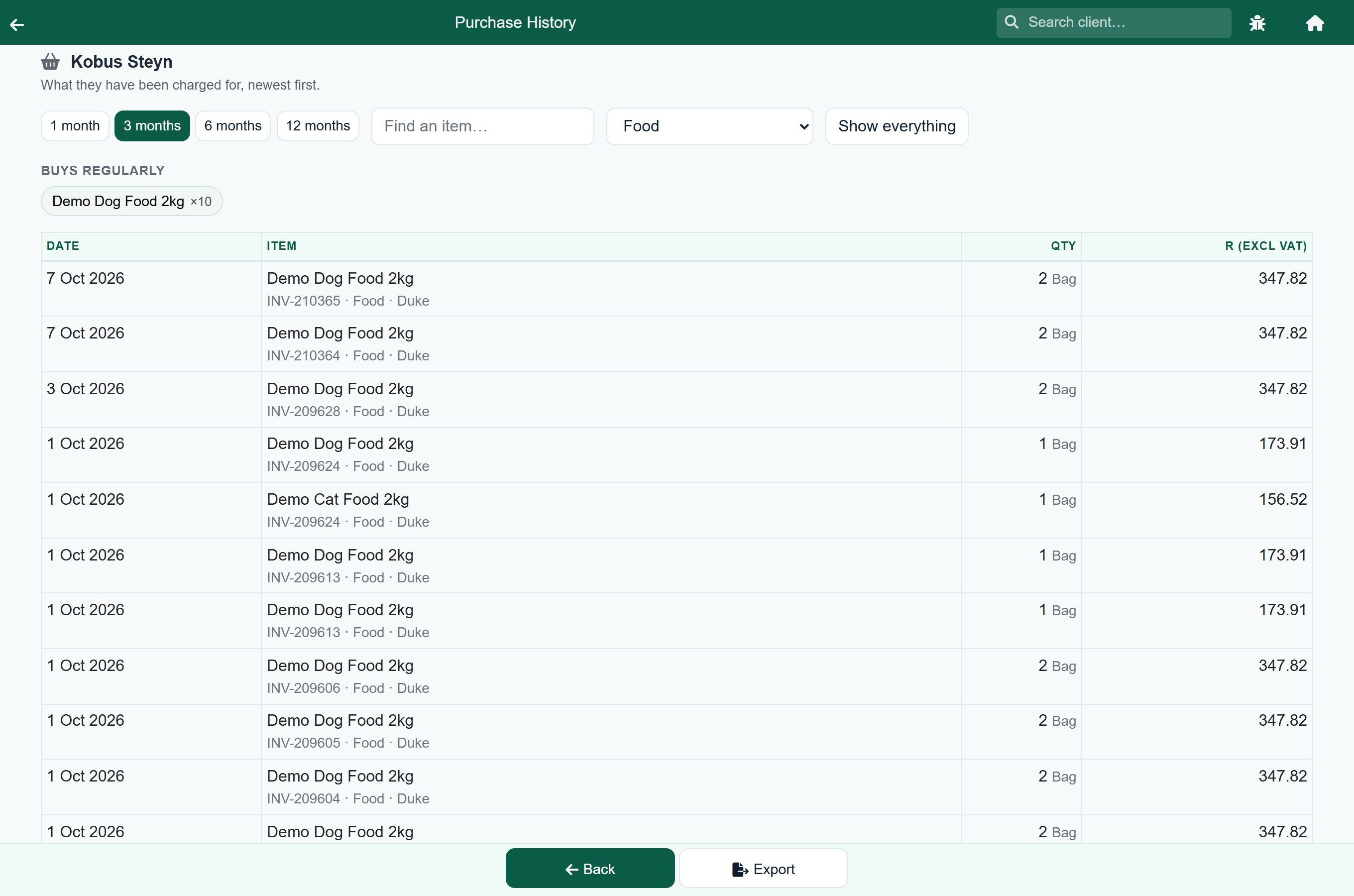
Each line says what it was, how many, what it came to, and underneath it the invoice number, the category and the patient if the item was charged against one. The invoice number is the one printed on the document, so you can take it straight to Search for Invoice or Reference.
What is in it, and what is not#
Everything the client has been charged for, wherever it was charged:
| Shown | Not shown |
|---|---|
| Counter and account sales | A sale still open at the till |
| Consultations, including items dispensed on one | An unfinished consultation |
| Hospital and boarding stays, once the invoice is raised | A stay still in progress |
| Grooms | A cancelled visit, which is never charged |
| A reversed invoice, which drops out with its items |
The same rule decides whose purchases they are: the client who was charged. If a patient moves to a new owner, what the old owner paid for stays with the old owner.
At the counter, when the sale has no client on it#
A cash sale starts out charged to the account your practice keeps for counter sales, which belongs to nobody in particular, so there is no history to show for it. The button says Look up purchases while the sale is in that state, and pressing it asks who to look up. Once the sale is on a real client it reads Purchases and opens their history straight away.
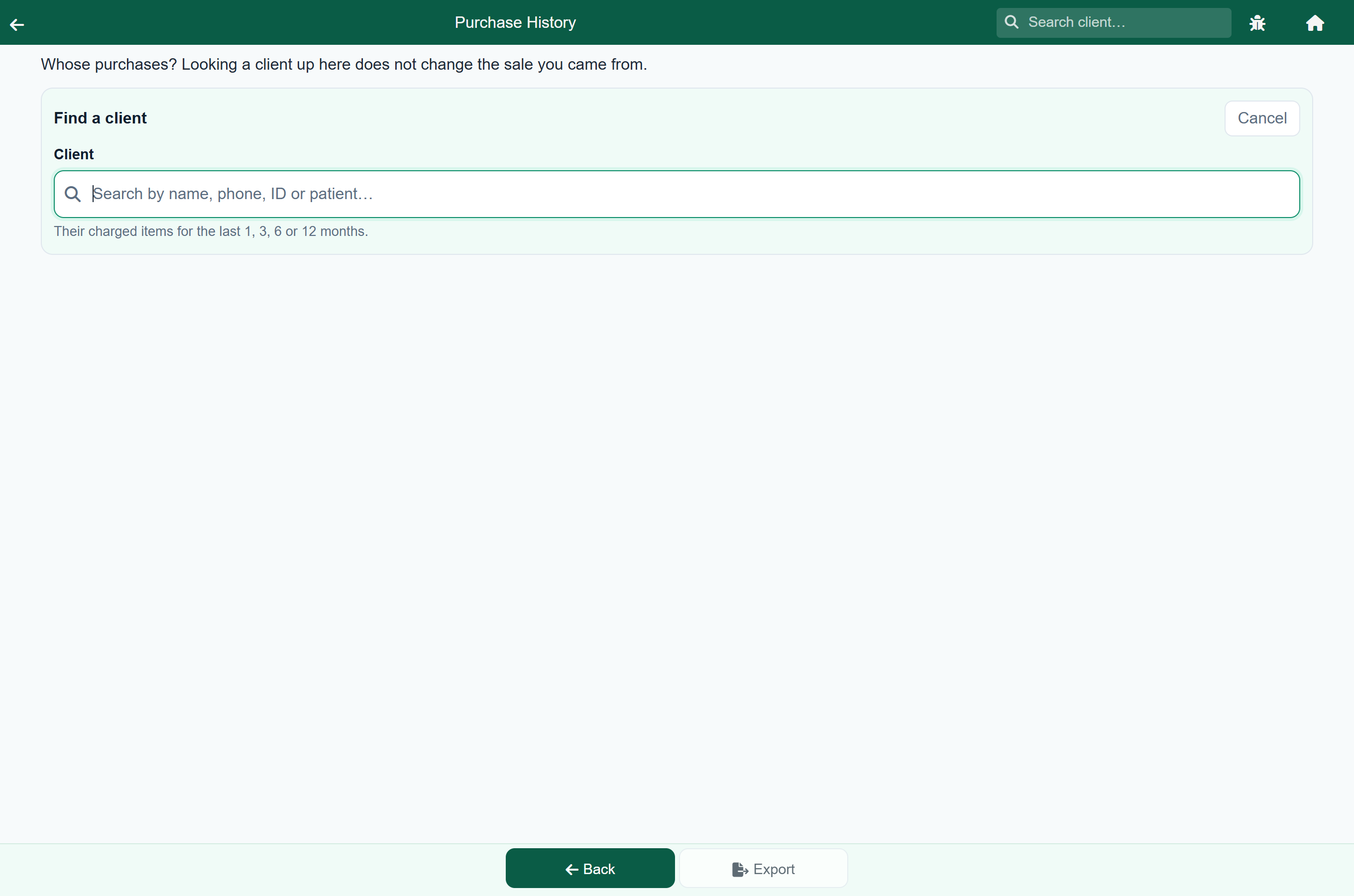
Looking somebody up here does not change the sale. It answers a question and nothing more. If you also want the sale on their account, that is Change client, which is a separate button and a separate decision: see When they turn out to be a client.
The amounts#
Each line shows what that line was priced at, on the same basis your invoices print: with VAT where your invoices show VAT-inclusive amounts, without it where they do not. The column heading says which, so the figures match the invoice in the client's hand.
The total at the bottom is headed Total of the lines shown, and that wording is exact. It adds up the lines you are looking at, after any filtering. It is not what the client spent, and there is one case where the two genuinely differ: a discount on a hospital stay is taken off the stay rather than off its items, so a discounted stay's items add up to more than that invoice came to. For what was actually charged and what is owed, use the client's account.
Export in the bottom bar saves what is on screen as a spreadsheet, filters and all.
This is one client, not a report#
This screen answers a question about the person in front of you. For the practice-wide versions, which are built to be totalled and filed:
- What sold, by category or as individual items: Reports.
- What a client owes and what they have paid: Payments and accounts.
- What was done to a patient: Clinical history, which is per patient rather than per client and carries no prices.