Help Centre › Clinical care
Lab results
Order laboratory work, track what is outstanding, and read results against the patient they belong to.
Lab work is recorded on the visit it belongs to: a consultation, a hospital or boarding day, or a groom. With the IDEXX integration, results come back into FastVet on their own, and the results inbox shows what has arrived and what is still outstanding.
The results inbox#
Home›Lab Results Available
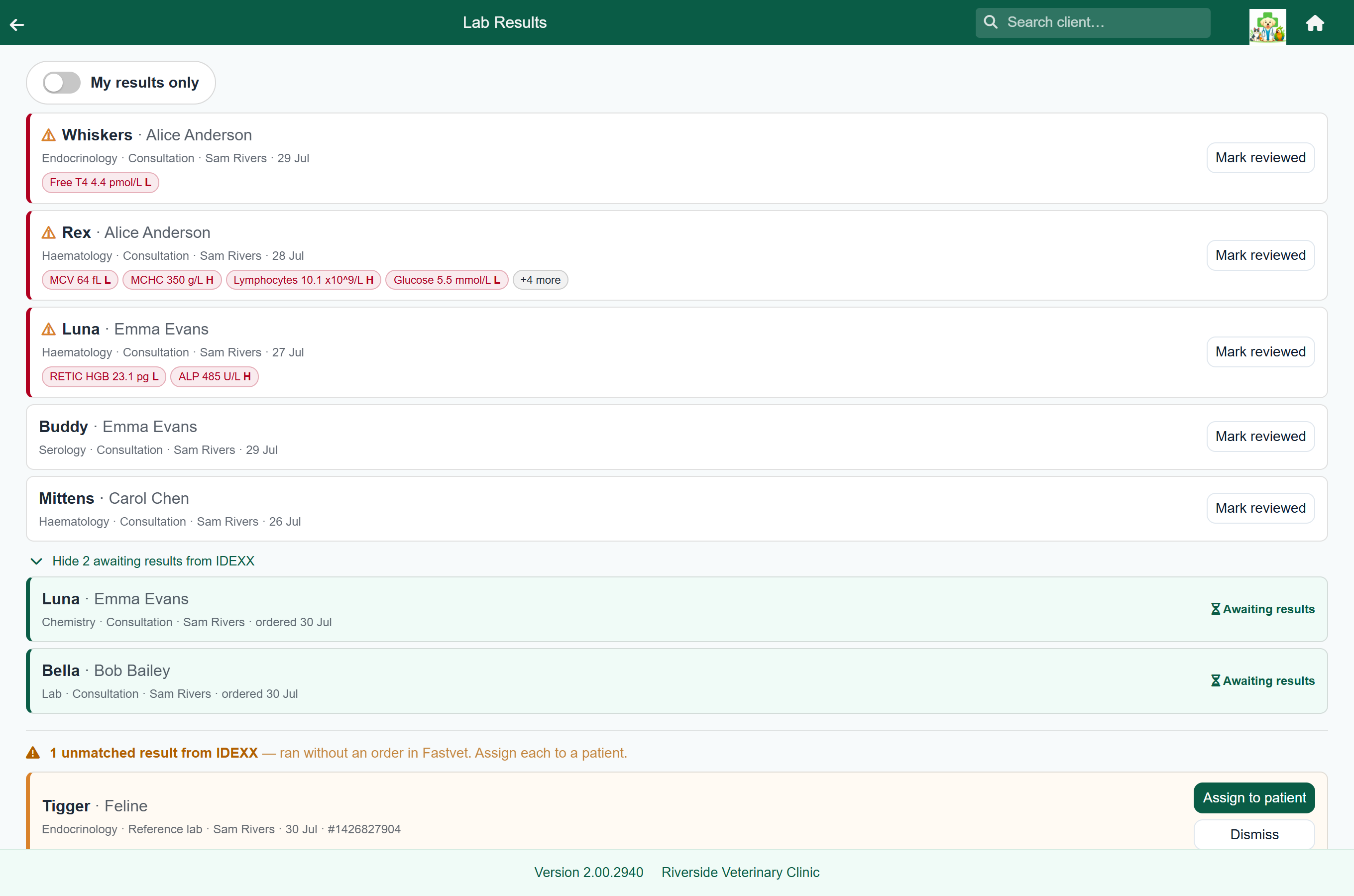
Every result that has come back and not been reviewed is listed with the patient, client, test and who ordered it. Results with values out of range are marked ⚠, sort to the top, and show the out-of-range values on the card. Turn on My results only to see just the ones you ordered.
Work still outstanding is under Show … awaiting results from IDEXX below the list.
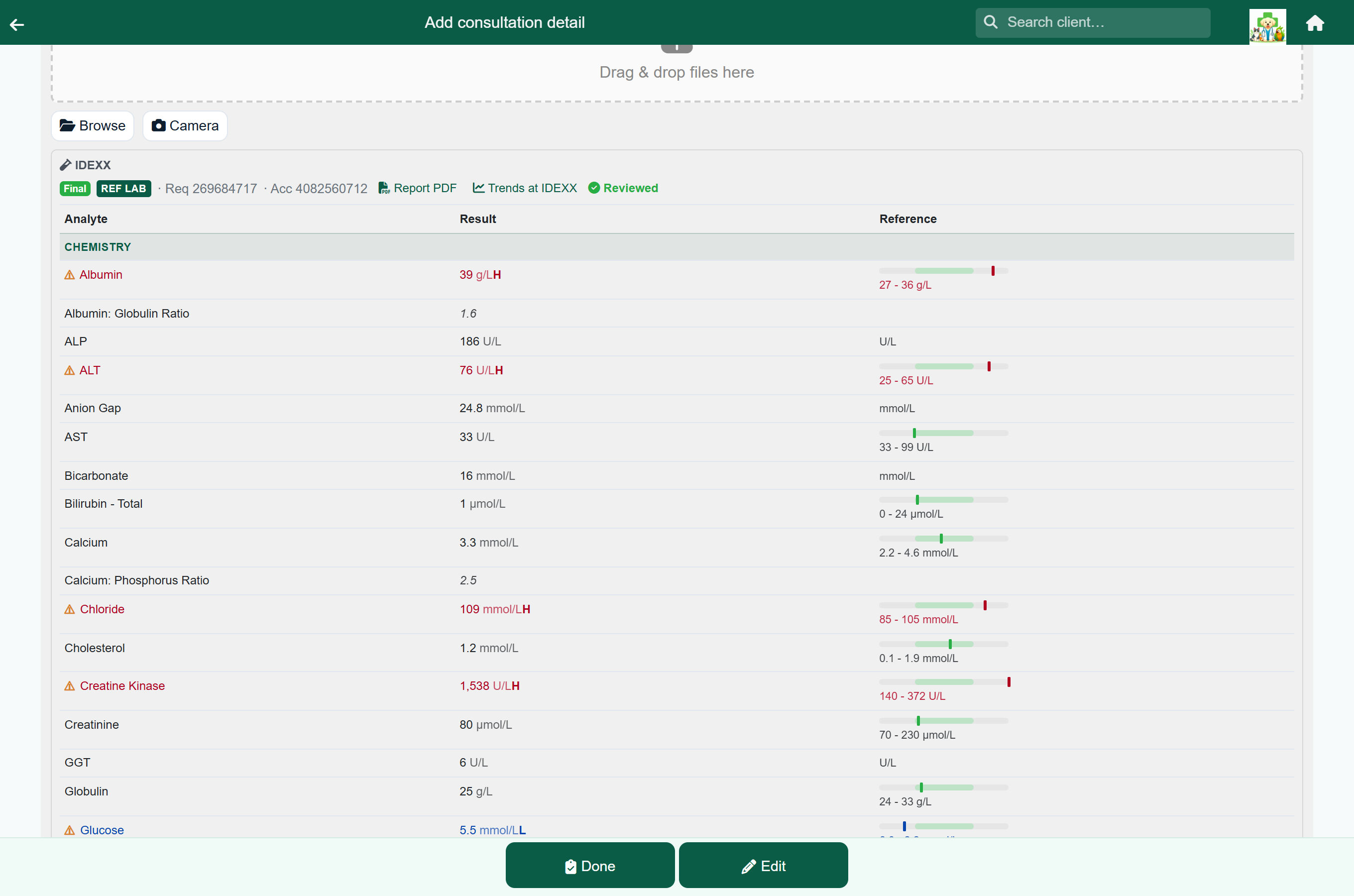
Tap a result to open it, with every analyte, its reference range and any out-of-range flags. The visit it was ordered on is one button away at the top, where the same values sit on the lab line. A result run with no visit behind it has no such button.
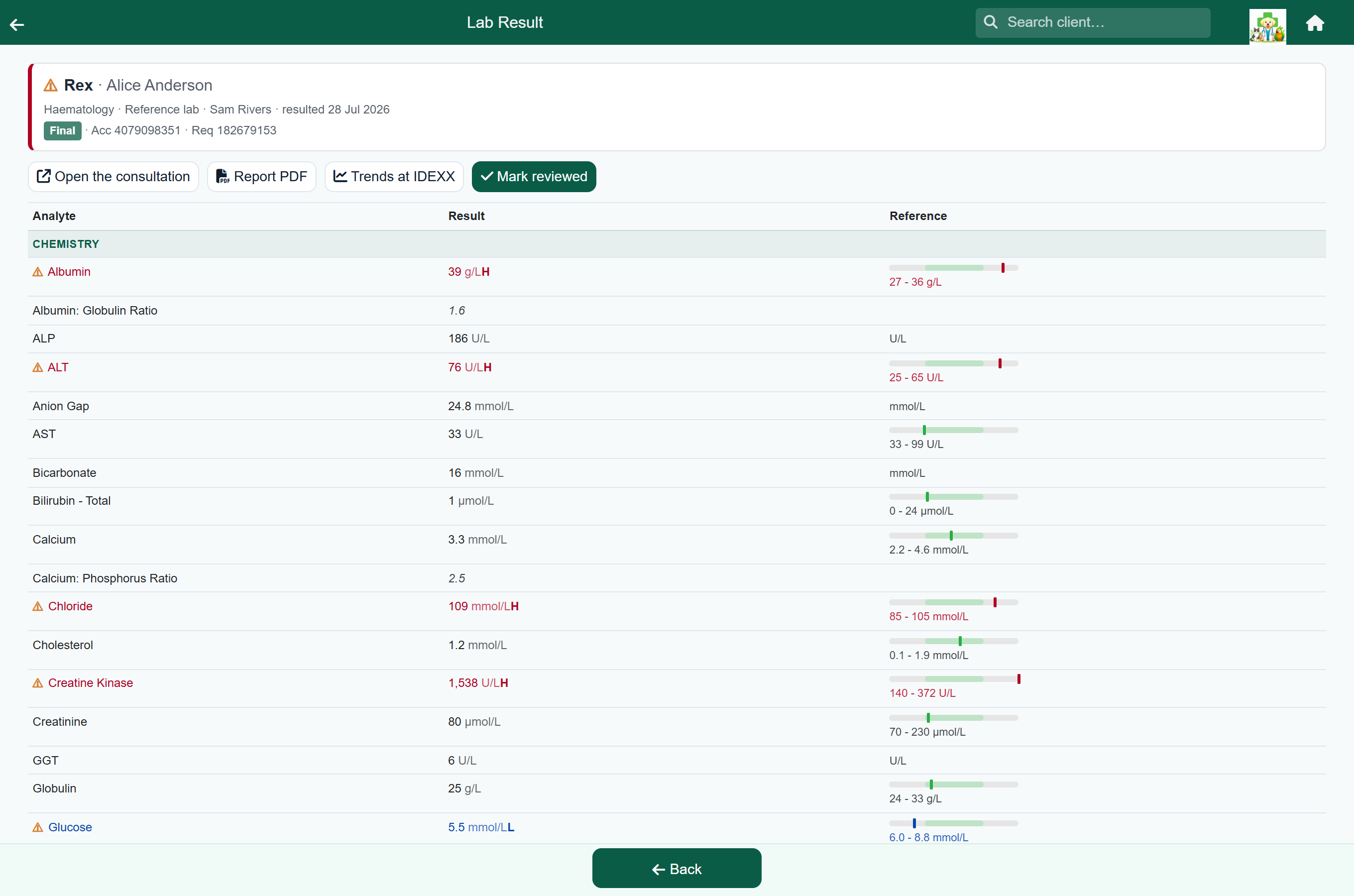
Mark reviewed takes the result off the inbox for everyone, not just you.
Results come through on their own every fifteen minutes. If you know a result is ready, press Fetch results now at the top of the inbox to pull it in straight away.
A result run without an order in FastVet (straight on an analyser, or ordered on the VetConnect PLUS website) appears at the bottom under the name the laboratory has for the patient. Press Assign to patient to put it on the right animal's record, where it joins their clinical history. Press Dismiss for results that were never a patient, such as a quality-control run.
Press Preview, or tap the row, to see the result's values before you assign it. They open under the row with the same range bars as any other result, and a Report PDF button when the laboratory has sent one. The values often tell you which animal it was, or that it was a control run, and they stay open while you choose the patient. Hide values closes them.
IDEXX sometimes files an analyser run from a later visit under the same result as an earlier one, as VetConnect PLUS does when it takes the samples to be from the same patient. FastVet then shows each visit as its own dated section, newest first, with the analysers that ran on that day. If the result was already reviewed when the new run arrived, it goes back into the inbox.
Recording in-house results#
Results run on your own bench are recorded on the visit they belong to.
- Open the consultation or hospital day.
- Press Add and choose the lab item.
- Enter the result, or attach a photograph or file of the report.
X-ray and ultrasound files attached this way open in the image viewer; see X-rays and DICOM images.
IDEXX integration#
Practices using IDEXX can send reference-lab and in-clinic tests to IDEXX from FastVet, and the results come back onto the patient's record.
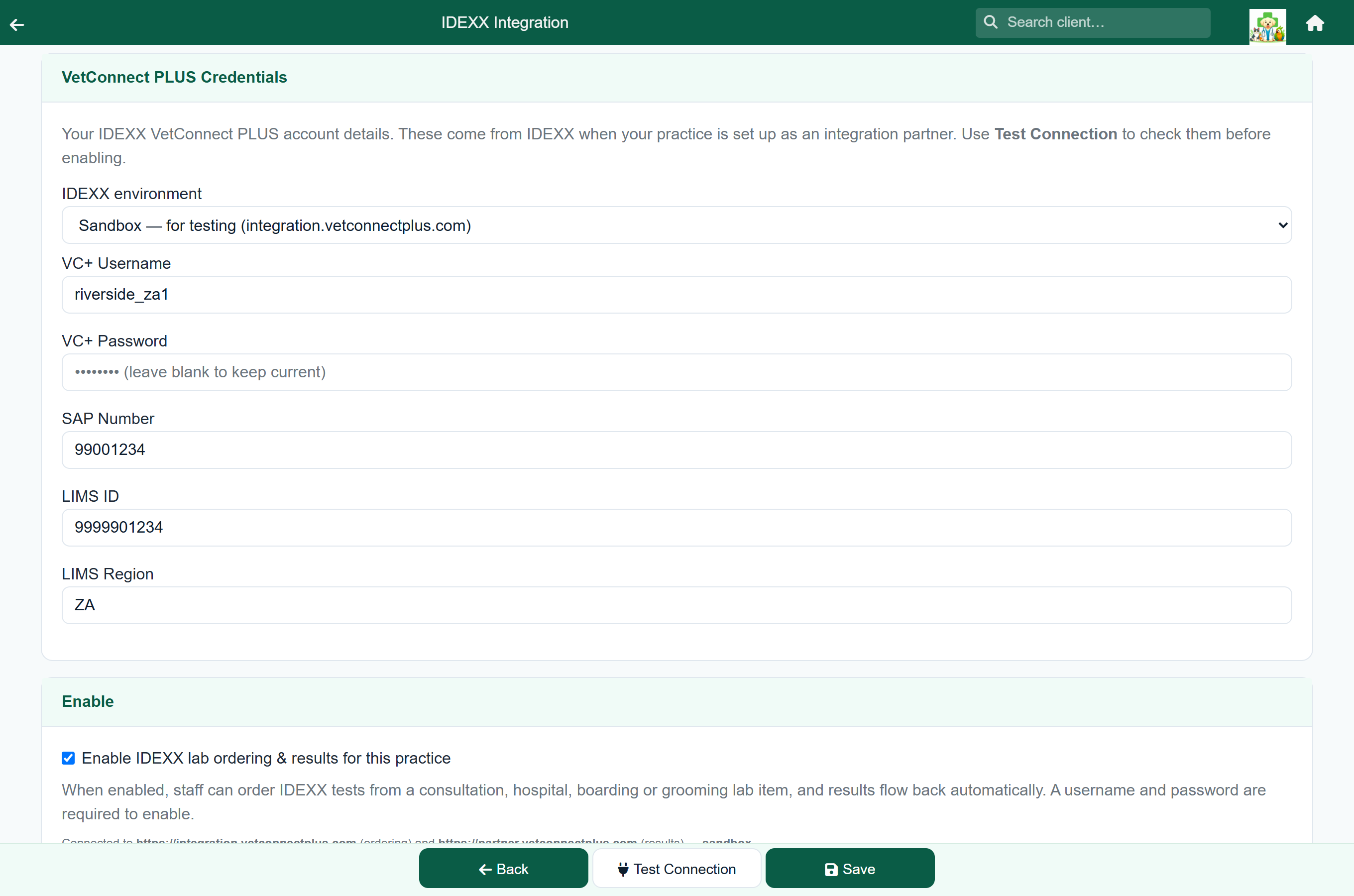
- An administrator enters your IDEXX credentials under Settings → Integrations → IDEXX.
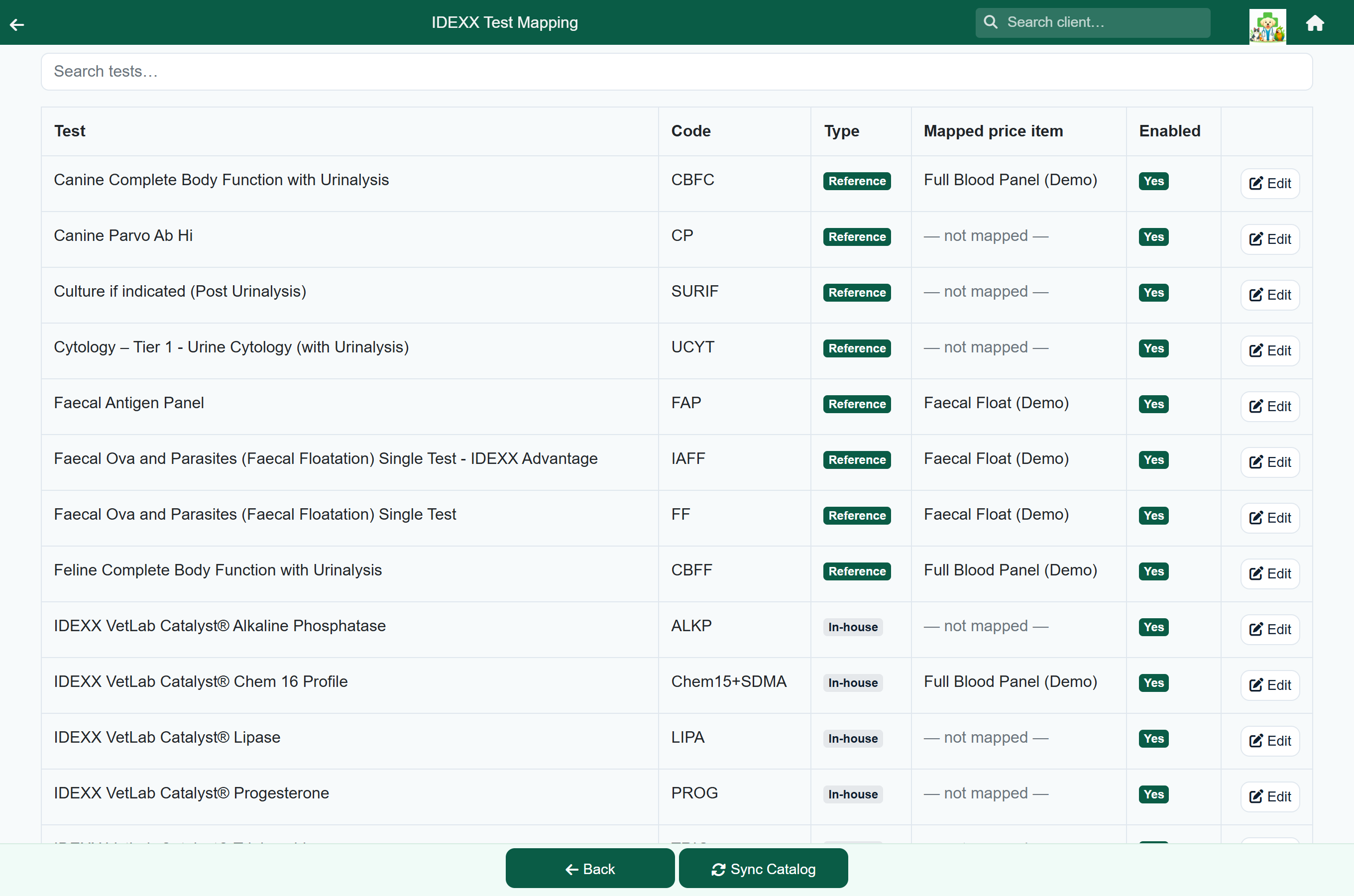
- Each IDEXX test is mapped to one of your price-list lab items. Search for the item, or create one with the price you charge. If your analyser tests are filed as procedures, you can pick them too: saving moves the item to Lab, which is what lets it send an order.
- On a visit, add the lab item as usual; it is charged like any other item. Adding a mapped item creates the order at IDEXX, which may incur a cost.
- On the lab line, press Review & submit to IDEXX so the laboratory or analyser runs it.
- Results arrive in the lab results inbox and on the lab line.
From the lab line you can also open the laboratory's Report PDF, or the patient's Trends at IDEXX in VetConnect PLUS.
Looking back over lab work#
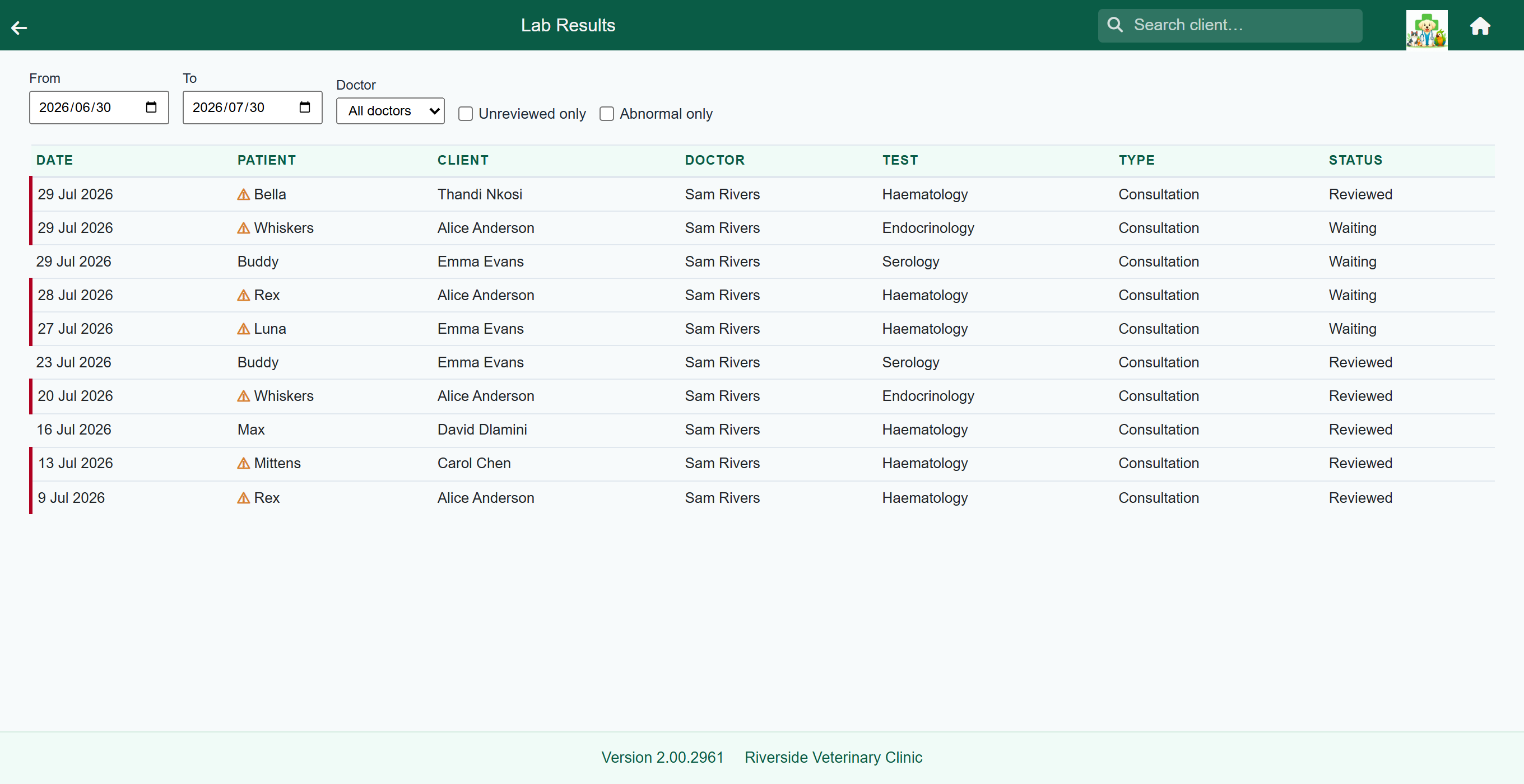
The lab results report lists lab orders over a period, with the patient, client, doctor, test and status, useful for finding a result when you know roughly when it was run but not for whom.