
Help Centre › Clinical care
Consent forms
Write your consent wording once, say which procedures need it, and the app asks for the right form at the right moment - on the plan, on the consult, on the stay, on the grooming and at the till.
A consent form records what an owner agreed to. You write your wording once, say which items on your price list need it, and from then on the app asks for the right form whenever that work is billed. Nobody has to remember which procedure needs which paperwork.
| Where | What it does |
|---|---|
| Your wording | Write each form once, with the questions it should ask. |
| Which work needs it | Tick the forms a price item needs. This is the step that makes the rest automatic. |
| Where you are asked | The plan offers them; a visit, stay, grooming or sale says on the line if one is unsigned. |
| Getting it signed | On your tablet, by a link to their phone, or on paper. |
Switching consent on#
Settings›Practice Settings›Features & Modules
Consent forms are off until you turn them on. Switch on Consent forms in the Optional Features card and save. The consent screens then appear for your staff.
Write your wording#
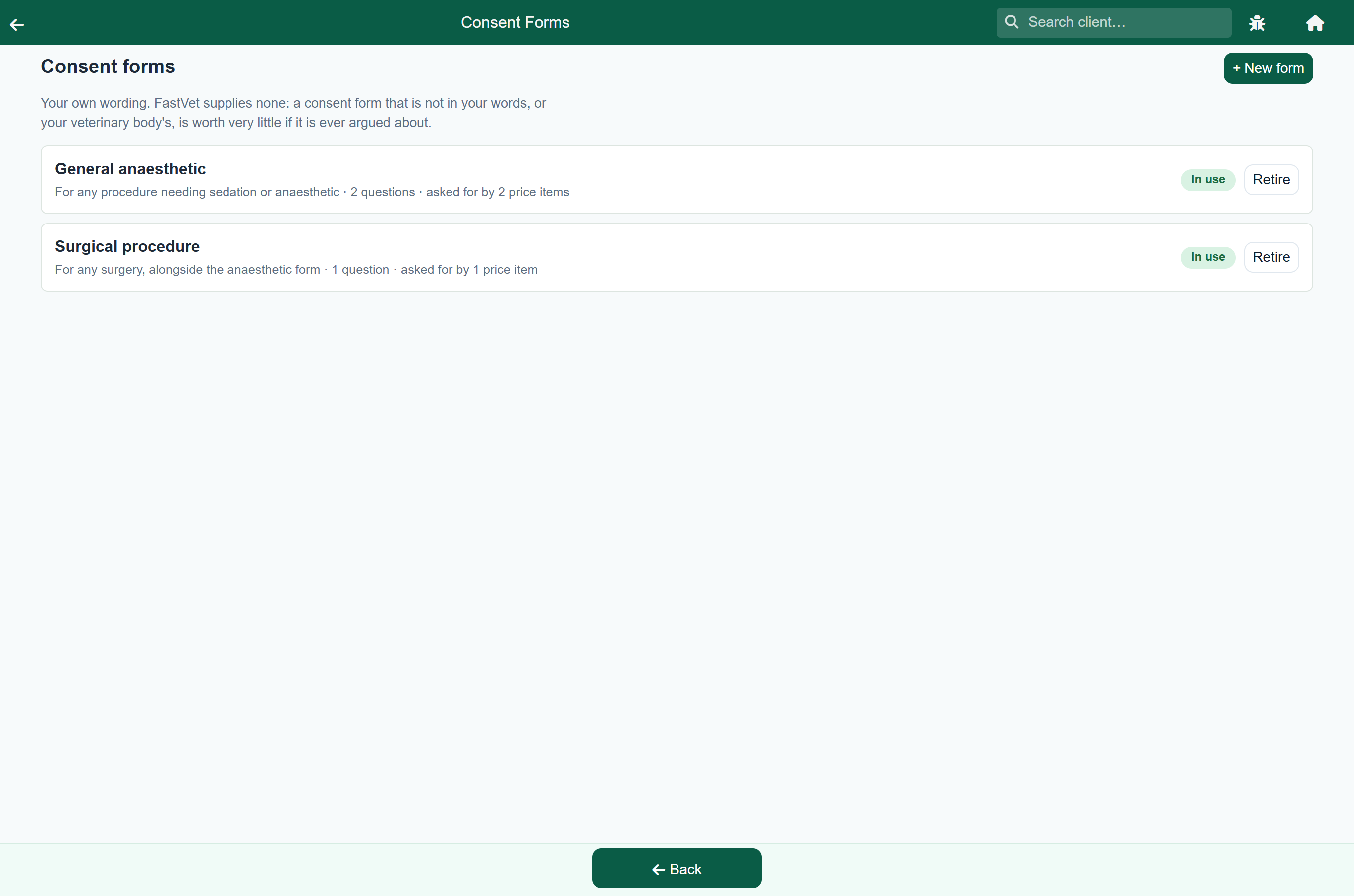
Settings›Consent Forms
Each form in your library is a piece of wording plus the questions it should ask. A general anaesthetic form might ask how long the patient is expected to be under and what to do if the heart stops; a euthanasia form might ask what the owner wants done afterwards.
- Press New form and give it a name. The owner sees this name, so write it the way you would say it: "General anaesthetic", not "GA consent v3".
- Type the wording. This is what the owner reads and signs.
- Add the questions you want asked each time. Each one has a label, a type (text, number or a choice from a list) and can be marked required.
- Save.
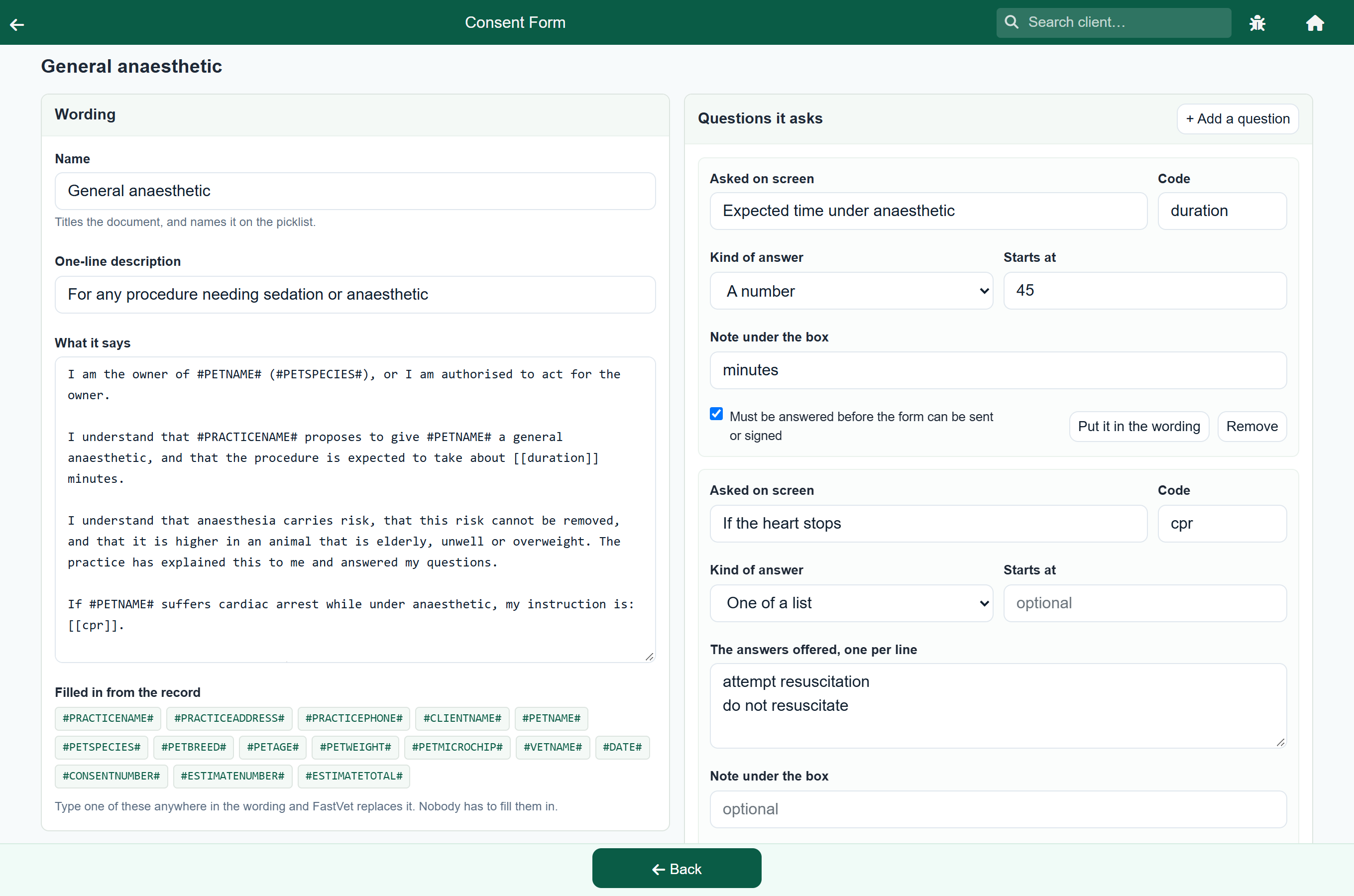
Two kinds of thing can go into the wording, and they behave differently:
| Looks like | Filled in by | Example |
|---|---|---|
#PETNAME# | The app, automatically, from the patient and practice records. | Becomes Bella. |
[[duration]] | The vet, when the form is filled in, from a question you added. | Becomes 45. |
Press Tokens on the form editor for the full list of the #...# codes the app fills in.
(#PETBREED#, #PETAGE#) and the patient has neither on file, the form prints ( , ). The app leaves an empty code blank rather than guessing, so put codes on their own line, or in a sentence that still reads if one is missing.Say which work needs which form#
Settings›Update Prices›an item
This is the step that makes everything else automatic. Open a price item and tick the forms the work needs, in the Consent this item needs card.
- Open the price item - "Sterilisation / Neuter", say.
- Tick Surgical procedure and General anaesthetic.
- Save.
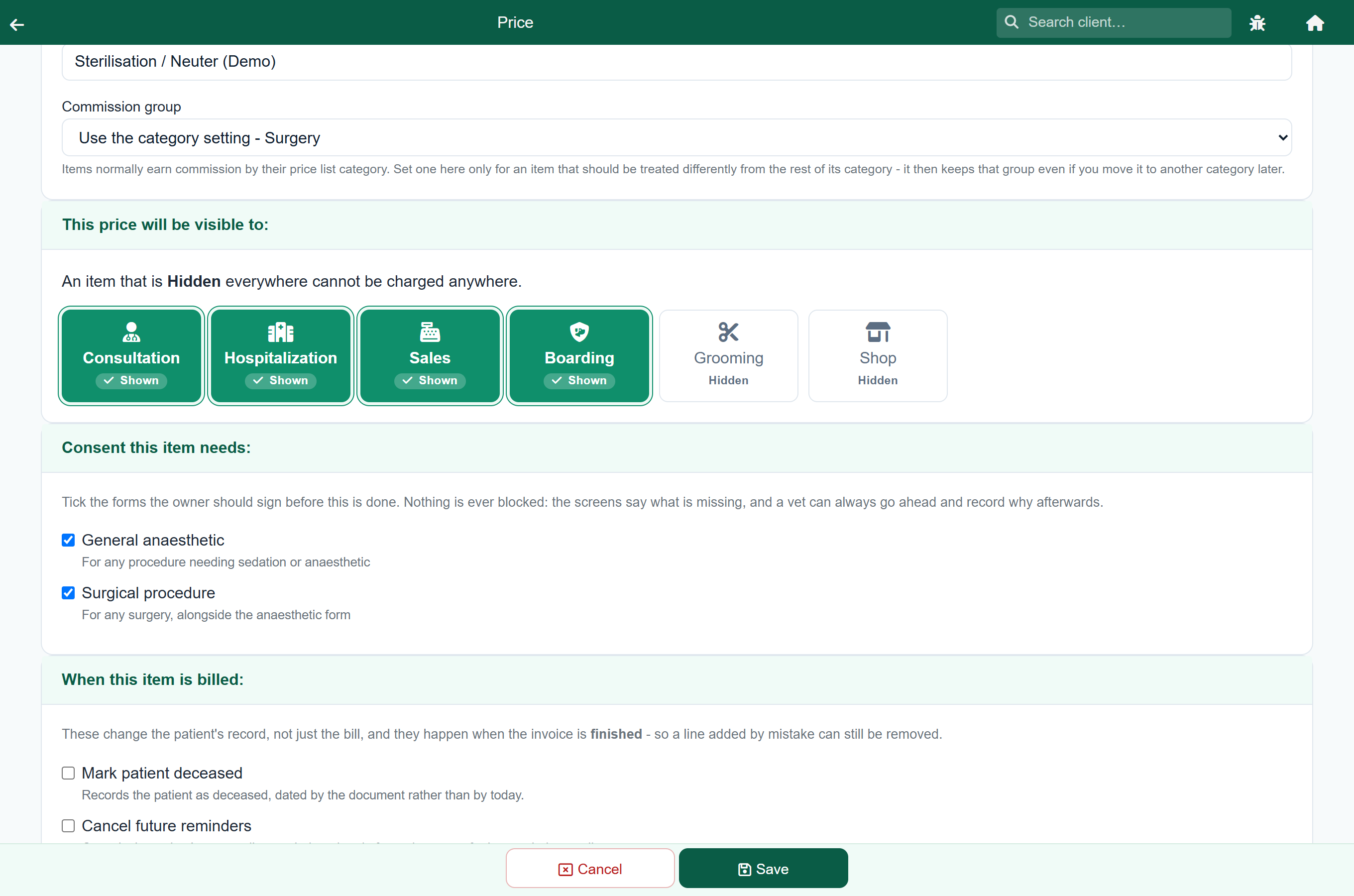
From then on, any plan, consultation, hospital stay, boarding stay, grooming or sale that bills that item knows it needs those two forms.
Where you get asked#
Once an item is linked, you are told in two places, and you never have to go looking.
On a treatment plan. Price up the work and the plan offers the forms it needs, with a button that adds them all at once. The forms then go to the owner together with the estimate, so they answer one thing rather than three.
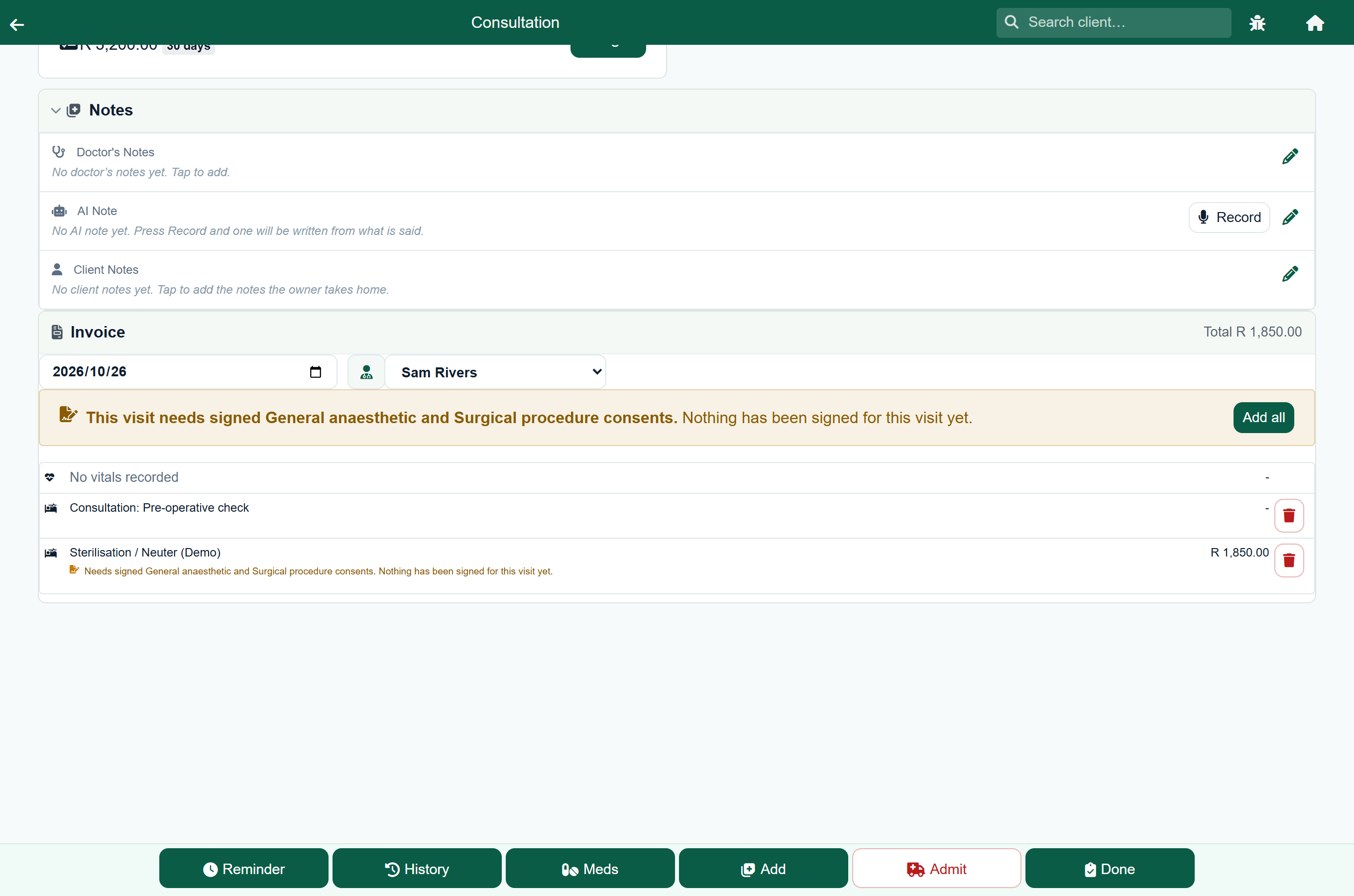
On the work itself. A consultation, hospital day, boarding stay, grooming or sale that bills a linked item shows a note under that line saying which form is needed and whether anything has been signed. Above the list, one line says what the whole visit still needs, with a button to raise it there and then.
That second one is for the case the feature exists for: something found while the patient is already open. Add the line, press the button, and the form exists before anybody picks up the phone to the owner.
Getting it signed#
A form has to be filled in before it can be signed: any question you marked required has to have an answer. A form signed with a gap in it says nothing about the gap.
There are three ways to get a signature, and the app records which one was used.
| Way | How | What is recorded |
|---|---|---|
| In clinic | The owner signs on your tablet or screen with a finger or a stylus. | The drawn signature, the name, the date, and that it was signed in front of you. |
| By link | Press Email to owner. They get the form and a link they can open on their phone. | The drawn signature, the name they typed, the date and the device's address. |
| On paper | Print the form, have it signed, and photograph it back onto the record. | The photograph, and that it was signed on paper. |
An owner can also turn a form down. That is recorded as a refusal of the whole form, which is a different thing from a refusal recorded inside a signed one - a signed form saying "do not resuscitate" is consent, with an instruction in it.
Afterwards#
A signed form stays on the patient's record. You can open it from the plan it came from, from the visit it belongs to, or from the patient's own list of forms.
When a plan becomes a consultation or an admission, its signed forms travel with it, so the visit shows the consent that covers it rather than leaving you to go back to the plan.