
Patient records
Every patient has one clinical record that tells the whole story - each consultation and its charges, a single timeline across every kind of visit, attachments, and diagnoses that stay with the animal over time.
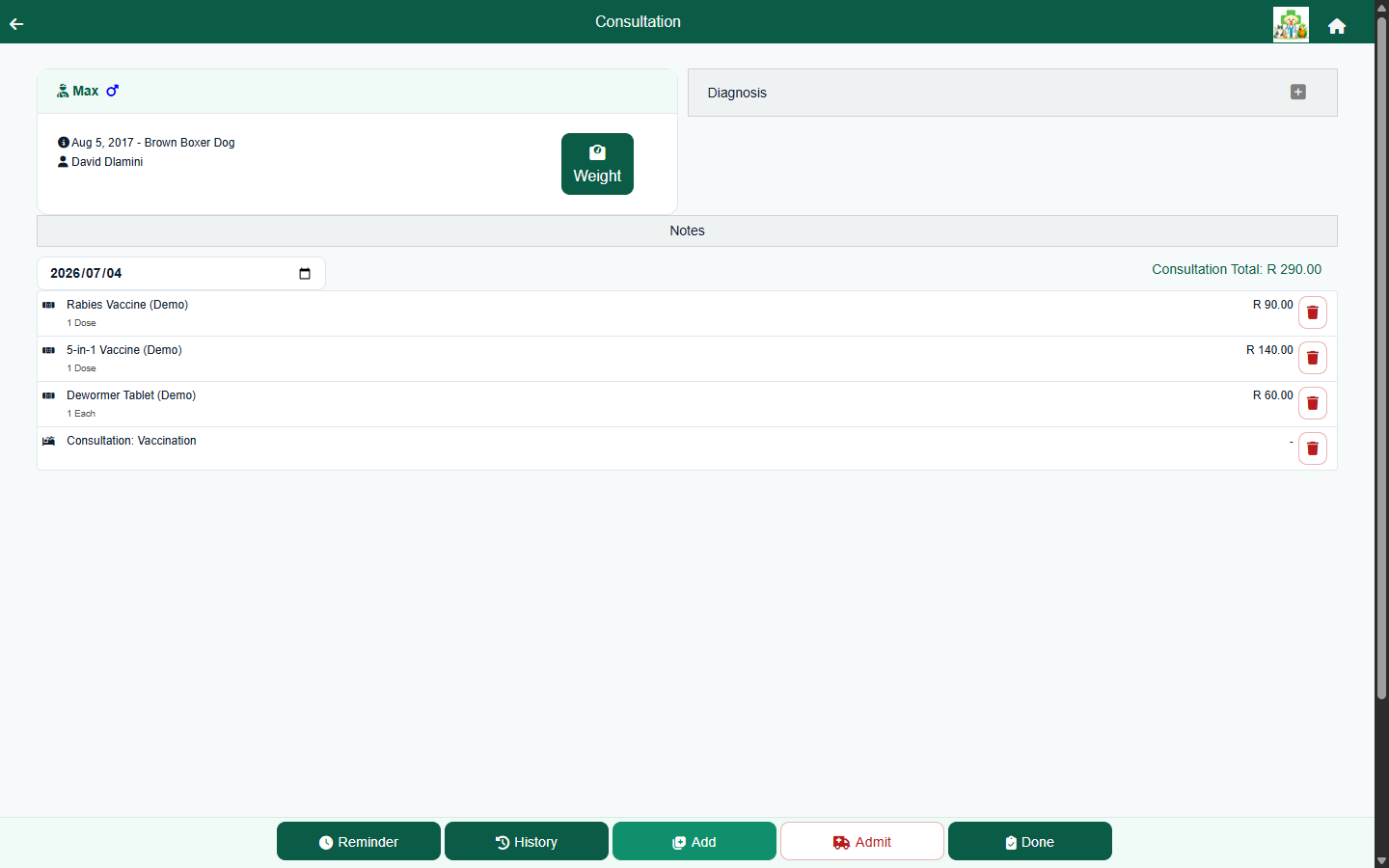
The consultation record
A consultation captures the visit and everything done in it. Record the weight, temperature and clinical notes, then add what you do from your own price list. Items are grouped into labs, materials, procedures, treatments and protocols, and each line can carry its own quantity, price, result, warning and client-visible instruction - so the clinical detail and the charge live on the same line. The consultation total updates automatically as you add items.
- Structured line items - labs, materials, procedures, treatments, and grouped protocol packages.
- Per-item results, comments, dosage/measure amounts, discounts and warnings.
- Client-visible instructions on any item, e.g. "Give once daily with food. Complete the course."
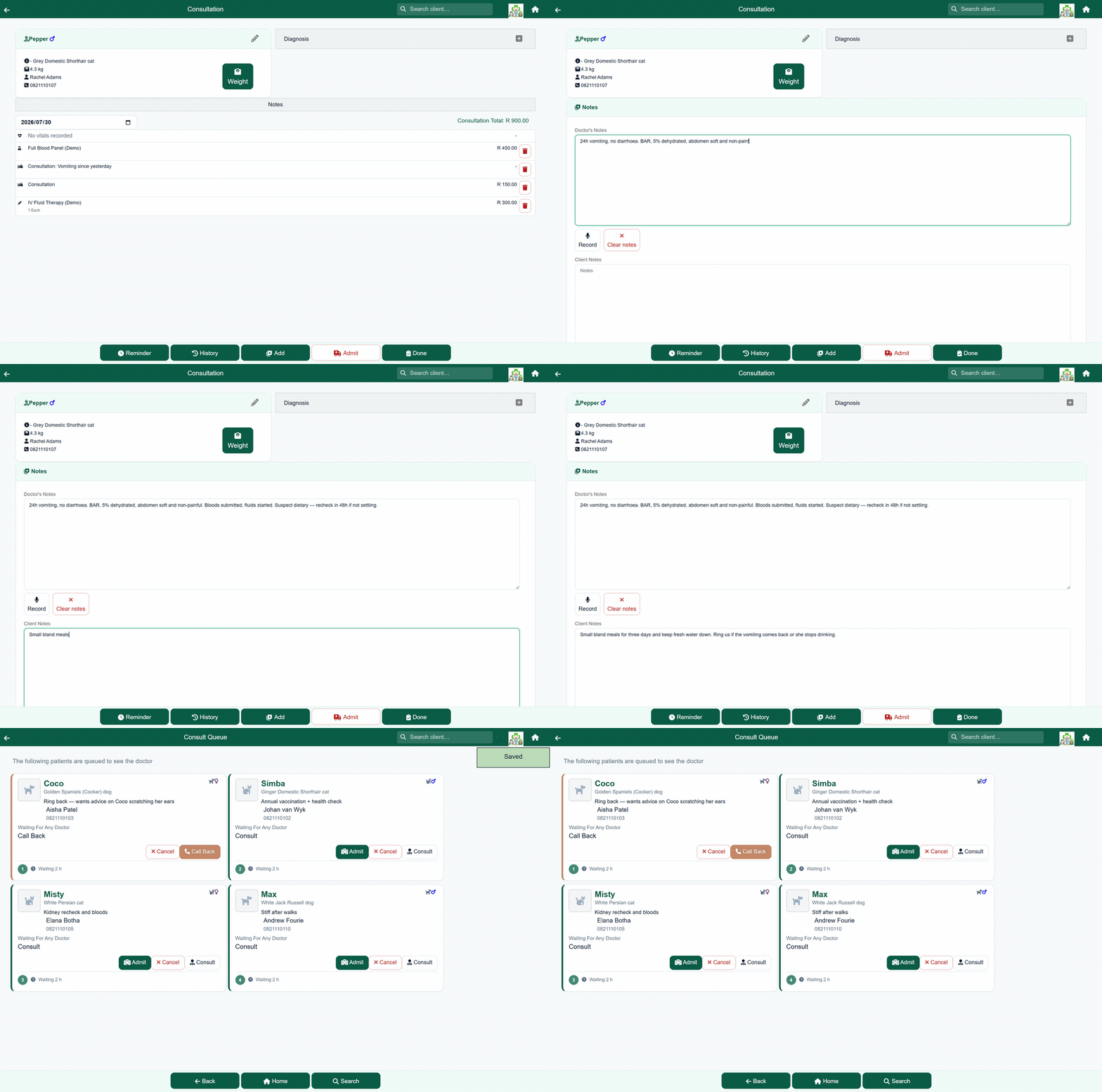
- Doctor notes and take-away notes captured alongside the charges.
Diagnoses that carry across visits
Add one or more diagnoses to a consultation. A diagnosis is recorded against the patient with a status, so an ongoing problem - chronic kidney disease, a managed skin condition - stays visible on later visits until it's marked resolved. The clinical picture builds up over the animal's life instead of being re-typed each time.
One timeline for the whole patient
Open a patient and see a single, date-ordered history that pulls together consultations, hospital admissions, boarding stays and sales - not four separate lists. The merged clinical-history view shows what was done, the results and instructions recorded, who did it, and any attached files, newest first, so you can catch up on a case in seconds.
- Consultations, hospital and boarding stays, and sales in one chronological record.
- Searchable history with the author and date on every entry.
- Select entries to email a referral summary to another practice.
Attach anything to the record
Upload photos, lab result PDFs and documents straight onto a visit or a hospital/boarding stay, and they show up inline on the patient's timeline. Care and discharge sheets and vaccination cards can be attached to a consultation and emailed to the client as a PDF.
Optional AI assistance
If you enable it, FastVet can transcribe a voice note recorded during a consultation into a written note, and generate a plain-language summary of a patient's entire visit history - both of which you review and edit before they're saved. AI features are optional and configured per practice. Read more about AI in FastVet →
Frequently asked questions
Can I import my existing patient records?
Yes. Our team migrates your clients, patients, inventory and pricing from your current system for you as part of onboarding - it's a hands-on service, not a file you have to format yourself.
Can I attach photos and lab documents to a visit?
Yes. Attach images and PDFs directly to a consultation, hospital stay or boarding stay. They appear inline on the patient's clinical history and can be emailed to the client.
Does a diagnosis carry across visits?
Yes. A diagnosis is recorded against the patient with a status, so an ongoing problem stays visible on future visits until it's resolved.
Is there an AI assistant for clinical notes?
Optionally. FastVet can transcribe a consultation voice note into a written note and summarise a pet's visit history for you to review and edit. AI features are optional and enabled per practice.