
Inventory
Your stock stays current on its own. Sell or dispense an item and FastVet records the movement, recalculates on-hand, and flags anything running low - with lot numbers and expiry tracked the whole way.
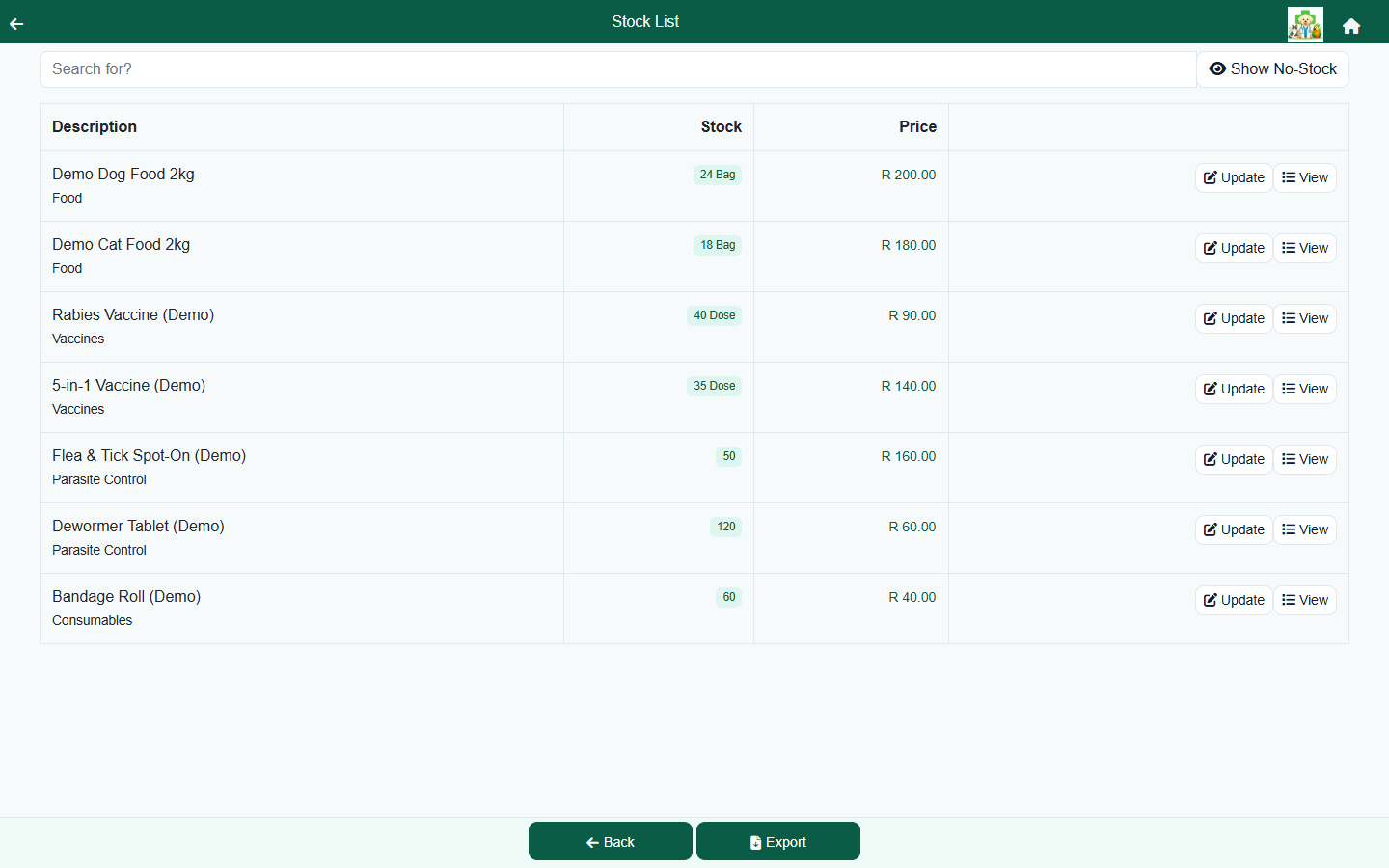
Tracked automatically, through a full ledger
Every movement of stock - a sale, a dispense, a manual adjustment, a correction - is written to a dated ledger. FastVet recalculates each item's on-hand from that ledger, so you get an audit trail and an accurate count at the same time, without stopping to do a stock-take. Manual adjustments are guarded so a movement can't push an item (or a single lot) below zero by mistake.
- Sold and dispensed items draw stock down automatically.
- Every change is a ledger entry - you can see the full history of any item.
- Add or remove stock by hand when you receive or write off, with safeguards against negative balances.
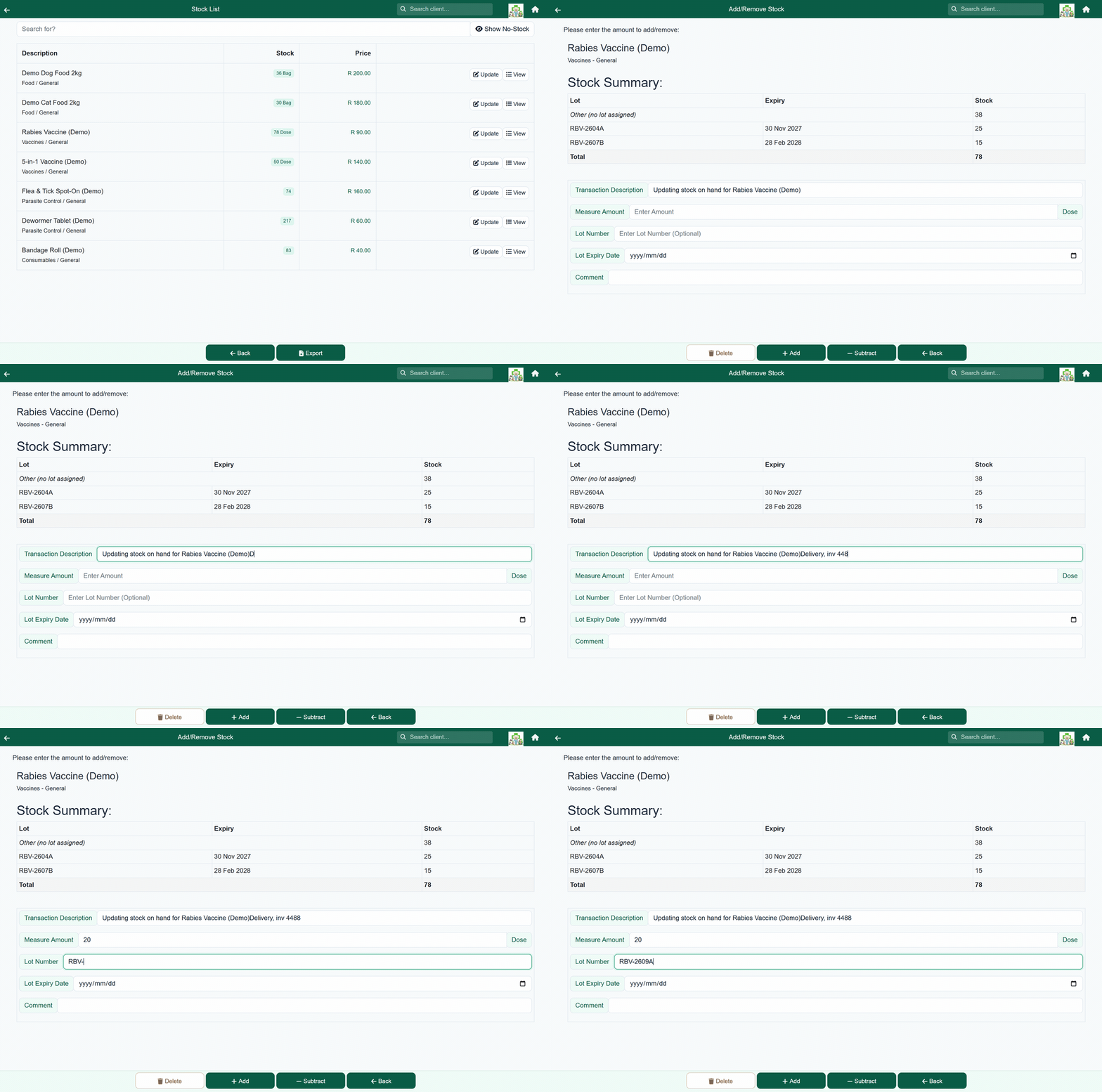
Lot numbers and expiry
Each movement carries a lot number and an expiry date, and FastVet keeps a running balance per lot. You can see exactly which batch is on the shelf and when it expires - important for vaccines, medicines and anything date-sensitive.
Stock status at a glance
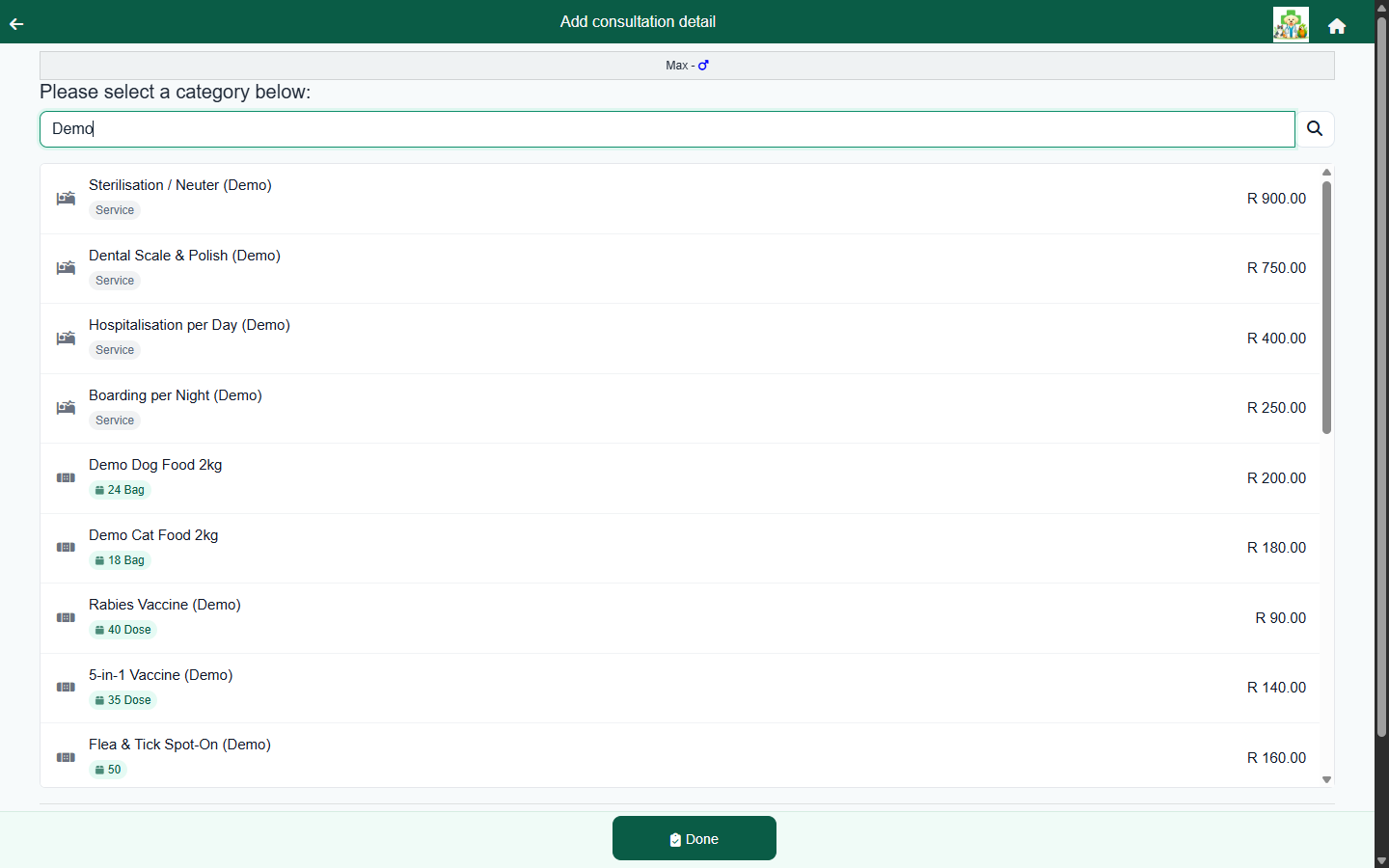
Set a low-stock threshold per item and FastVet shows a clear In stock, Low, Out or Service badge - on the stock list and, crucially, on the price picker while you're billing a visit, where the on-hand figure is kept live. You notice a shortage at the moment it matters, not at month-end.
Suppliers, history and reports
- Keep a supplier list and tag each item to its supplier.
- Open any item's full ledger history to see every movement.
- Stock used and stock value reports summarise consumption and on-hand value by month.
- Export the stock list to Excel.
Frequently asked questions
Does stock go down automatically when I sell or dispense?
Yes. Selling or dispensing a stock item records the movement in the ledger and recalculates on-hand and per-lot balances - no separate stock-take.
Can I track lot numbers and expiry dates?
Yes. Every movement carries a lot number and expiry, and FastVet keeps a running balance per lot.
How does the low-stock warning work?
Each item has a low-stock threshold and shows an In stock / Low / Out badge on the stock list and on the price picker while you bill.
Can I export my stock list?
Yes. The stock list exports to Excel, and stock-used and stock-value reports summarise consumption and on-hand value by month.